Chapter 4 Servicing Motherboard Components 4-25
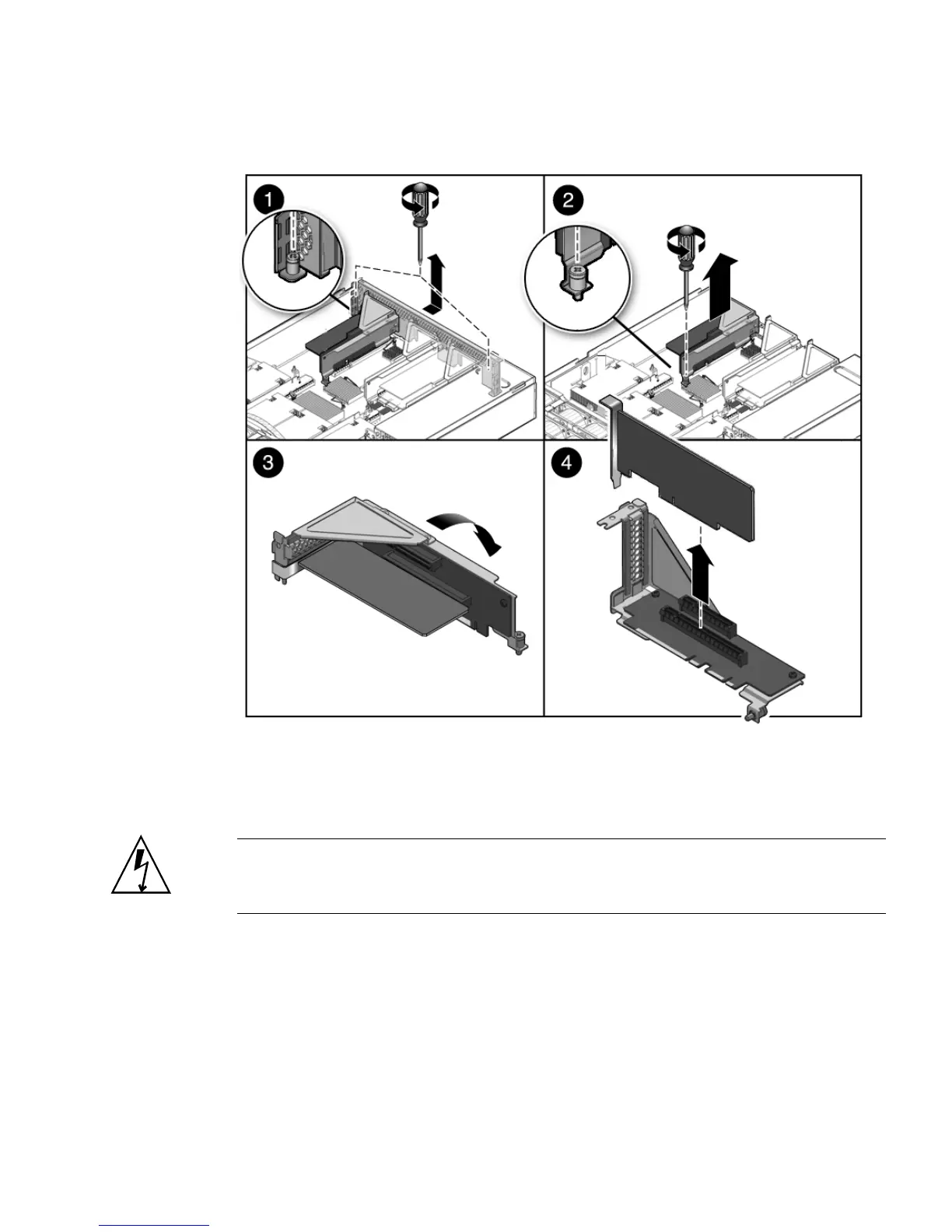
FIGURE 4-14 Removing a PCIe Card
4.6.3 Installing a PCIe Card
Caution – Ensure that all power is removed from the server before removing or
installing expansion cards. You must disconnect the power cables before performing
this procedure.
1. Unpackage the replacement PCIe card and place it on an antistatic mat.
2. Locate the proper PCIe slot for the card you are replacing.
3. If necessary, review the PCIe Card Guidelines to plan your installation.
See Section 4.6.1, “Sun Fire X4450 PCIe Card Guidelines” on page 4-23 for
additional information.














 To Next Page