Chapter 5 Servicing Infrastructure Boards and Components 5-13
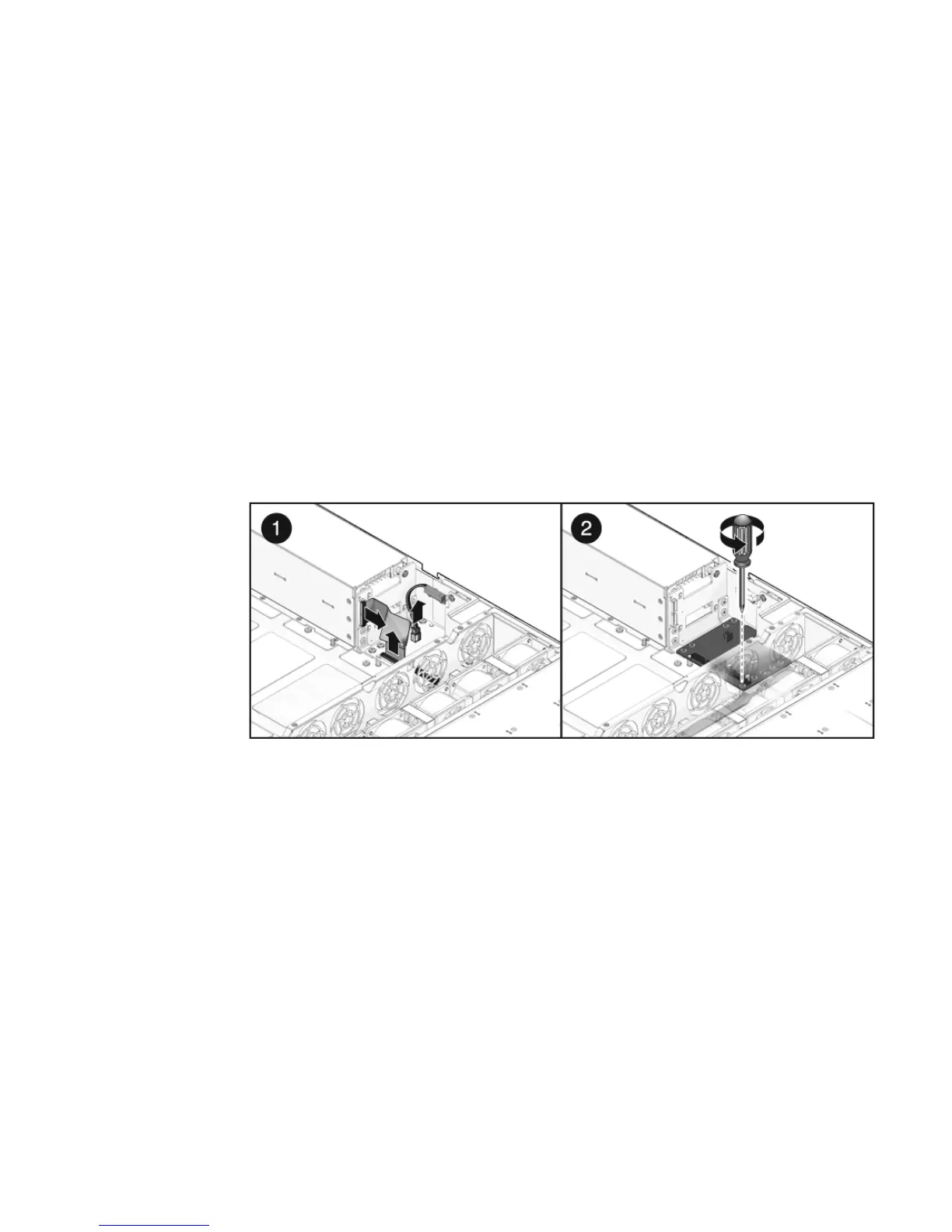
4. Disconnect the power distribution board ribbon cable from the Power Supply
Unit backplane. [1]
5. Unscrew the four screws securing the L shaped busbars from the PSU
backplane to the power distribution board.
6. Remove the No. 2 Phillips screw securing the power distribution board to the
chassis. [2]
7. Grasp the bus bar and pull the power distribution board/bus bar assembly to
the left, away from the paddle card.
8. Lift the power distribution board/bus bar assembly up and out of the system.
9. Place the power distribution board/bus bar assembly on an antistatic mat.
FIGURE 5-8 Removing the Power Distribution Board
5.5.2 Installing the Power Distribution Board
1. Lower the power distribution board/bus bar assembly into the chassis.
(
FIGURE 5-9 [1])
The PDB fits over a series of mushroom standoffs in the floor of the chassis.
2. Slide the power distribution board/bus bar assembly to the right, until it plugs
into paddle card.
3. Install the No. 2 Phillips screw to secure the power distribution board to the
chassis. [2]
4. Connect the top cover interlock cable to the power distribution board. [3]














 To Next Page