6-6 Sun Fire X4450 Server Service Manual • November 2009
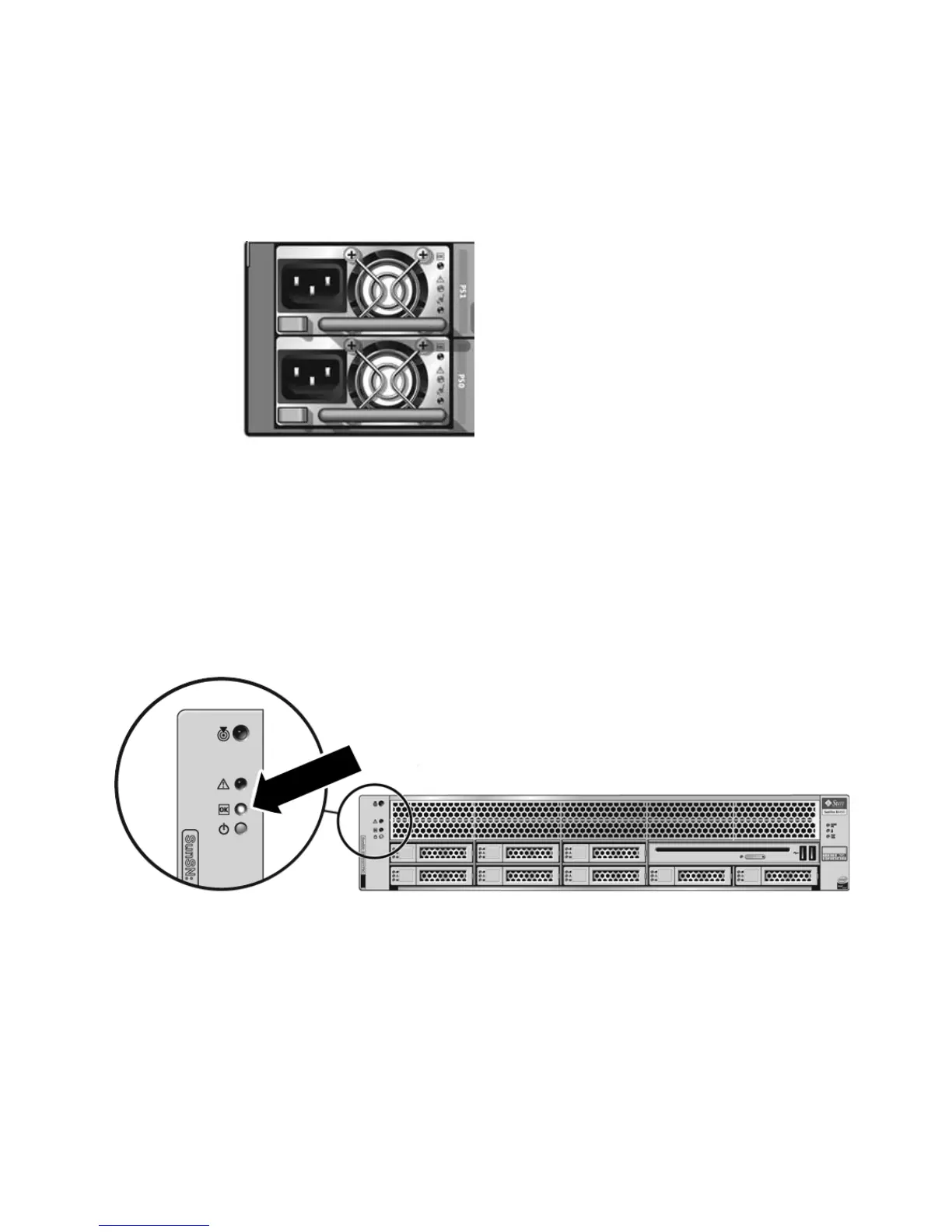
1. Connect that the power cord (or cords) to the power supply (or supplies) on the
rear panel as shown in
FIGURE 6-4.
FIGURE 6-4 Rear Panel Power Supplies
2. Verify that standby power is on.
In standby power mode, the Power/OK LED on the front panel flashes.
3. Use a pen, or other pointed object, to press and release the recessed Power
button on the server front panel.
When the main power is applied to the server, the Power/OK LED next to the
Power button lights and remains lit, as shown in
FIGURE 6-5.
FIGURE 6-5 Front Panel Power/OK LED














 To Next Page