Chapter 4 Servicing Motherboard Components 4-31
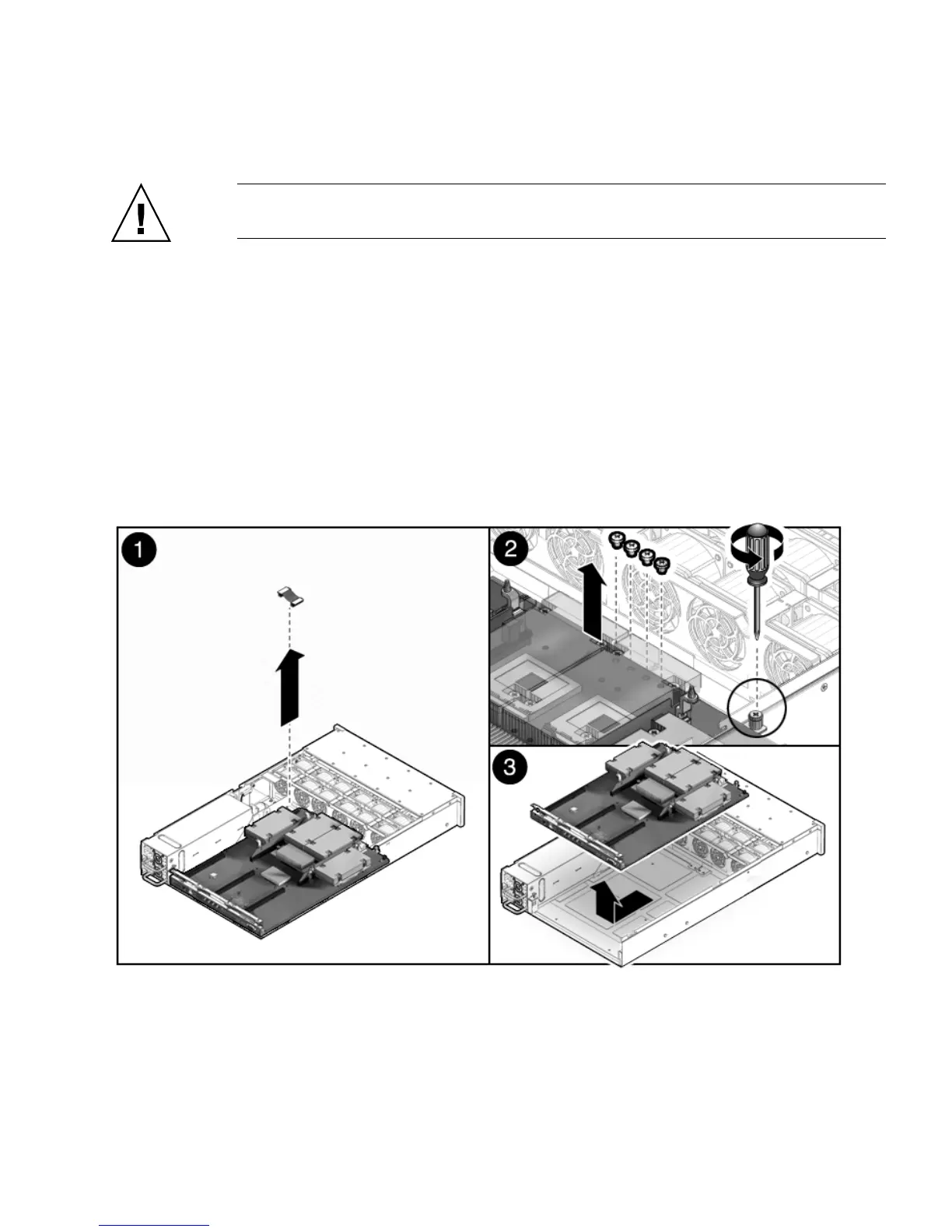
10. Disconnect the drive data cables. [1] (FIGURE 4-17)
Caution – The drive data cables are delicate. Ensure they are safely out of the way
when servicing the motherboard.
11. Remove the 4 screws that secure the motherboard to the bus bar. [2]
Use a No. 2 Phillips screwdriver.
12. Lift the motherboard tray out of the chassis. [3]
Move the motherboard carefully. Gently slide the motherboard to the rear and
carefully lift it upward.
13. If you are replacing the motherboard only, remove the CPUs, as required.
14. Place the motherboard assembly on an antistatic mat.
FIGURE 4-17 Removing the Motherboard Assembly














 To Next Page