4-40 Sun Fire X4450 Server Service Manual • November 2009
c. Reconnect the power cord (or cords) to the power supply (or supplies).
Verify that the AC Present LED is lit.
See Section 6.4, “Powering On the Server” on page 6-5.
d. Power on the server.
See Section 6.4, “Powering On the Server” on page 6-5.
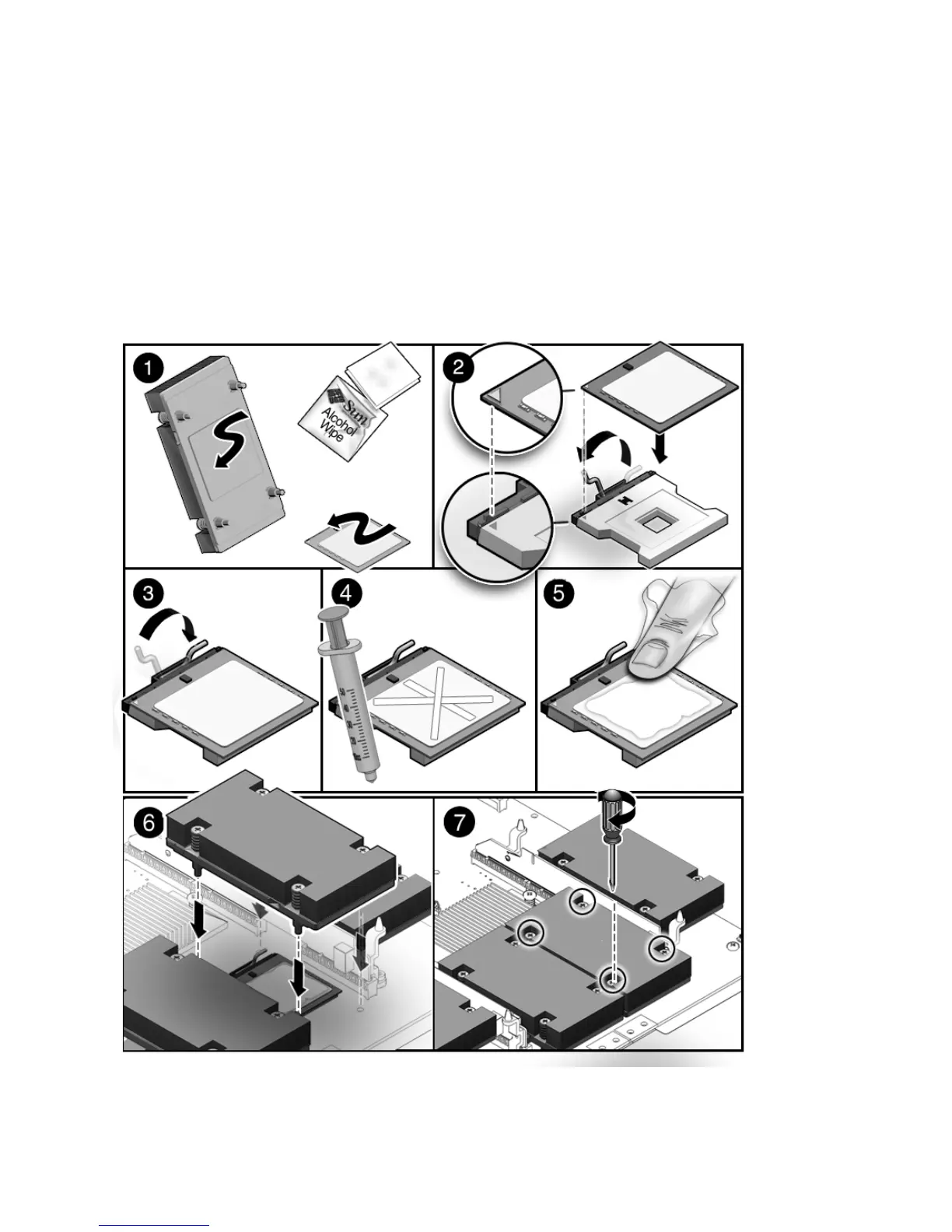
FIGURE 4-21 Installing a CPU














 To Next Page