6 • Questions? Call or Text +1-801-658-0015
SUNSTONE CDDP-A USERS GUIDE
WELD ACTUATION
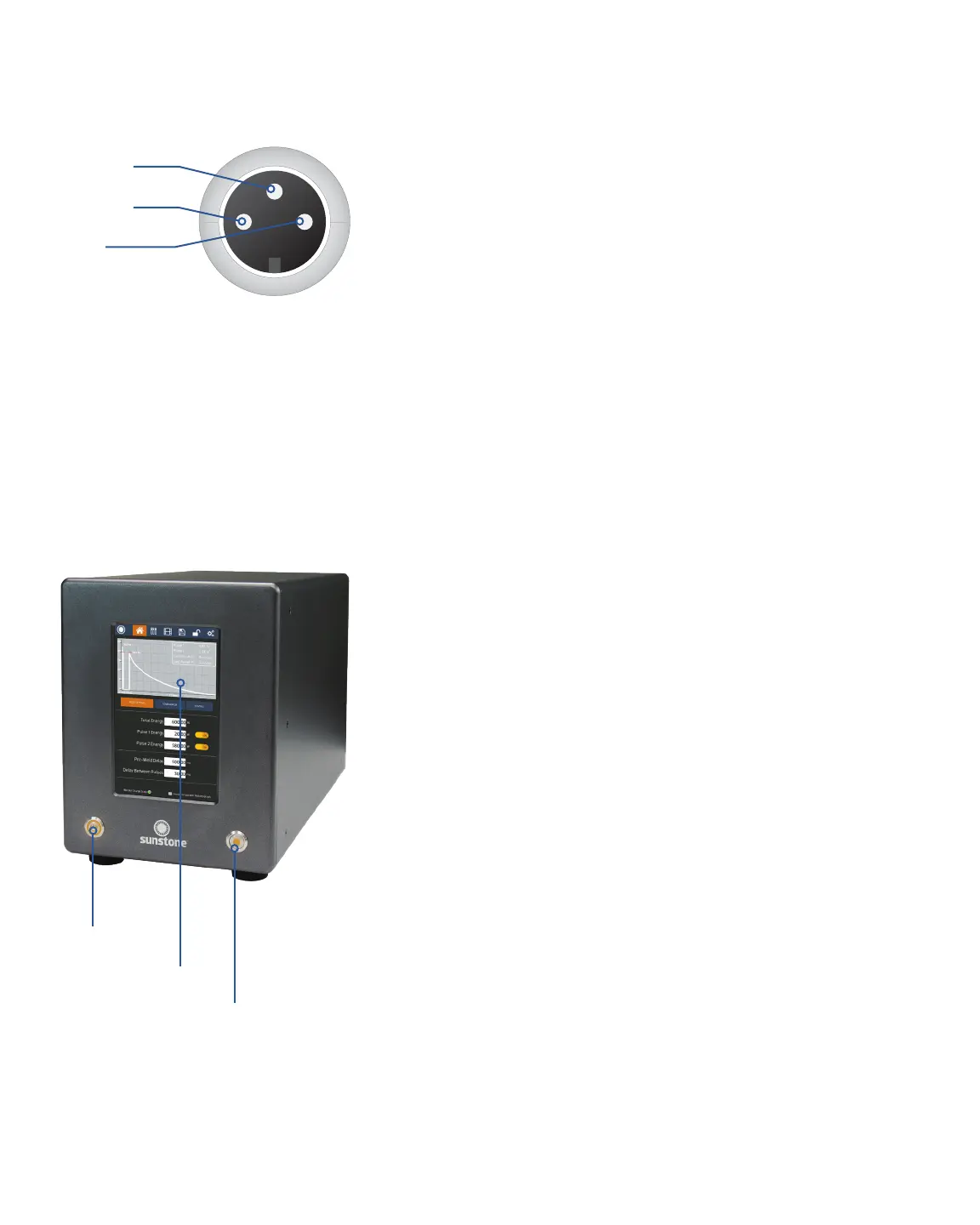
The CDDP-A welder is actuated by means of an external trigger
port located on the back of the welder (see Figure 7.1). The trig-
ger uses a 3 DIN connector and requires shielded wire. Figure
6.1 shows the proper pin placement for custom external trigger
cables. The standard external trigger cable connector is an SD-
30LP made by CUI, Inc.
What’s in the Box
• Welder
• Power cord
• Foot pedal
• User manual
• Safety Guide
Exploring the Welder’s Front Panel
The front of the welder (see Figure 6.2) consists of three
components; the digital touchscreen, the power button, and the
weld on/o button.
The digital touchscreen displays the graphic user interface
and allows the operator to make changes to the welding
parameters. Every interaction with the weld settings will happen
via the touch screen.
The power button will turn the welder on and o. When turned
on, the button will latch and stay depressed. To turn the welder
o, press the button again to unlatch it and turn o the welder.
Warning: DO NOT turn the welder o during boot up. Allow the
welder to completely boot up before turning it o.
The weld on/o button can be used anytime the welder is
turned on. When turned on, the button will illuminate and stay
depressed and the welder will make welds. When o, the
welder will perform all weld functions, but no weld energy will
be released, and no welds will be made. The weld on/o button
allows operators to safely make changes to welding electrodes,
weld heads, and hand attachments. Operators can also per-
form ‘dry runs’ to test timing, delays, and automations, without
Figure 6.1.External trigger wiring diagram. N.O. is
short for “Normally Open.”.
N.O. Circuit
N.O. Circuit
Shield
Figure 6.2.The CDDP-A’s front panel consists of
three main components:
Power Button
Digital Touchscreen
Weld On/O Button















 To Next Page