Questions? Call or Text +1-801-658-0015 • 23
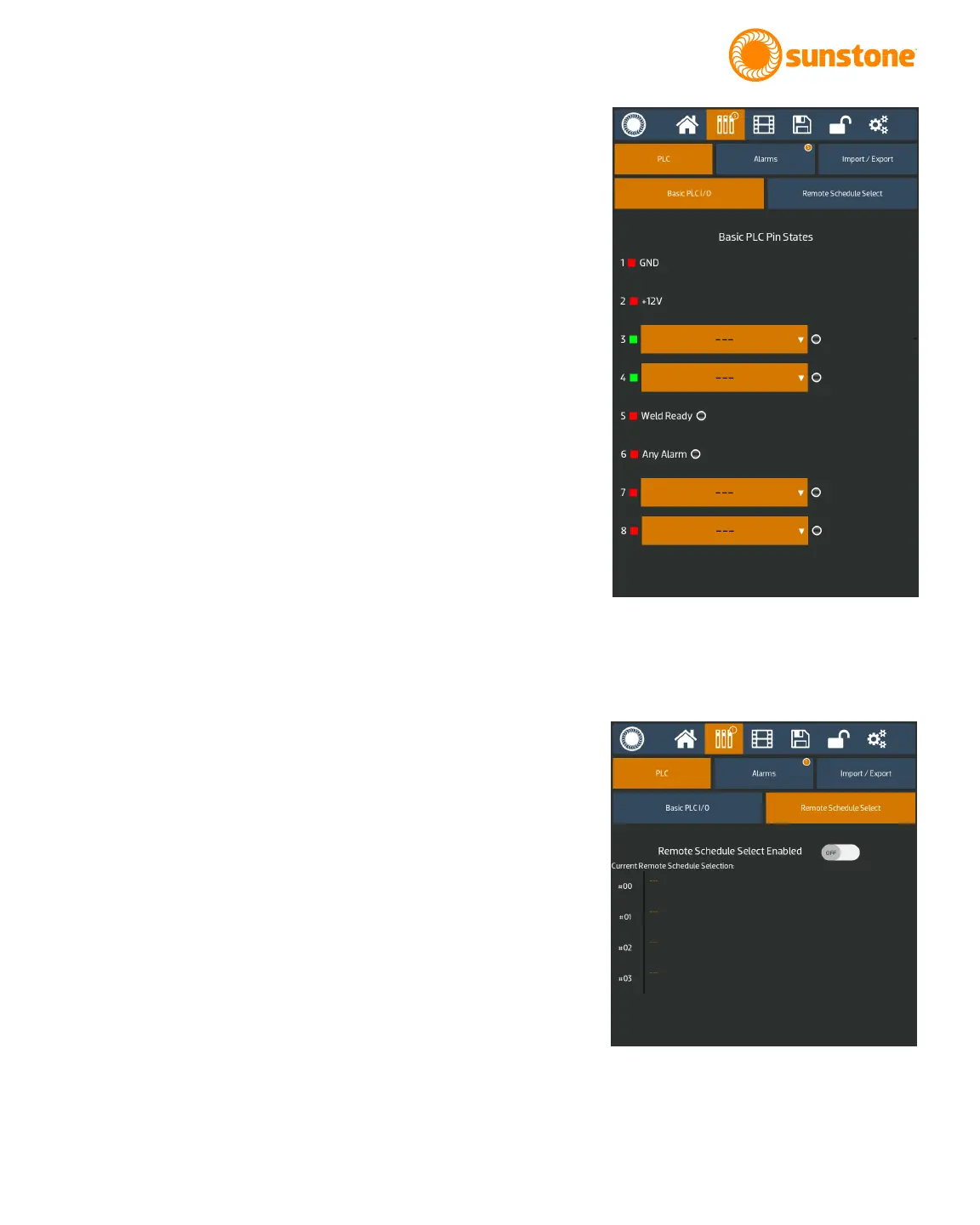
• Pin5 is hard coded as the Weld Ready signal
• Pin6 is hard coded as the Any Alarm signal
Pin7 and Pin8 can each be congured to one of the following
output options:
• Weld Ready
• Weld Good
• Weld No Good
• Any Alarm
• Any Warning
• Emergency Stop
• Alarm: Temperature
• Alarm: Comparator Failures in a row
• Alarm: Electrode Stuck
• Alarm: Weld Counter Preset Limit
• Alarm: Invalid Remote Schedule Selection
• Alarm: Wrong trigger detected
• Alarm: Trigger in No Weld State
• Alarm: Part Check Failed
• Warning: Temperature
• Warning: Comparator Failures in a Row
• Warning: Weld Counter Preset Limit
For more information on pin-out and connections, please see
Appendix A on page 54
REMOTE SCHEDULE SELECT
The Remote Schedule Select allows operators to program up to
four pre-saved schedules and recall them and switch between
them via the built in PLC capabilities. See Figure 23.2. To do so,
enable the Remote Schedule Select button and program each
of the four dropdown menus to the desired pre-saved schedule.
For instructions on saving schedules, see chapter 7.
Enabling the Remote Schedule Select will automatically change
Pin3 and Pin4 on the Basic PLC I/O tab to use the remote
schedule select. If the Remote Schedule Select button is later
disabled, Pin3 and Pin4 will return to an unassigned state.
Figure 23.1. Use the Communications Screen
to access all CDDP-A automation features. The
Communications Screen has three sub sections:
the PLC tab, the Alarms tab, and the Import/Export
tab.
Figure 23.2. The Remote Schedule Select feature
allows the operator to program four pre-saved
schedules.















 To Next Page