40 • Questions? Call or Text +1-801-658-0015
SUNSTONE CDDP-A USERS GUIDE
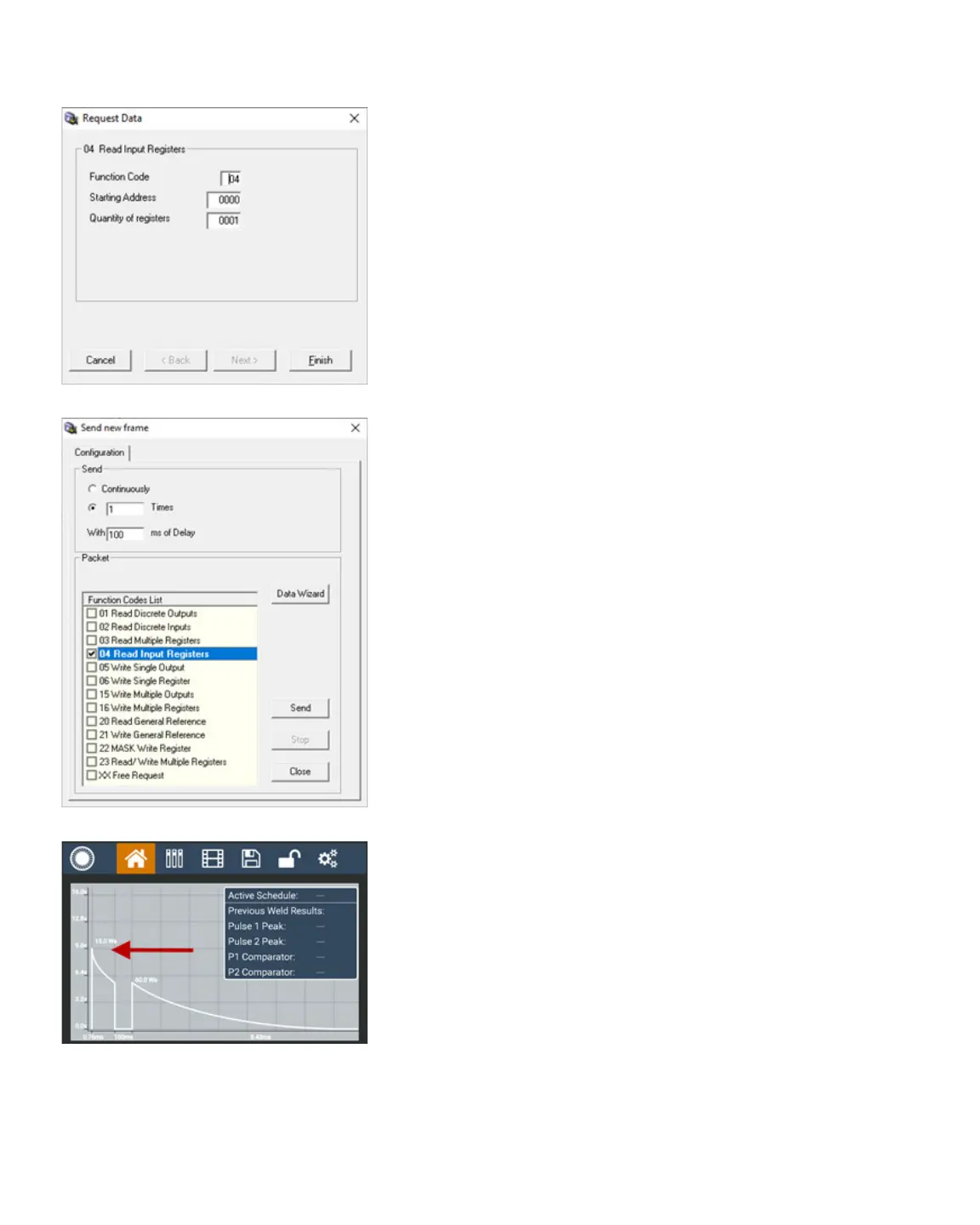
• The Request Data window will appear. See Figure 40.1.
The Function Code is 04, Starting Address is 0000,
and Quantity of registers is 0001. Looking at the Input
Register table in Appendix C on page 60, note the
capacitor charge voltage is being read.
• Click the Finish button.
• In the Send New Frame window, check the box next to
04 Read Input Registers. See Figure 40.2.
• Click the Send button.
Once you’ve entered this data, the output window displays
the hex value 0x25D2 converts to 9682mV or 9.682V. Conse-
quently, if you look at the CDDP-A’s Home screen and weld form
graph (see Figure 40.3), notice that the peak is close to 9.6V, so
9.682V is correct.
If you change the energy to 100ws, pulse 2 to 100ws, and turn
o Pulse 1, the voltage is now between 9.6V and 12.8V.
Reading the same input register returns the result of 0x2BAC
which converts to 11180 mV or 11.18V, which is between 9.6V
and 12.8V.
This section explains how to write to a holding register and then
read it back to conrm the change happened.
• Send a new frame by clicking on the Send Frame icon in
the upper toolbar.
• Select 16 Write Multiple Registers.
• The Request Data window will appear. Retain the
function code 10, but change the Starting Address to
“000F” for “Energy Total mWs”. This register happens
to be one of only three registers that are 32 bit, which
sends two 16 bit numbers by utilizing two registers.
Change the quantity of registers to “0002”. Byte count
will be 4. Click on “Next”.
• The Dene Data (16 bits register) window will appear.
In this example, you wish to send 132ws, so 132000
milli ws in hex is 0x203A0. Send this data in two parts,
so “0002” will be sent for the rst 2 bytes (WORD) and
“03A0” will be sent as second 2 bytes (WORD). Type
Figure 40.1.
Figure 40.2.
Figure 40.3.















 To Next Page