Questions? Call or Text +1-801-658-0015 • 45
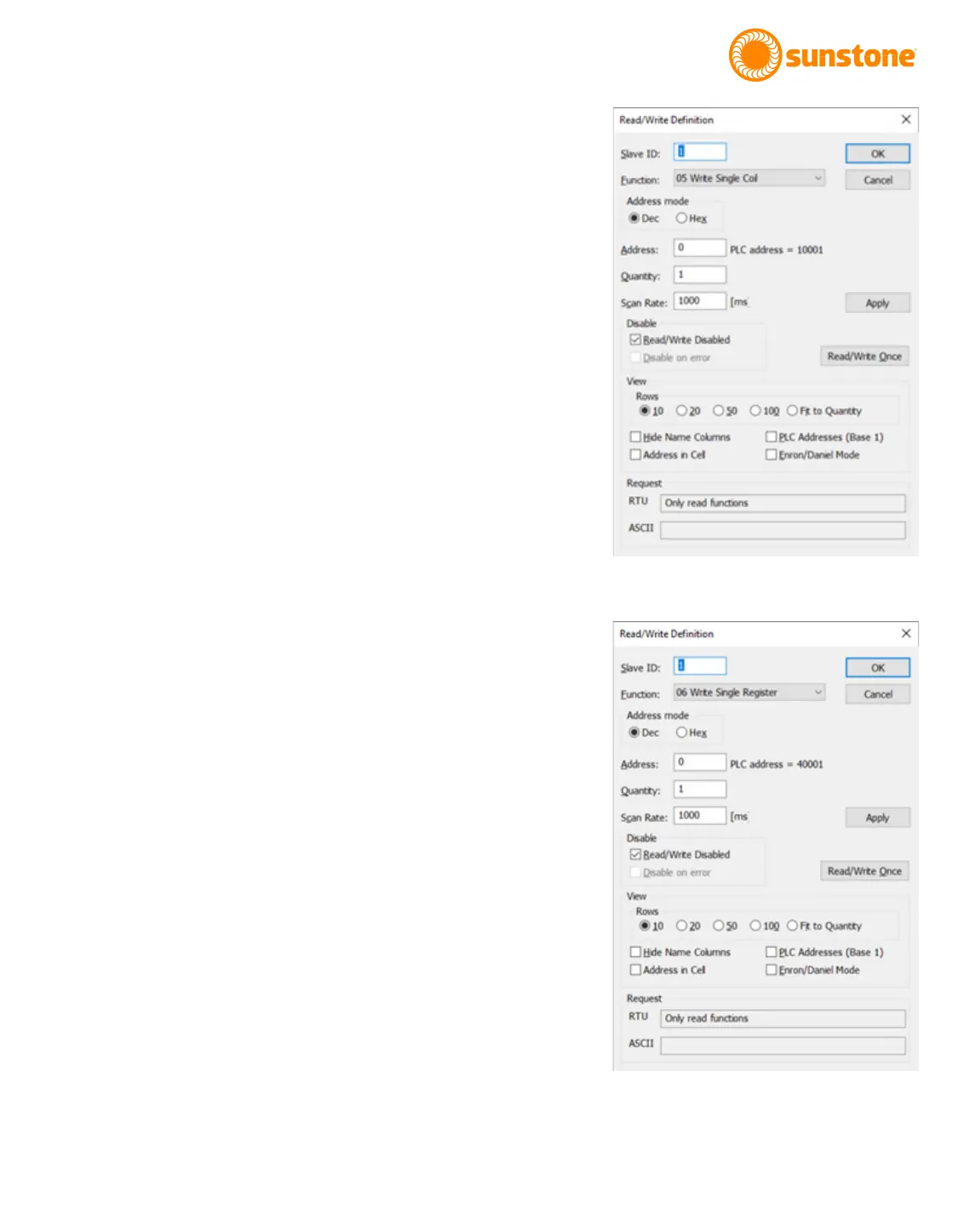
Figure 45.1. Settings for writing to a single coil
using the Read/Wrtie Denition window..
• Check the Read/Write Disabled box.
• Click the Apply button.
• Click on OK to save all settings. The main window will
appear.
• In the main window, click on Column 00000 and row 0
cell and enter 1.
• Click on the Setup menu and choose Read/Write Once,
which then sends an “ON” instruction to the CDDP-A to
select Pulse 1 Comparator Enable.
WRITE SINGLE REGISTER
To write to a single register, follow these instructions:
• Click on the Setup menu and choose Read/Write Deni-
tion. The Read/Write Denition window will appear.
• As shown in Figure 45.2, Click on 06 Write Single
Register in the Function drop down menu box.
• Enter 0 in the Address box.
• Enter 1 in the Quantity box.
• Check the Read/Write Disabled box.
• Click the Apply button.
• Click on OK to save all settings. The main window will
appear.
• In the main window, click on Column 00000 and row 0
cell and enter 1.
• Click on the Setup menu and choose Read/Write Once
(or press F6), which then sends to the CDDP-A a 1 to
turn on the Remote Schedule Select Mode, which is
Basic. If you place a 0 in the cell and Read/Write Once
(F6) again, the Remote Schedule Select Mode in the
CDDP-A will be turned o.
Tip: You can also write to a register by double clicking on the
cell containing the “1” to open the Write Single Register win-
dow, wherein you can type in a value and click the Send button.
RECEIVING GENERAL PACKET
This version of Modbus Poll doesn’t allow custom function code
with more than one data type to be used.
Figure 45.2. Settings for writing to a single register
using the Read/Wrtie Denition window.















 To Next Page