36 • Questions? Call or Text +1-801-658-0015
SUNSTONE CDDP-A USERS GUIDE
8. Enter the Priority IP Address One, which is the IP address that will have priority when communicating
with the CDDP-A.
9. Enter the Priority IP Address Two, which is the second IP address that will have priority when communi-
cating with the CDDP-A.
10. Enter the Idle Timeout value, in minutes. The Idle Timeout is the amount of time that elapses after a
connection has been lost and before the Modbus will close the connection, typically one minute.
11. Determine if you should enable White Listed IP Addresses. If this box is NOT checked, then all IP
address within the network will be able to connect to the CDDP-A. If this IS checked only the IP
addresses listed below will be able to connect to the CDDP-A. You can enter up to six IP addresses
that will be allowed to connect to the CDDP-A. If you wish to view a list of what devises are already
connected to the welder, press the Connected Devices button. If any device is connected to the welder
a light will appear next to the Connected Devices button. If not devices are connected the light will be
o.
12. Once the above settings have been entered, press the Submit Modbus Settings button to submit and
save all settings. At this point the CDDPA is ready to connect and communicate through the Ethernet/
IP connection.
13. Plug the CDDPA Ethernet port into the network using a Cat5e/Cat6 cable.
Note: You can control the CDDP-A using many dierent software applications. In this documentation, instruc-
tions will be provided for three: Modbus Server Tester, Modbus Poll, and Simply Modbus TCP Client.
Using the Modbus Server Tester
• Power on a computer connected to the same network as
the welder.
• Install and open the Modbus/TCP Server Diagnostic Tool.
You can nd this software at https://modbus.org/toolkit.
php. The diagnostic tool allows you to communicate with
the CDDP-A. While the diagnostic tool is for testing, and not
intended for a production environment, it is useful to show
communication between Modbus and the CDDP-A.
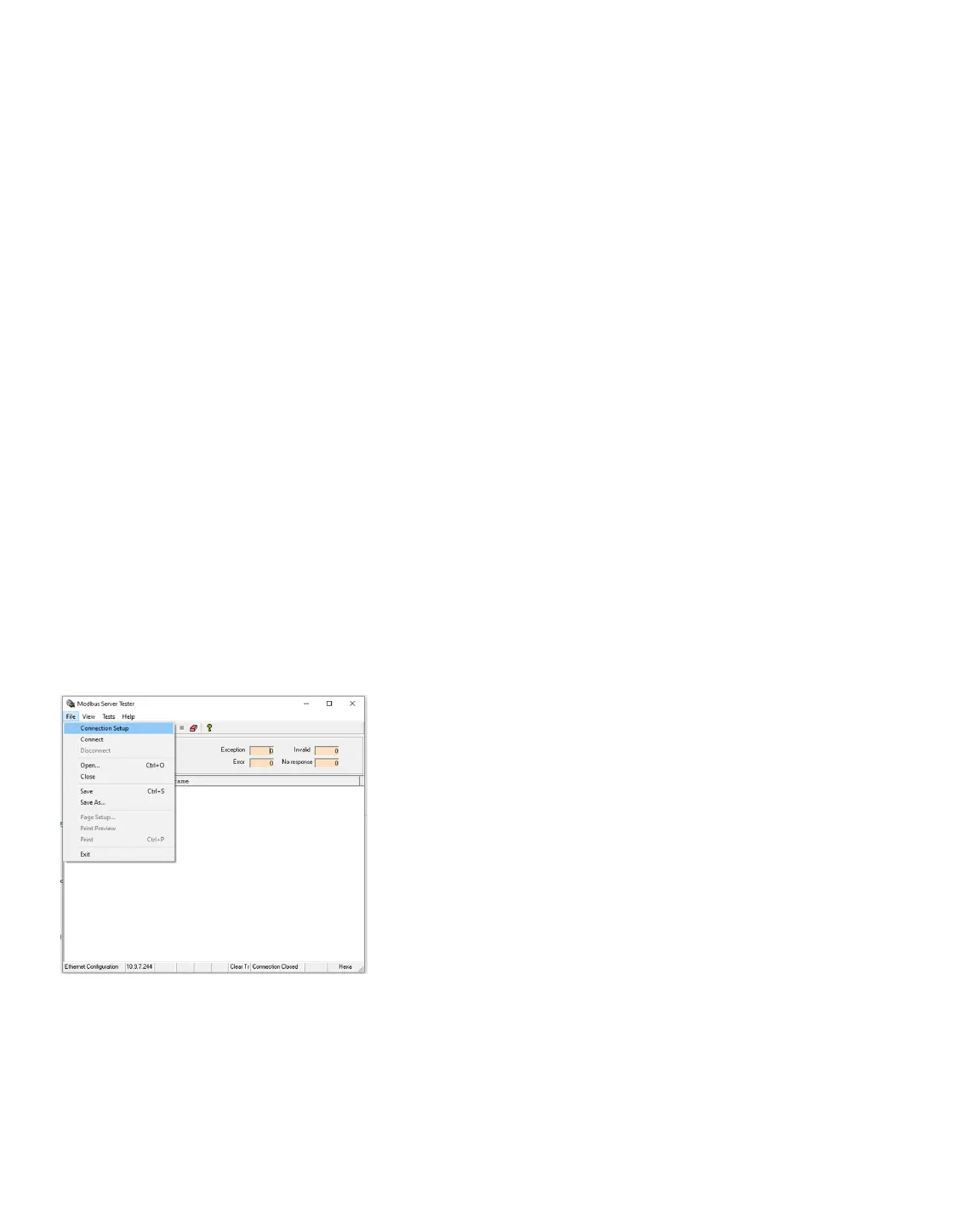
• The diagnostic tool will display the Conguration screen.
If not, choose Connection Setup from the File menu. See
Figure 36.1.
• Type in the IP address used in the Welder IP Information
screen. In this guide, 10.9.7.244 was used. The other two
Figure 36.1. Open the Modbus/TCP Diagnostic
Tool, then choose File, Connection Setup to
access the Conguration screen.















 To Next Page