42 • Questions? Call or Text +1-801-658-0015
SUNSTONE CDDP-A USERS GUIDE
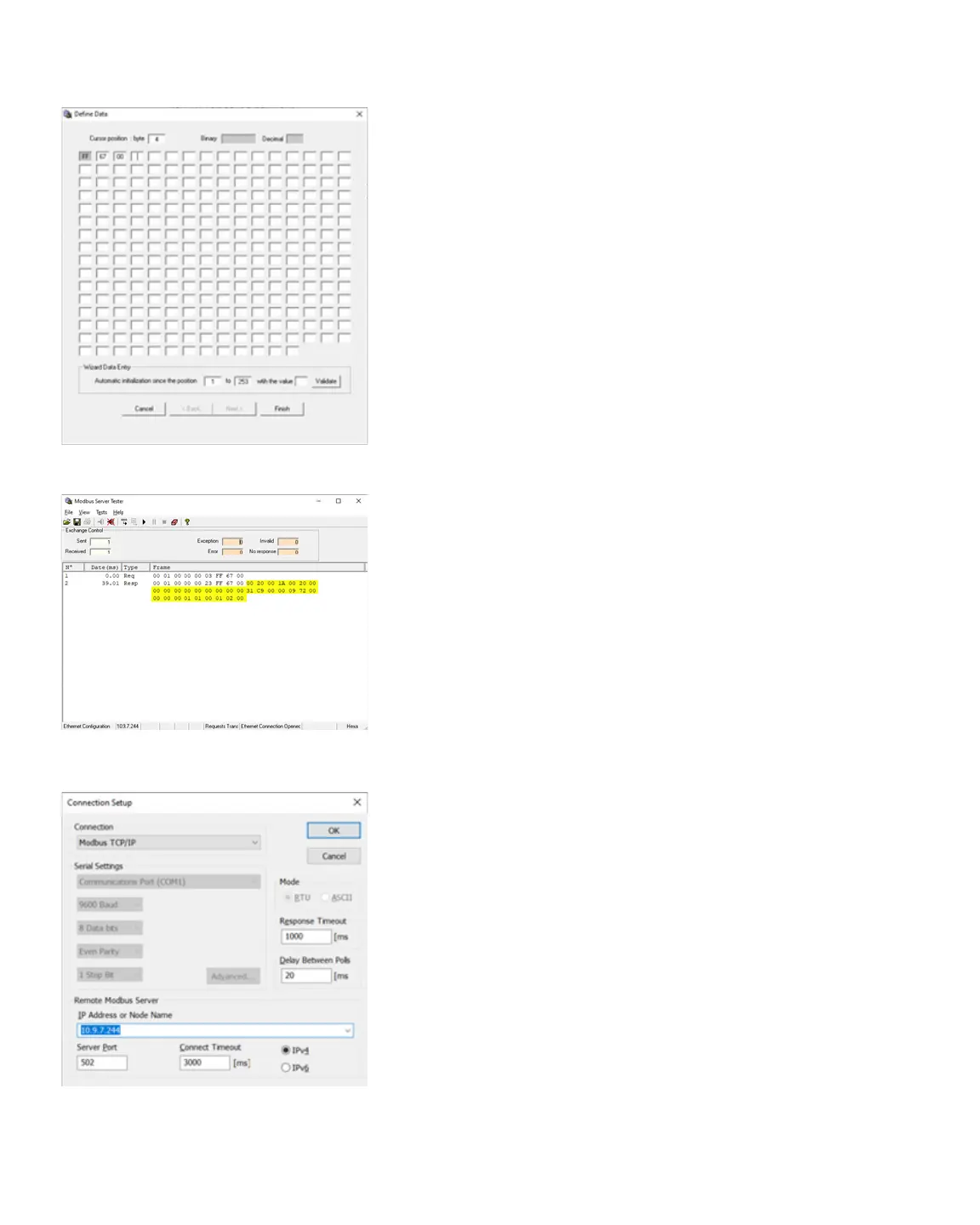
Figure 42.1. Dene Data window.
RETRIEVING GENERAL INFORMATION FROM THE
The Modbus Server Tester software is able to read general
information from the CDDP-A welder. Follow these instructions
to access information stored on the CDDP-A:
• Send a new frame by clicking on the Send Frame icon in
the upper toolbar.
• In the Send New Frame window, select XX Free
Request. The Dene Data window appears, as shown in
Figure 42.1.
• In the Dene Data window, type the identier “FF” into
the rst input and then type in the function code “67”
into the second input followed by “00” in the third input
as an ending. The identier and ending will be the same
for function codes 0x41 through 0x6E. Once you’ve
typed the info in click on a blank input to activate the
Finish button. Click on Finish.
• In the Send New Frame window, check the box next to
XX Free Request then click on the Send button.
The output window will appear and reect the information re-
trieved from the CDDP-A . The rst part of the response reects
the request. All data after 0xFF6700 is found in the General Info
Table on page 75 in Appendix C.
Figure 42.2. Output window showing data retrieved
from the CDDP-A.
Figure 42.3. Modbus Poll Connection Setup.















 To Next Page