Questions? Call or Text +1-801-658-0015 • 43
Using Modbus Poll
The second piece of software that can be used to control the
CDDP-A is Modbus Poll, a good example of a program that
continues to poll information from/to the CDDP-A. Paid and trial
versions of the Modbus Poll are available at https://www.mod-
bustools.com/download.html
After you’ve installed Modbus Poll, following these instructions
to connect to and control the CDDP-A welder.
SETUP A CONNECTION
• Click on the Connection menu to display the
Connection Setup window, as shown in Figure 42.3.
• Select Modbus TCP/IP from the Connection menu.
• Retain the Serial Settings defaults.
• Input the CDDP-A’s IP address into the IP Address or
Node Name space.
• Click the OK button to save the settings.
READING COILS
Coils are names for memory addresses, or pre-dened variable
names. In short a coil is a boolean (bit) variable. Follow these
instructions on how to access coils.
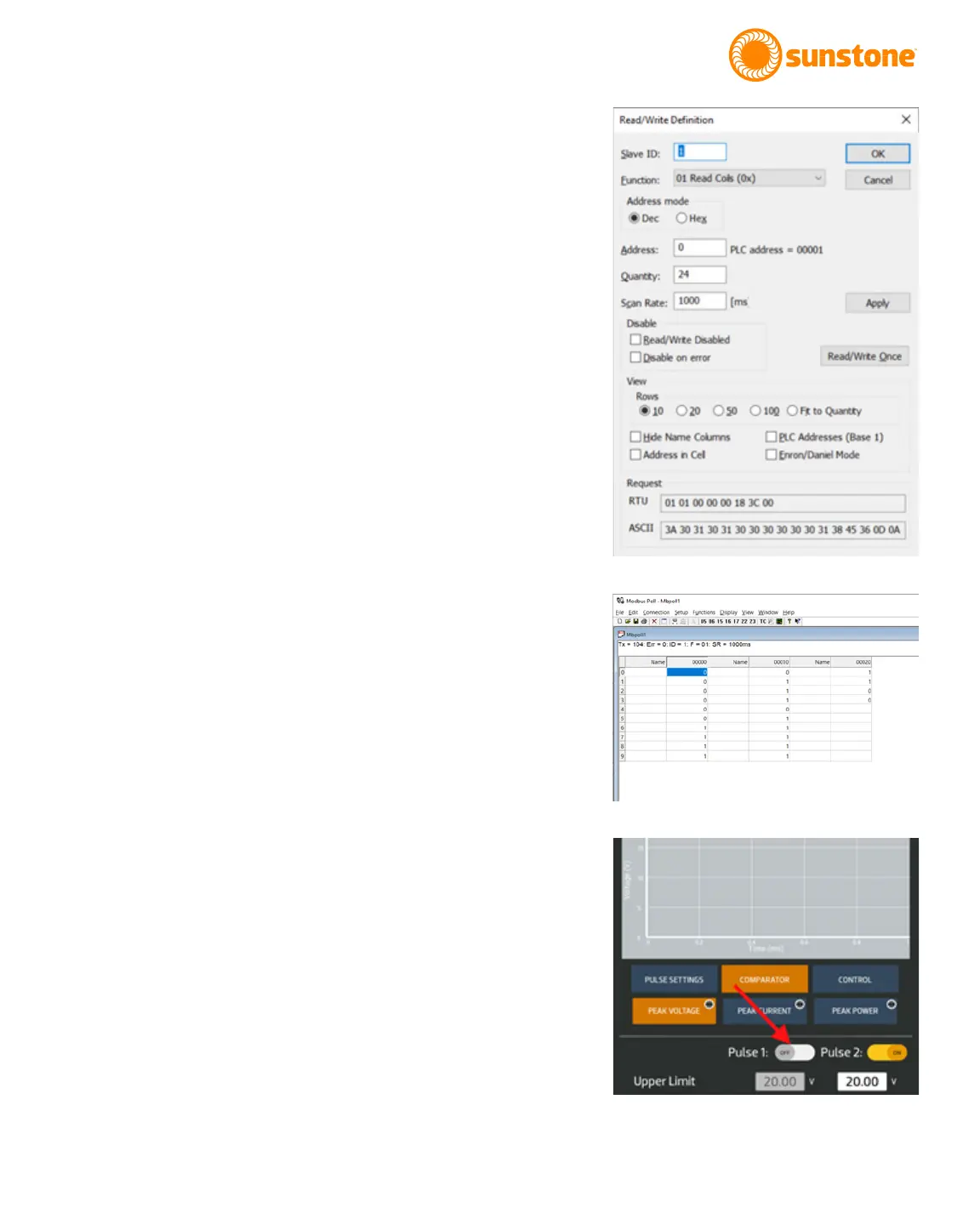
• Click on the Setup menu and choose Read/Write Deni-
tion. The Read/Write Denition window will appear. See
Figure 43.1.
• In the Read/Write Denition window, click on 01 Read
Coils in the Function drop down menu box.
• Change the Quantity to 24.
• Verify the Read/Write Disabled box is unchecked. With
the Read/Write Disabled box not checked, the software
will continue to poll the inputs every one second.
• Click the Apply button.
• Click the OK button to accept all changes.
In the Modbus Poll main window (see Figure 43.2), coil 0x0000 is
on the top left and has a value of 0, so Pulse 1 Power Compara-
tor Enable is O “0x00”. Further down that column you will see
Figure 43.1. Read/Write Denition window.
Figure 43.2.
Figure 43.3.















 To Next Page