10B-12 AIR BAG SYSTEM
DTC Check
1) Turn ignition switch to OFF position.
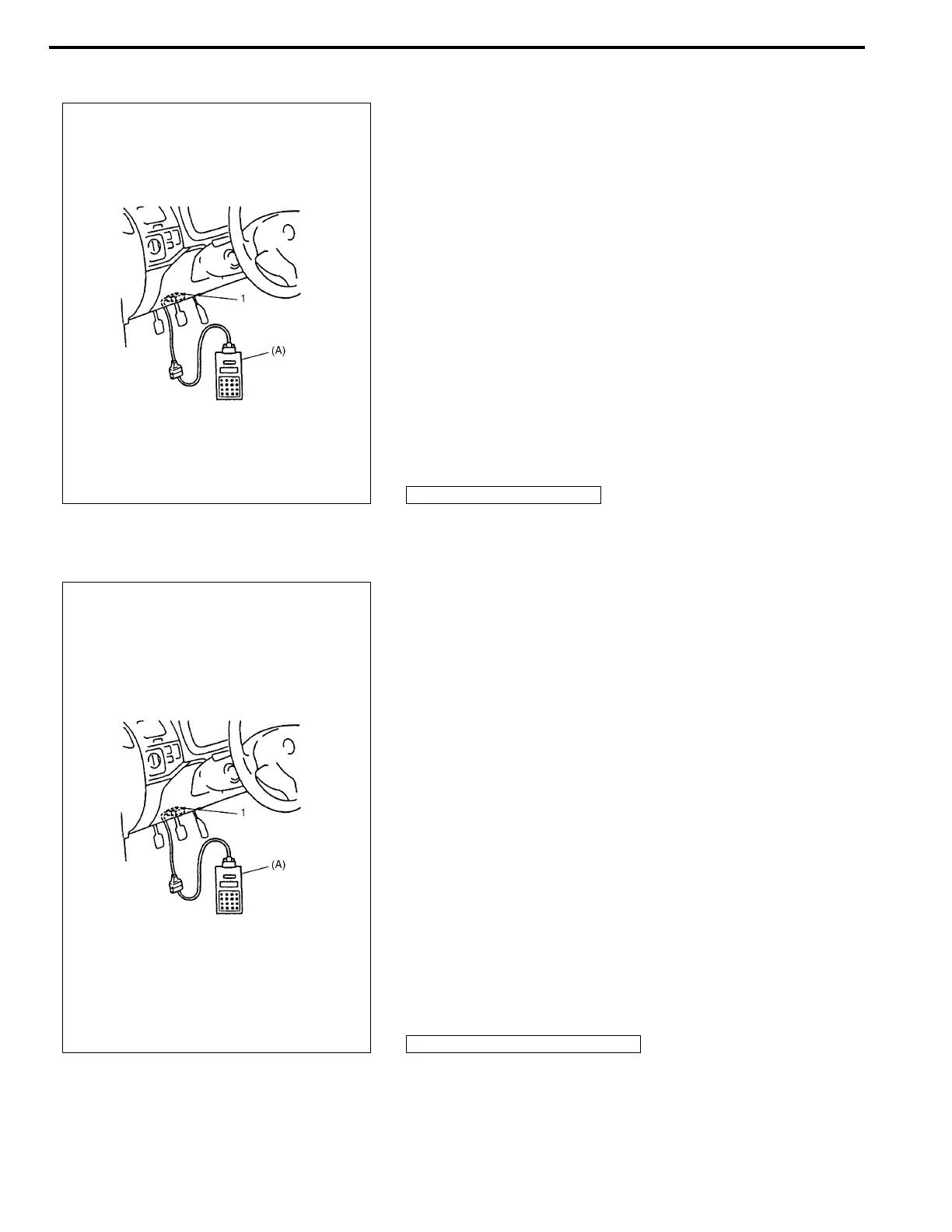
2) Connect SUZUKI scan tool to data link connector (DLC)
located on underside of instrument panel at driver’s seat
side.
Special tool
(A) : SUZUKI scan tool
3) Turn ignition switch to ON position.
4) Read DTC according to instructions displayed on SUZUKI
scan tool and print it or write it down. Refer to SUZUKI scan
tool operator’s manual for further details.
If communication between scan tool and SDM is not possi-
ble, proceed to SDM Can not Communicate through the
Serial Data Circuit in this section.
5) After completing the check, turn ignition switch to OFF posi-
tion and disconnect SUZUKI scan tool from data link connec-
tor (DLC).
DTC Clearance
1) Turn ignition switch to OFF position.
2) Connect SUZUKI scan tool to data link connector (DLC) in
the same manner as when making this connection for DTC
check.
Special tool
(A) : SUZUKI scan tool
3) Turn ignition switch to ON position.
4) Erase DTC according to instructions displayed on SUZUKI
scan tool.
Refer to SUZUKI scan tool operator’s manual for further
details.
5) After completing the check, turn ignition switch to OFF posi-
tion and disconnect SUZUKI scan tool from DLC.
6) Perform DTC CHECK and confirm that normal DTC (NO
CODES) is displayed and not malfunction DTC.
1. Data link connector (DLC)
NOTE:
If DTC B1051, B1058 or B1071 is stored in SDM, it is not
possible to clear it.
1. Data link connector (DLC)



 To Next Page