tracking
SYNRAD FH Series Flyer Operator’s Manual Version 3.4
99
Tracking hardware
To ne-tune encoder resolution, follow the steps below:
1
Go to the WinMark folder on your computer and open the appropriate linestackxxx.mkh le where
xxx matches the lens installed on your marking head. For example, if a 200 mm focusing lens is
installed, choose linestack200.mkh.
Note: If you are tracking with a Motion Vector other than 270°, you must rotate the appropriate lin-
estackxxx.mkh le so that it is oriented correctly. For example, when tracking with a Motion Vec-
tor of 0° (from left to right across the Drawing Canvas), rotate the appropriate linestackxxx.mkh le
90° clockwise.
2
Click the Marking tab and set an appropriate Power for your test substrate.
Note: Your test substrate should be at the same height as the part to be marked. Minor dierences in
Z-axis adjustment (working distance) will aect tracking performance as the mark may be too
faint. Changing the Z-axis also aects the optimum Encoder Resolution value since the optical
scanners are now moving through a longer or shorter arc.
3
Ensure that all personnel in the area are wearing the appropriate protective eyewear.
4
Mark the le at the required line speed.
5
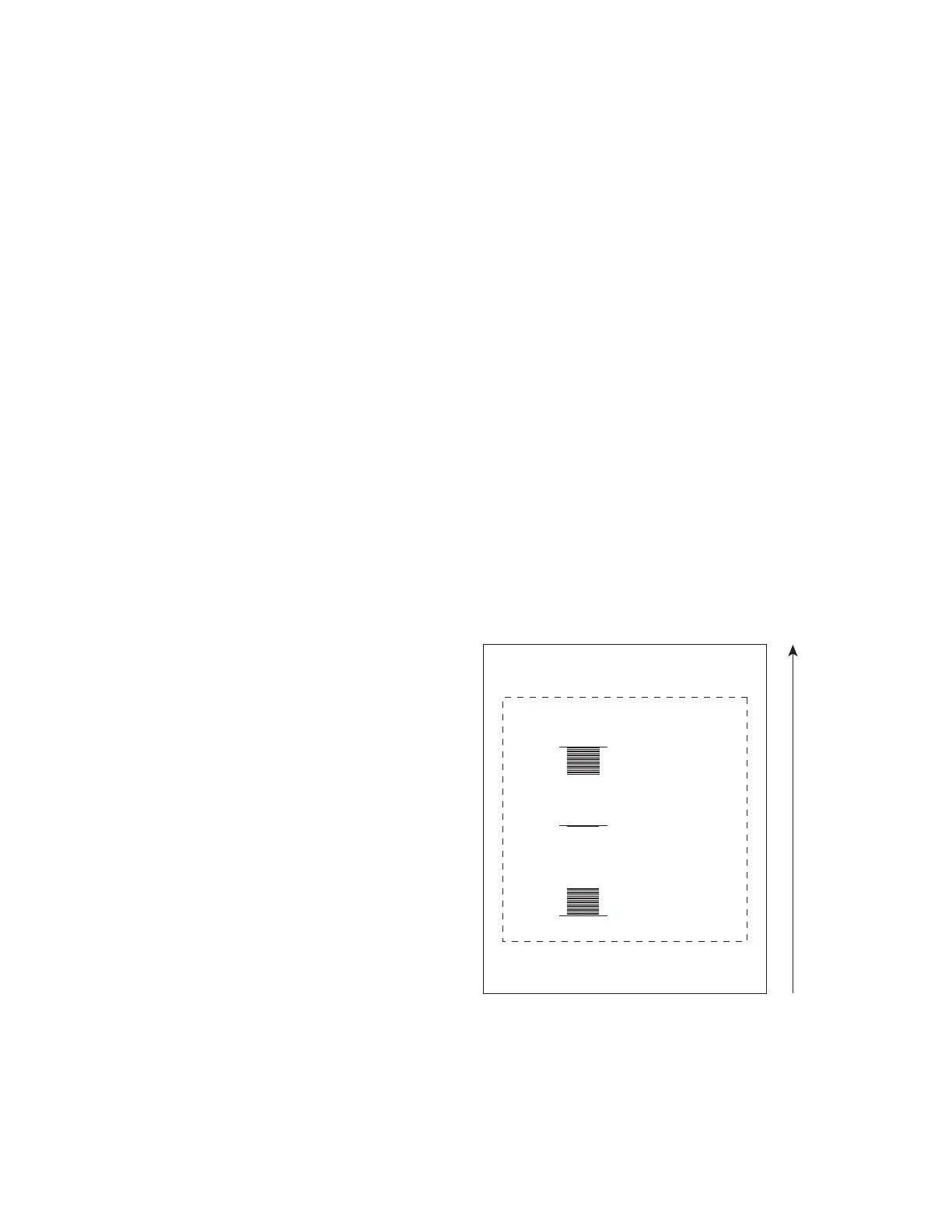
Examine the mark produced and compare it with the drawing in Figure 4-14 below.
Figure 5-14
Linestack mark
6
When Encoder Resolution is set accurately, the lines will appear as one long line. If the longer line
is further downstream of the shorter lines, then increase Encoder Resolution. If the longer line is
upstream of the shorter lines, then decrease resolution. Accuracy to the second decimal point may be
required depending upon the resolution of your particular encoder.
PART MOTION 270°
UPSTREAM FIELD EDGE
DOWNSTREAM FIELD EDGE
MARK CREATED
WHEN ENCODER
RESOLUTION IS
TOO LOW
MARK CREATED
WHEN ENCODER
RESOLUTION IS
TOO HIGH
MARK CREATED
WHEN ENCODER
RESOLUTION IS
CORRECT



 To Next Page