SYNRAD FH Series Flyer Operator’s Manual Version 3.4
108
WinMark Pro tracking setup
Rotating an object also changes its ‘start mark’ position, which may require you to reposition the mark
object on WinMark Pro’s Drawing Canvas or change Sensor Distance (by moving the part sensor). De-
p
ending upon the Motion Vector selected, rotating an object 180° may allow the object to be placed closer
to the upstream edge of the Drawing Canvas or change its ‘start mark’ position thus increasing overall line
speed.
Rising Edge Part Sense
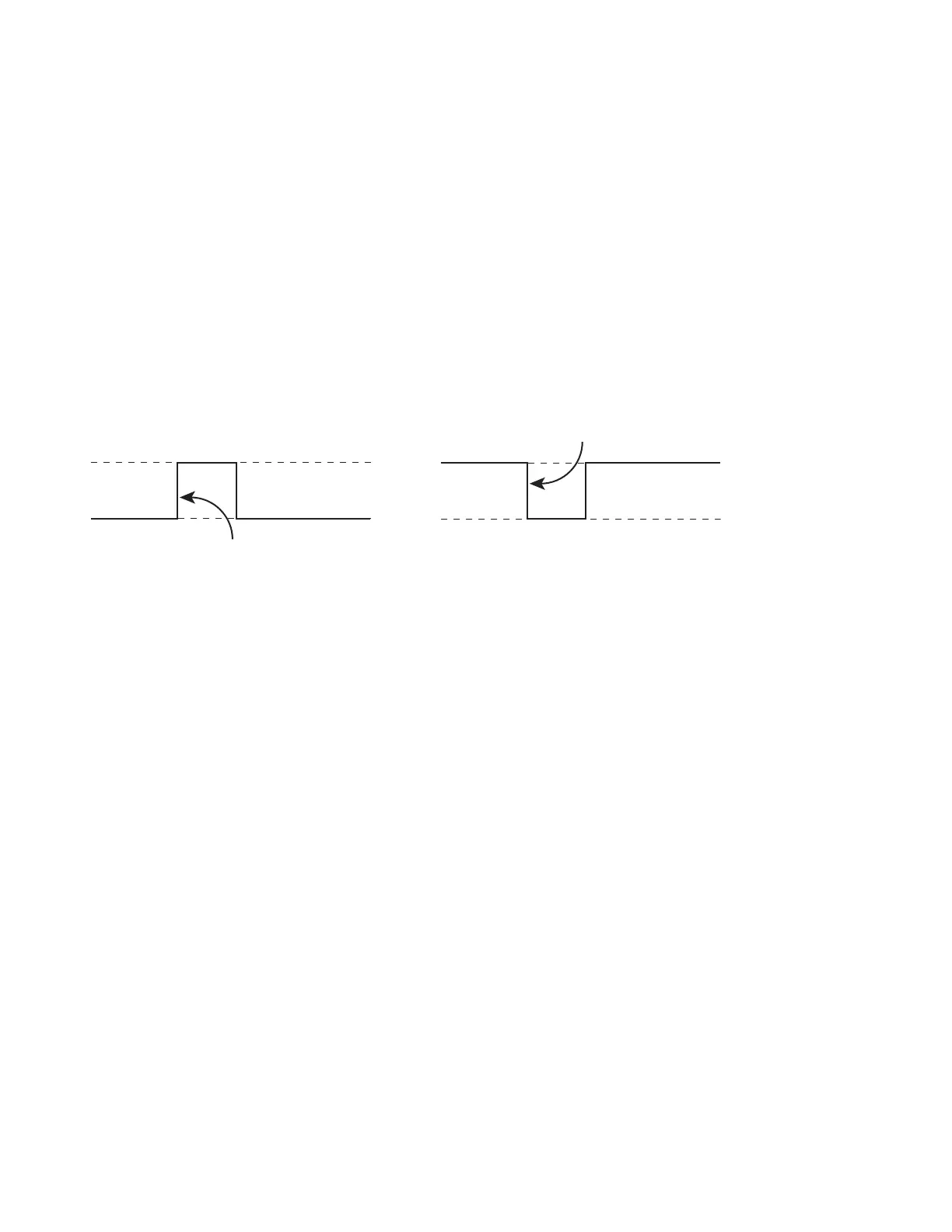
Set Rising Edge Part Sense based on how the part sensor should trigger the mark. Select Yes to trigger
marking on the rising edge of the sensor’s output waveform. Choose No to trigger marking on the falling
edge of the signal. Figure 5-25 illustrates typical part sensor waveforms.
V+
V
Rising edge of part sensor
V+
0 V
Falling edge of part sensor
output waveform
Figure 5-25
Part sensor output waveforms
Use Quadrature Encoder
Select Yes when using a quadrature encoder where A and B input phases generate movement and direc-
tional information. Choose No if connected to a single-output position encoder (no directional informa-
tion), which is appropriate only in applications where the part does not reverse direction during marking.
Encoder Resolution
Encoder Resolution is the number of encoder pulses received per millimeter of distance traveled by the
conveyor. Encoder Resolution units are xed as pulses/mm even when WinMark Pro is congured to
display measurement units in inches or centimeters. See the Additional hardware section for information on
determining the correct Encoder Resolution in your application.
Invert Encoder Direction
Invert Encoder Direction allows you to invert phasing of the encoder’s quadrature output signal so that the
actual direction of part movement through the marking eld is correctly sensed as “forward”. This feature
eliminates the need to physically change input eld wiring to Flyer’s User Interface connector.
Encoderless T racking
In constant velocity (line speed) applications, Encoderless Tracking allows Tracker part marking without
using an external encoder. When Yes is selected, FH Flyer generates internal encoder pulses corresponding
to the product velocity specied by the Product Line Speed property.
Important Note: Use the Encoderless Tracking property only in applications where line speed is
tightly regulated. Any variation in product speed will result in poor quality marks.



 To Next Page