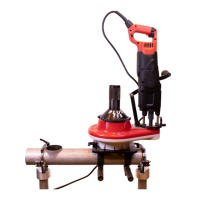
COLLARING MACHINE
31
S-80
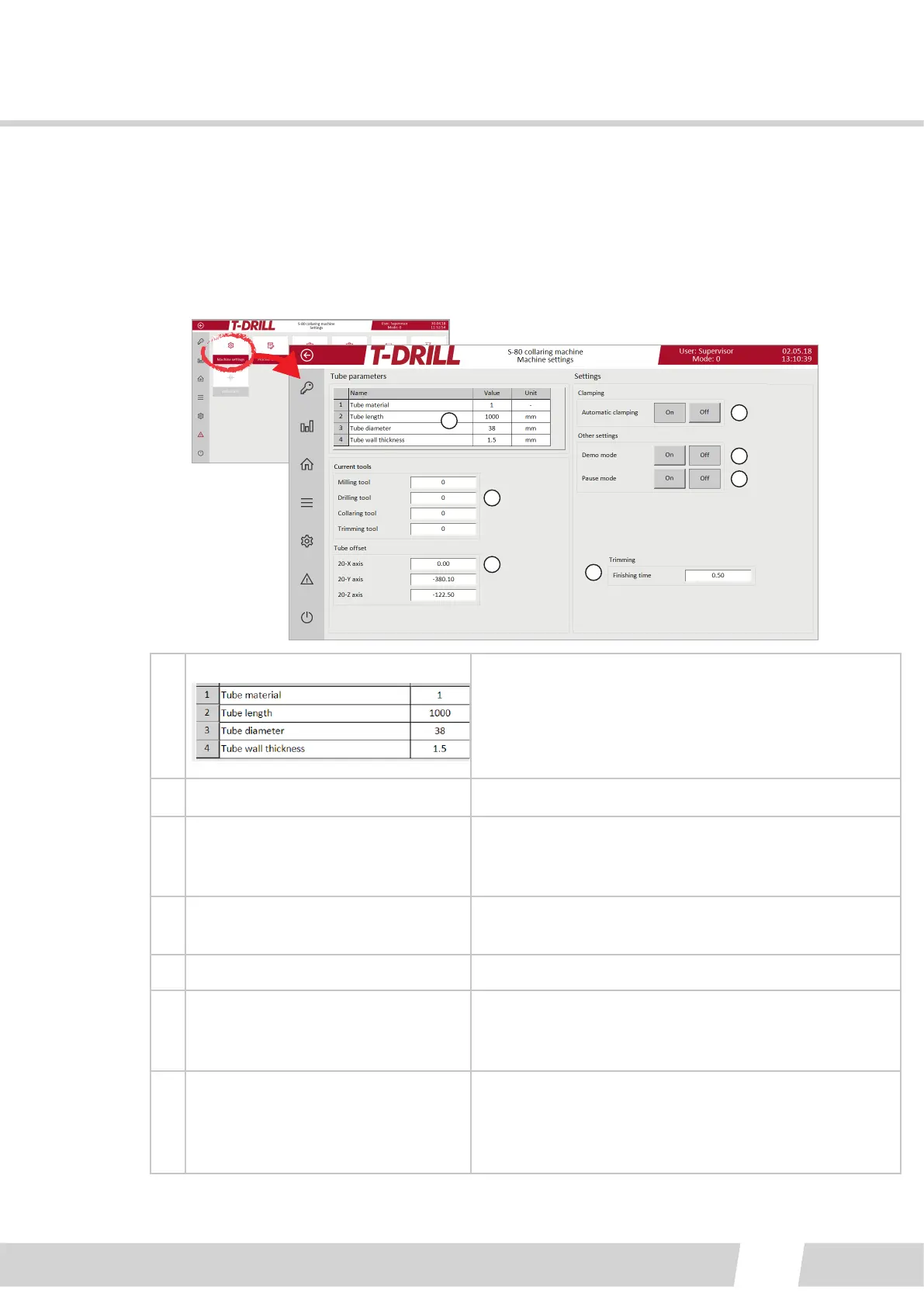
6.2.2.3.1. MACHINE SETTINGS
For Supervisor or Maintenance user level.
This page has general machine sengs: When the tube size changes, all of the tube
informaon is set here, and the machine is able to collect machining data from the
Process sengs screen corresponding parameters.
1
2
3
4
5
6
7
1.
Tube parameters
1. Tube material (user dened)
2. Tube length (If an AFT opon is assembled, the
length is required)
3. Tube diameter
4. Tube wall thickness
2. Current tools Idencaon number of tool in the machine
3. Tube oset
The posion of the collar can be adjusted according
to zero point of the spindle, if the collar is not on the
correct posion on the tube
4. Trimming
Finishing me: The me the trimming blade uses to
nalize the trimmed collar by rotang without feed.
5. Clamping Tap to choose the automac clamping ON or OFF
6.
Other sengs:
Demo mode
Tap to choose the Demo mode ON or OFF: Mainly for
tesng the program without tube, runs the program
without lubricaon.
7.
Other sengs:
Pause mode
Tap to choose the Pause Mode ON or OFF: Mainly for
tesng purposes, the “Pause Mode” runs the process
in secons. Useful for example when tesng a new
tool.



 To Next Page