INSTRUCTION MANUAL
42
6.2.2.3.5. POSITIONS
1
2
3
4
5
6
7
8 9 10
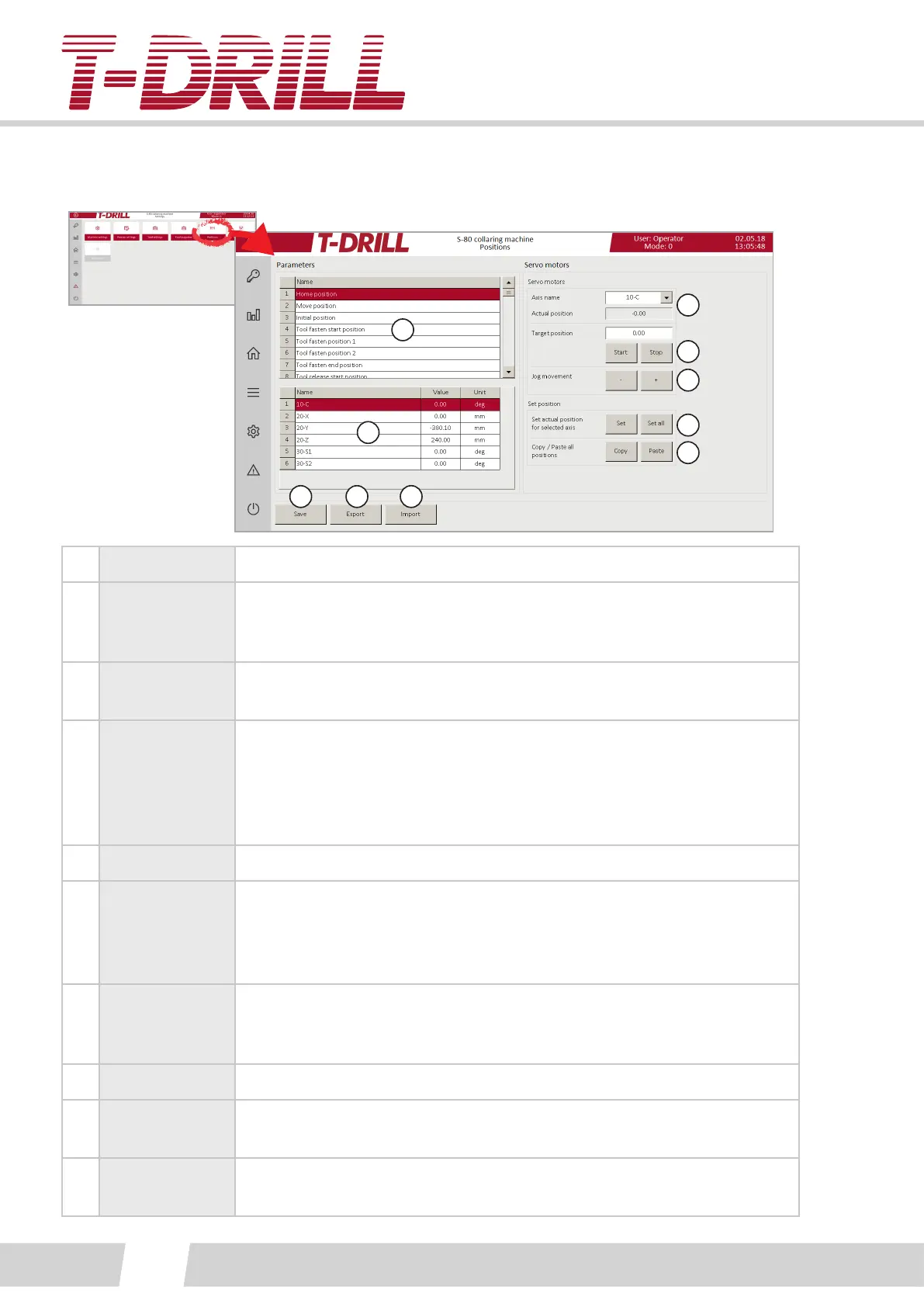
1. Posions List of manageable posions (Scroll up/down)
2.
Axises and
parameter
values
Values to adjust, tap numeric eld to open keypad.
3.
Servo motor
axis list
Choose axis to move / check posion from the pull down menu.
4.
Moving to a
certain posion
“Actual posion” eld shows the current posion, and the desired target
posion is wrien to the “Target posion” eld. Tap the target eld to
open keypad.
Start buon moves the axis to target posion, tap Stop buon in case
necessary to stop before target.
5. Jog movement (+) and (-) buons move the axis in steps (jog).
6.
Set actual
posion for
selected axis
For seng of the actual posion one selected, or all axis, aer a
successful posioning.
“Set” sets only the one acvated axis posion line on eld 2, “Set all”
sets all eld 2 posions at once.
7.
Copy / paste all
posions
Acvate a line from eld 1, tap “Copy” to copy all eld 2 informaon.
Acvate another line from eld one and tap “Paste” to paste all
informaon to eld 2 of the acvated line.
8. Save
9. Export
The buon exports the informaon data to the predened folder on the
computer C-drive (C:\T-Drill\).
10. Import
The buon imports the informaon data from the predened folder on
the computer C-drive (C:\T-Drill\).



 To Next Page