TELOS TWOX12 USER’S MANUAL
INSTALLATION
CHAPTER 2 33
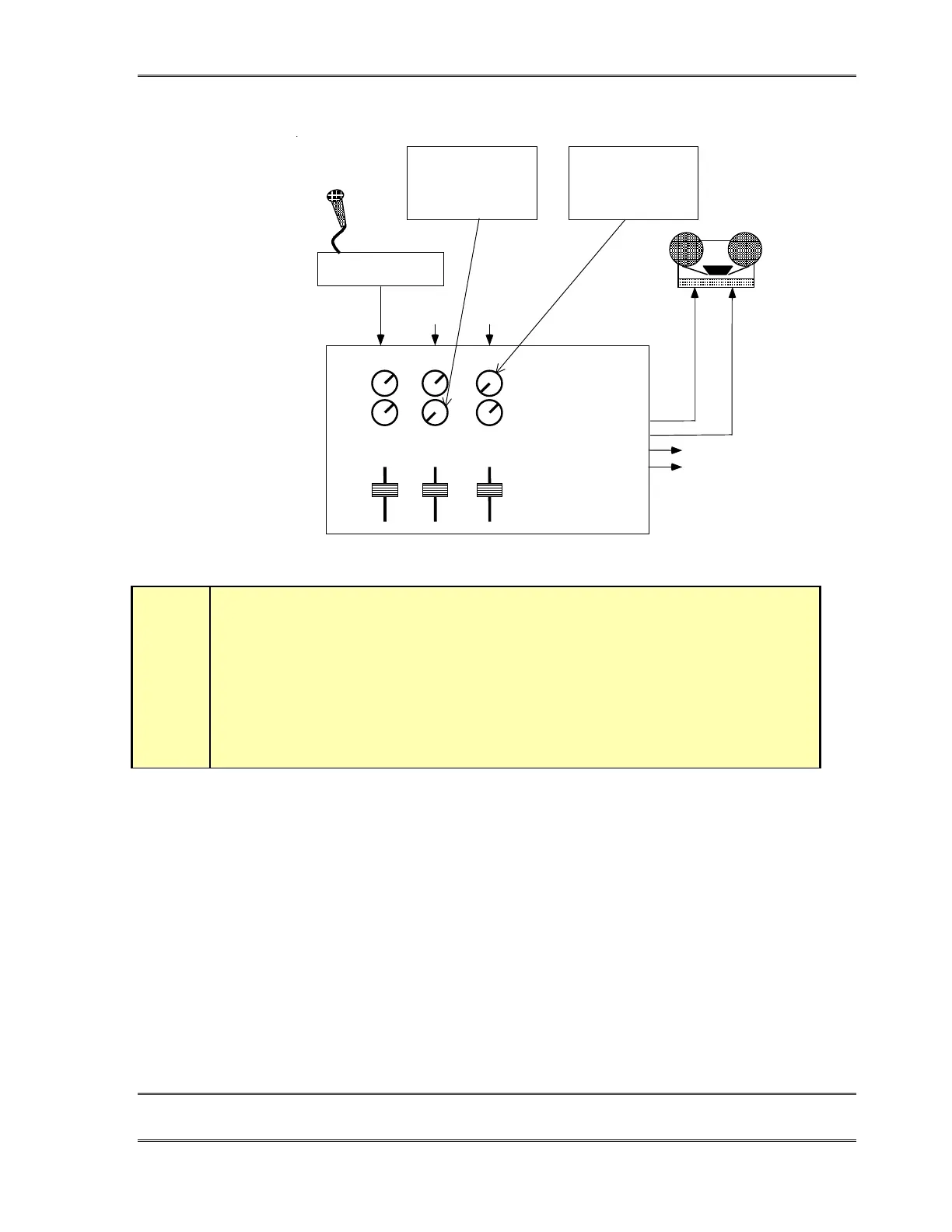
Mic Preamp
AUX 1
AUX 2
OUTPUT
FROM
HYB #1
OUTPUT
FROM
HYB #2
LEFT OUTPUT
RI GHT OUTPUT
AUX 1 OUT
AUX 2 OUT
TO HYB #2 "IN 2"
TO HYB #1 "IN 2"
UTILITY
MIXER
Mic1
Caller1 Caller2
NOTE
:
This must be turned
down or AUX 1 will no
longer be a mix-Minus
NOTE
:
This must be turned
down or AUX 2 will no
longer be a mix-Minus
h
HOT TIP!
While we are on the subject, we’ll digress here for a moment. Many hybrid installation
problems are caused by an inadvertent signal path which creates a loop from the
hybrid’s output back to it’s own input. Some consoles allow this when certain control
combinations are selected by the user. In some cases it may be as simple a mistake as
assigning the hybrid to whichever buss is feeding the hybrid. This is the first place to
look when strange or erratic performance is experienced. The quickest test is to bring
up only the hybrid in question on the board and select a line. Dial tone should not
appear on the send meter of the hybrid in question.
No mix-minus at all: Feed Thru - The Special Downstream Mode
The Telos TWOx12 may be used downstream of the studio console. In this case, the hybrid
adds the caller to the input and passes the summed result on to the output. This method
avoids the need for a mix-minus feed. The TWOx12’s Feed Thru option in the Audio menu
(see section 7.3.1) is enabled to create this mode.
All audio is sent into the TWOx12 where the caller audio is mixed in. The resulting mix is
output from the TWOx12’s Output (Caller) outputs.



 To Next Page