TELOS TWOX12 USER’S MANUAL
INSTALLATION
CHAPTER 2 42
To TWOx12 Deskto
Director Port
250 feet (76 meters) maximum
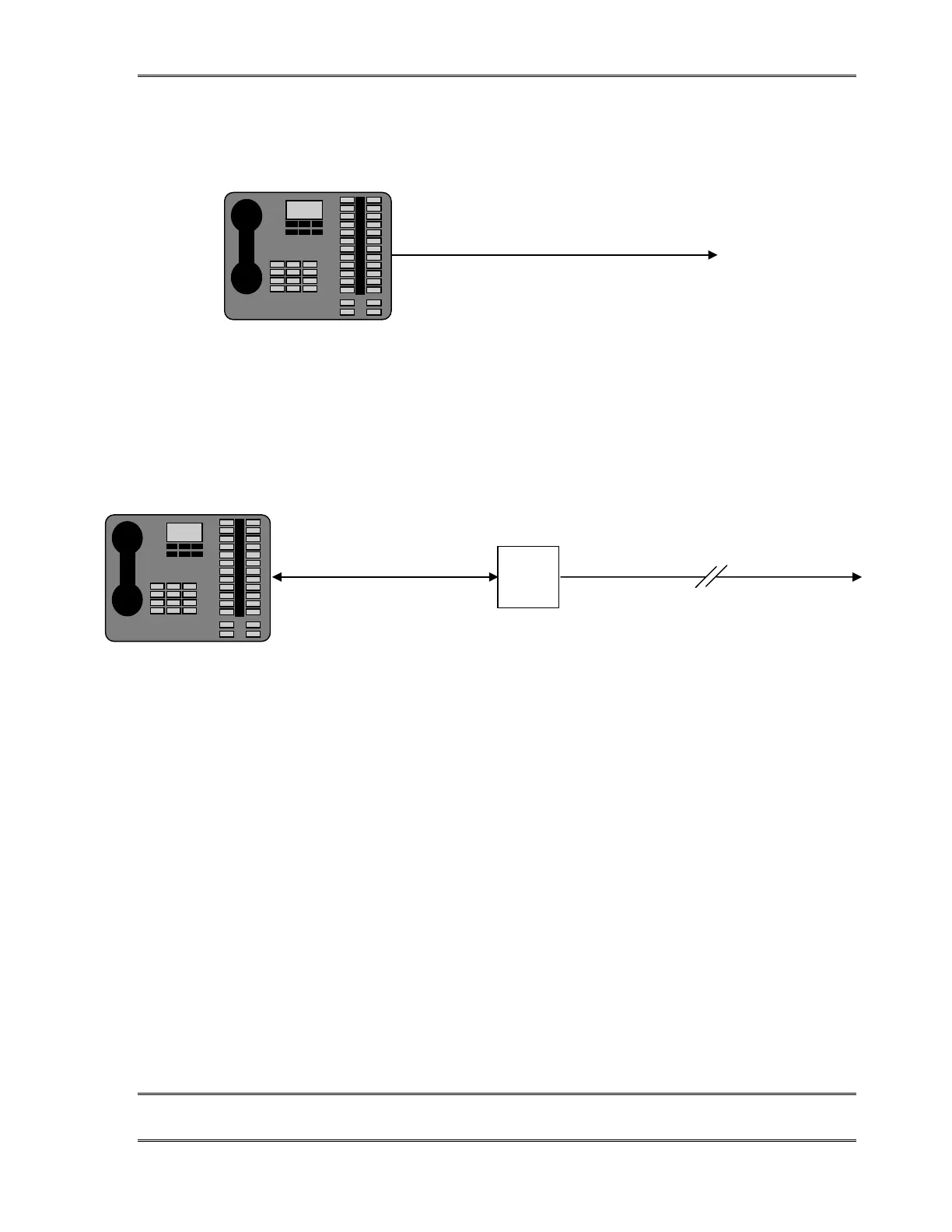
The usual Desktop Director™ configuration is simple and straightforward.
If the Desktop Director™ must be located more than 250 feet (76 Meters) from the
TWOx12 you will need to use a local power supply (Desktop Director Expander Kit part
# 0212-1400) to supply power to it. In that case, your configuration will look like the
following:
To TWOx12 Deskto
Director Port
250 feet
75 meters
maximu
2050 feet (625 meters) maximu
Lucent
Power
Supply
In the extended configuration the Desktop Director™ must be within 2300
feet (700 meters) of the TWOx12. The power supply must be 250 feet (76
Meters) or less from the Desktop Director.
Multiple Desktop Directors on a single port
This connection option is similar to the preceding, and allows two Desktop Directors to be
connected to a single Desktop Director™ port of the TWOx12 (allowing for 4 Desktop
Directors total). To do so you will need to use a local power supply and modular splitter
(Desktop Director™ Expander Kit part # 0212-1400) to connect it. There are two
reasons you might wish to do this. If you need to connect more than two Desktop Directors
you would have to use this method. Or, you might choose this method to save on cable runs
back to a TWOx12 located some distance away.



 To Next Page