Address: 192.168.0.XX Address: 10.0.0.105
Subnet: 255.255.255.0
TCP-Port:
Address: 192.168.0.XX Address: 10.0.0.105
Subnet: 255.255.255.0
TCP-Port:
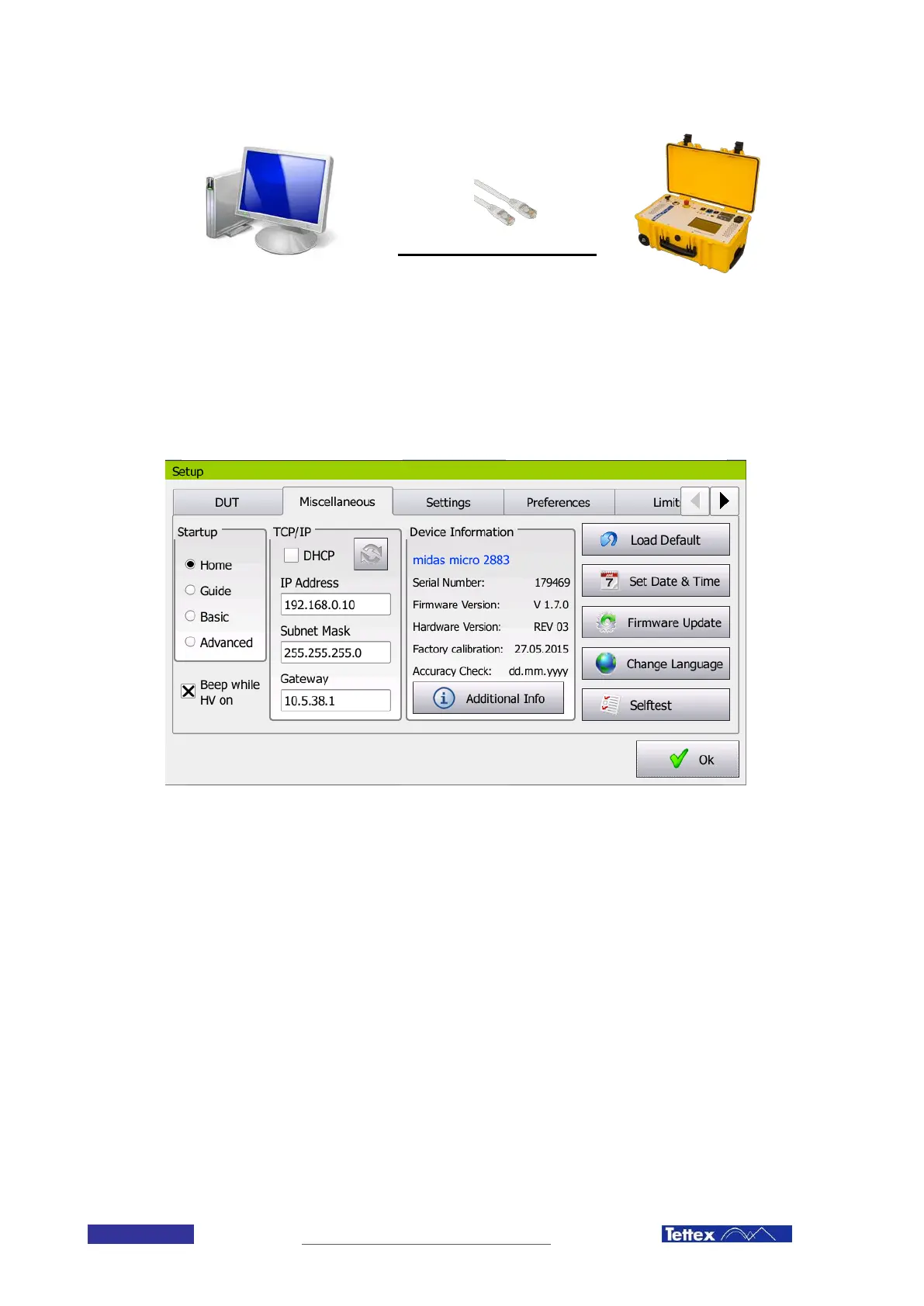
You can find the IP address configuration of your device in the “Setup” – “Miscellaneous” dialog:
For connection, the following configuration in the Midas micro has to be defined
DHCP -> unselected
IP Address -> 192.168.0.XXX (XXX is any number between 1 and 255)
Subnet Mask -> 255.255.255.0
In the computer, the Ethernet configuration has also to be defined as following
IP Adress -> 192.168.0.XXX (XXX is any number between 1 and 255, but diferent from the one in the midas micro)
Subnet Mask -> 255.255.255.0
If communication is correctly setup, the answer to the “ping” command to the midas micro address has to be
positive.



 To Next Page