Measurement Values
85
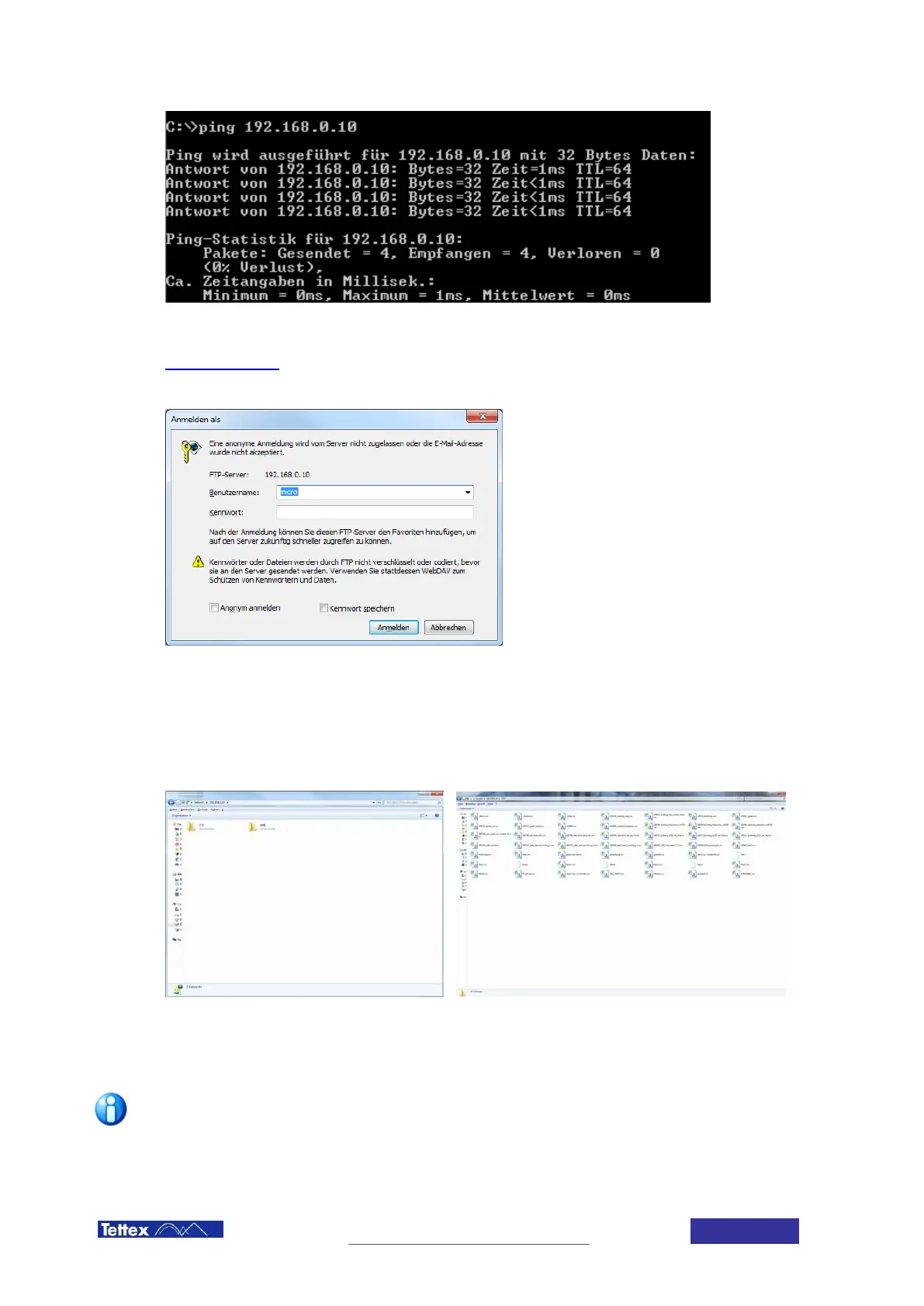
To connect to the midas micro FTP server, open a File Explorer window in Windows and type the following
command
ftp://192.168.0.XXX/
where XXX is the midas micro last part ip address
A window asking for user and password will arise
Introduce below user and password
User -> micro
Password -> micro
Then, 2 folders containing the CSV and the XML measuring files should open on the screen
The files or folders can then be copied in the local computer for modification or reporting.
To avoid midas micro data corruption, files can not be modified inside the above folders
To avoid going trough the complete process every time, a shortcut to the CSV and XML
folders can be stablised in the computer desktop by right click in the CSV or XML folder
and shortcut to desktop



 To Next Page