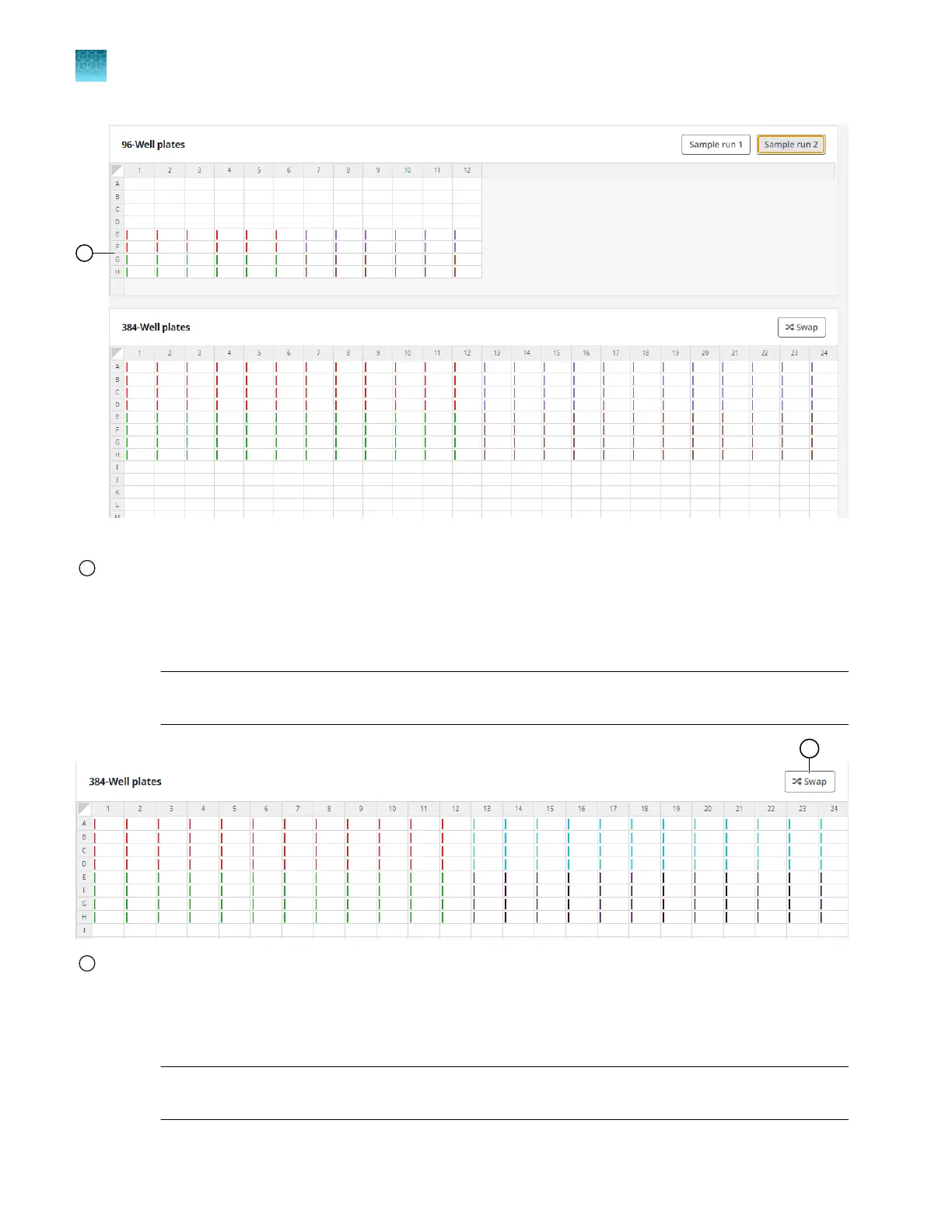
Figure 15 Sample Run 2
1
Wells in the bottom half of the 96-well plate are defined
3.
In the 384-well plate, click Swap.
This moves the samples from the top half of the 384-well plate to the bottom half of the 384-well
plate.
Note: The Swap button is displayed only if certain experiment types and plate formats are
selected. It is displayed when half of the 384-well plate is used.
1
Swap button
4.
(Optional) Click Import to import a sample file (CSV format).
A sample file can be imported from the Map plates pane if it was not imported from the Configure
design pane.
Note: If a sample plate file is imported from the Map plates pane, the information will overwrite
any information from files that were imported from the Configure design pane.
Chapter 5
Map plates
Map a 384-well plate from 96-well plates
5
34
QuantStudio
™
12K Flex OpenArray
™
AccuFill
™
System User Guide













 To Next Page