TSC 900 TRANSFER SWITCH CONTROLLER
PM 151 REV 5 16/04/19 Thomson Power Systems
The following Alarms are provided on the TSC 900
Src 1 Fail to Open/Close Alarm
TAG: alm.xfr.mech.1
Alarm is activated if the Src 1 (Utility) power switching device fails to open or close during a
transfer sequence within the pre-defined time period. Time delay is programmable –see Section
5.12.9.
Src 2 Fail to Open/Close Alarm
TAG: alm.xfr.mech.2
Alarm is activated if the Src 2 (Gen) power switching device fails to open or close during a transfer
sequence within the pre-defined time period. Time delay is programmable –see Section 5.12.9.
Load on Src 1 Limit Sw/Aux Contact
Failure
TAG: alm.xfr.detect.1
Alarm is activated if the “Load On Utility” (Src 1) input signal to the TSC 900 is lost during normal
operation, while the Utility is supplying the load.
Load on Src 2 Limit Sw/Aux Contact
Failure
TAG: alm.xfr.detect.2
Alarm is activated if the “Load On Generator” (Src 2) input signal to the TSC 900 is lost while the
Generator is running and is supplying the load.
Loss of Load Voltage -SRC 1
Contacts Open
TAG: alm.xfr.trip.1
Alarm is activated if the ATS is in the Utility (SRC 1) position and its power switching device
contacts open causing a loss of ATS load voltage.
Loss of Load Voltage -SRC 2
Contacts Open
TAG: alm.xfr.trip.2
Alarm is activated if the ATS is in the Generator (SRC 2) position and its power switching device
contacts open causing a loss of ATS load voltage.
Gen 2 Standby Source Failed to
Start
TAG: alm.gen.muststart.2
Alarm is activated if the standby selected genset (Gen 2) fails to start and reach nominal voltage
and frequency within a pre-defined time period from when an engine start signal was initiated.
Time delay is programmable –see Section 5.12.11.
Gen 1 Standby Source Failed to
Start
TAG: alm.gen.muststart.1
On Dual Gen systems, alarm is activated if the standby selected genset (Gen 1) fails to start and
reach nominal voltage and frequency within a pre-defined time period from when an engine start
signal was initiated. Time delay is programmable –see Section 5.12.11.
Fail to Drift Sync Timeout
TAG: alm.xfr.sync
Alarm is activated if a transfer to alternate source is initiated and the two sources fail to Draft Sync
and reach acceptable synchronization limits within the pre-defined time period. Time delay is
programmable –see Section 5.16.1. Alarm is only active on Transfer switches configured for Open
Transition-in Sync (Model X) or Closed Transition (Fast or Soft-load Models 3 / 4)
Fail to Externally Auto Sync Timeout
TAG: alm.xfr.sync.ext
Alarm is activated if a transfer to alternate source is initiated and the two sources fail to Auto Sync
and reach acceptable synchronization limits within the pre-defined time period. Time delay is
programmable –see Section 5.16.2. Alarm is only active on Transfer switches configured with an
external automatic synchronizer used in Closed Transition (Fast or Soft-load (Models 3 / 4)
applications.
Src 1 Fail to Unload
TAG: alm.xfr.unload.1
Alarm is activated if during a Closed Transition Transfer sequence, the utility supply (SRC 1) fails
to unload within the pre-defined time period. Time delay is programmable –see Section 5.16.3.
Alarm is only active on Transfer switches configured with an external load sharing controller used
in Closed Transition Soft-load (Model 4) applications.
Src 2 Fail to Unload
TAG: alm.xfr.unload.2
Alarm is activated if during a Closed Transition Transfer sequence, the generator supply (SRC 2)
fails to unload within the pre-defined time period. Time delay is programmable –see Section
5.16.3. Alarm is only active on Transfer switches configured with an external load sharing
controller used in Closed Transition Soft-load (Model 4) applications.
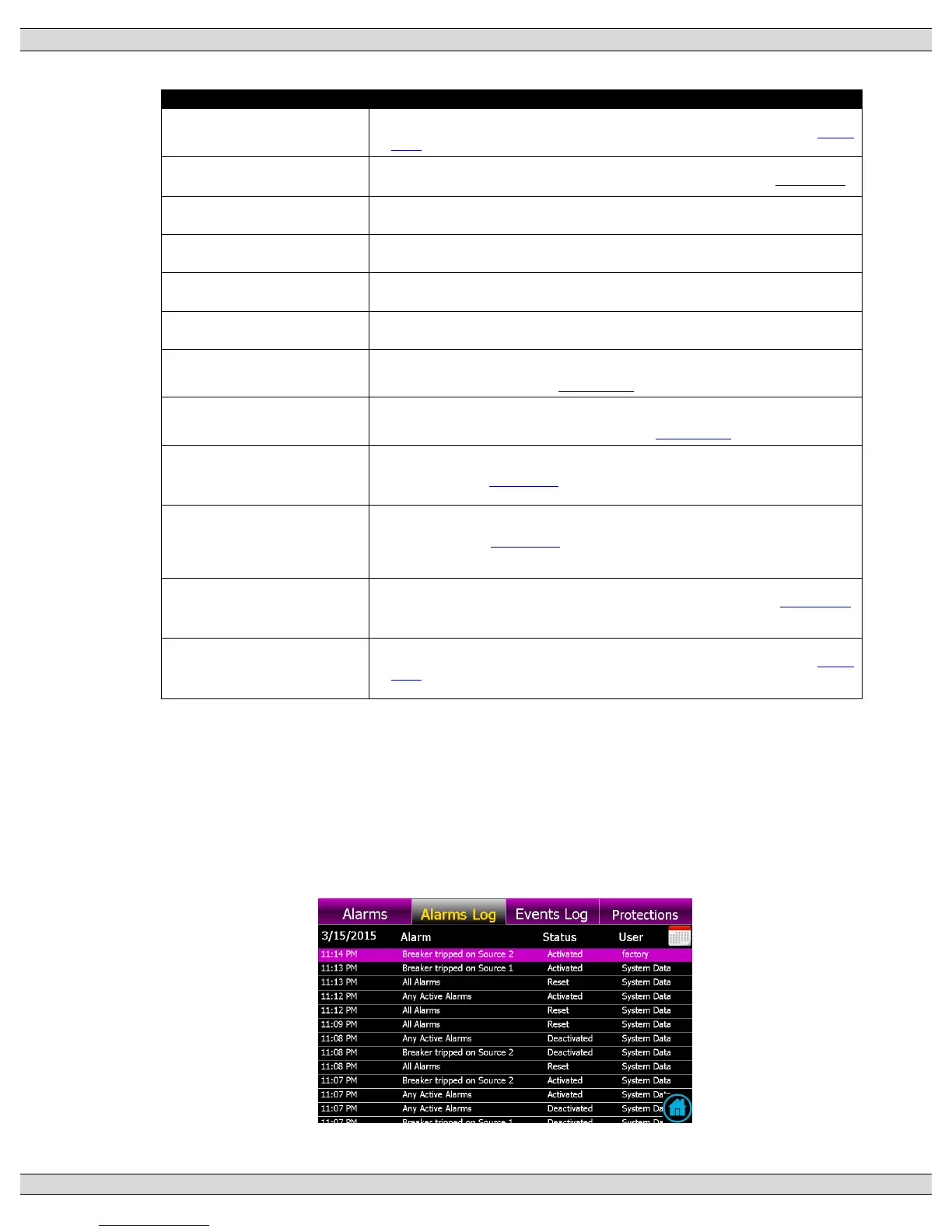
3.5.6. ALARMS LOG PAGE
The alarms log page shows time/date stamped information as to when alarms have
occurred. A drop down menu is provided to select a desired filter to view the logs.
Note: A calendar date must be selected for the desired date to determine if any logs are
visible on that date.











 To Next Page