Surveying
Topcon AG System Five Operator’s Manual
4-6
To survey the perimeter, record elevations around the field's
perimeter (or an approximate rectangle of the perimeter), and
calculate an average elevation for each side of the field.
To verify the System Five records readings, turn on the beeper
alarm. See “Beeper Alarm” on page 2-29 for details.
NOTICE
Irrigation and tillage may cause elevation
inconsistencies at the field's edges; perform the
survey 50' to 100' in from the perimeter.
1. Set your laser transmitter to 0% slope.
2. With the Control Box set to Survey mode, press the Auto
button to begin recording elevations.
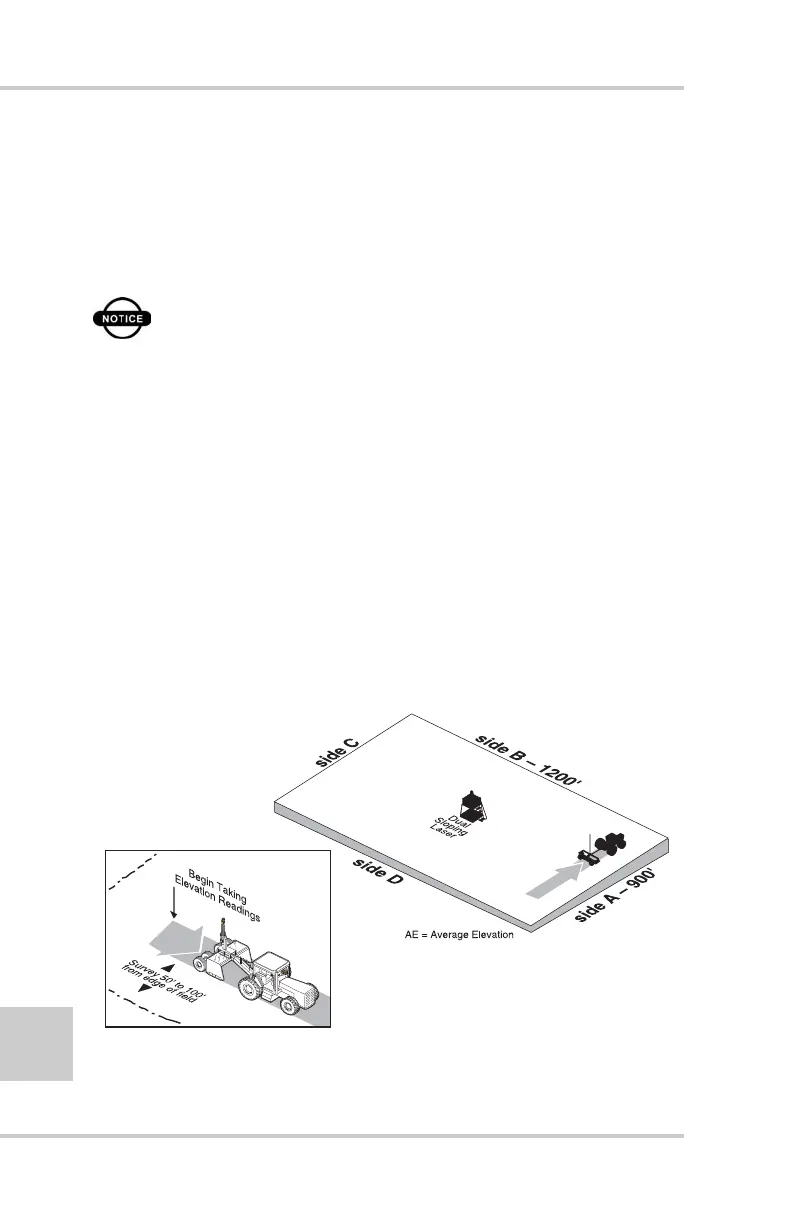
3. Drive the entire length of one side (for example, side A in
Figure 4-5).
4. At the end of side A, press the Auto button to stop recording
elevations.
5. Press the ELEV/AVG button to view the average elevation
(Figure 4-5). Write down this number to use in upcoming steps.
Figure 4-5. Drive One Side of Field and Average Elevation at End
MANU
A
L
A
U
T
O
S
y
s
t
e
m
F
i
v
e
AE 5.00



 To Next Page