119
Chapter 14
Network Security (Router Mode)
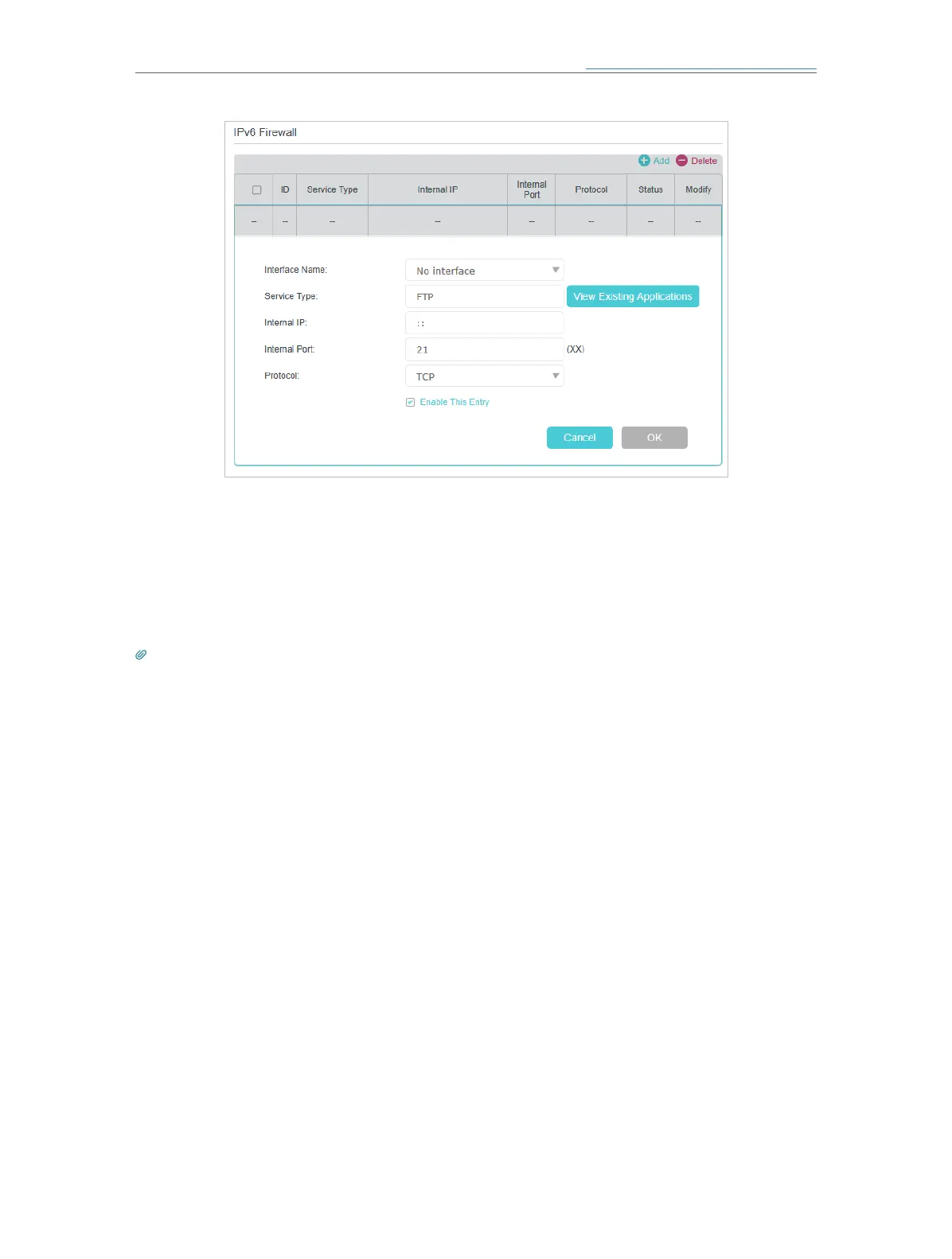
6. Select the local host device running the service. Enter its global IPv6 address in the
Global IPv6 Address field.
7. Select a protocol for the service from the drop-down list.
8. Select Enable This Entry.
9. Click OK.
Tips:
• If you want to disable this entry, click the Bulb icon.
• If the local host device hosts more than one type of available service, you need to create a rule for each service.
Please note that ports should NOT be used by multiple services.














 To Next Page