154
Chapter 17
Manage Your Mesh Device
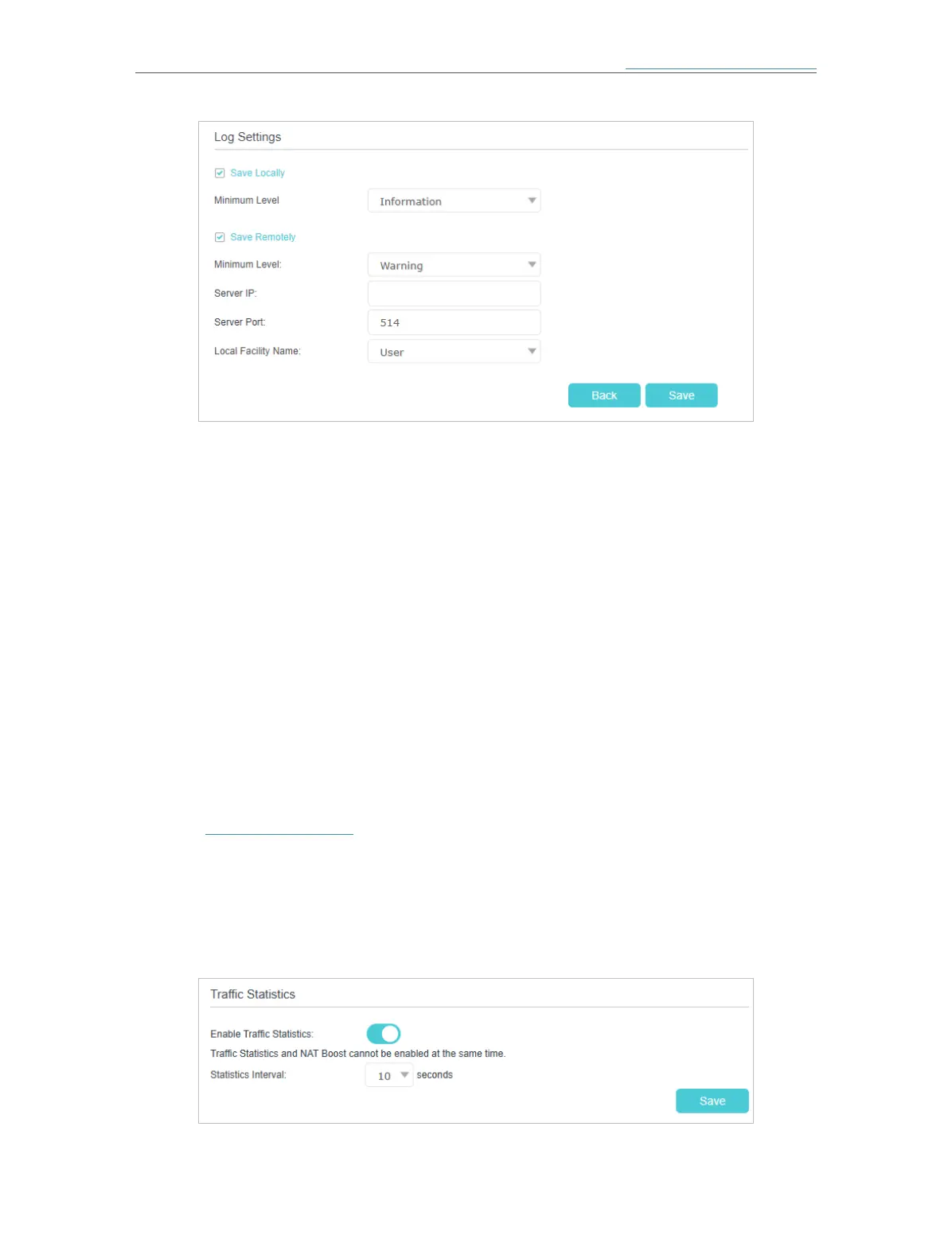
• Save Locally: Select this option to cache the system log to the mesh device’s local
memory, select the minimum level of system log to be saved from the drop-down list.
The logs will be shown in the table in descending order on the System Log page.
• Save Remotely: Select this option to send the system log to a remote server, select
the minimum level of system log to be saved from the drop-down list and enter the
information of the remote server. If the remote server has a log viewer client or a sniffer
tool implemented, you can view and analyze the system log remotely in real-time.
17. 9. Monitor the Internet Traffic Statistics (Router
Mode)
The traffic statistics function allows you to monitor the volume of internet traffic
statistics. You can view the network traffic of the LAN, WAN and WLAN sent and
received packets.
1. Visit http://tplinkwifi.net and log in with the password you set for the mesh device.
2. Go to Advanced > System Tools > Traffic Statistics.
3. Turn on Enable Traffic Statistics to enable traffic statistics function, you can view
the total number of packets and bytes received and transmitted by the mesh device
within the selected Statistics Interval. This function is disabled by default.














 To Next Page