99
Chapter 12
NAT Forwarding (Router Mode)
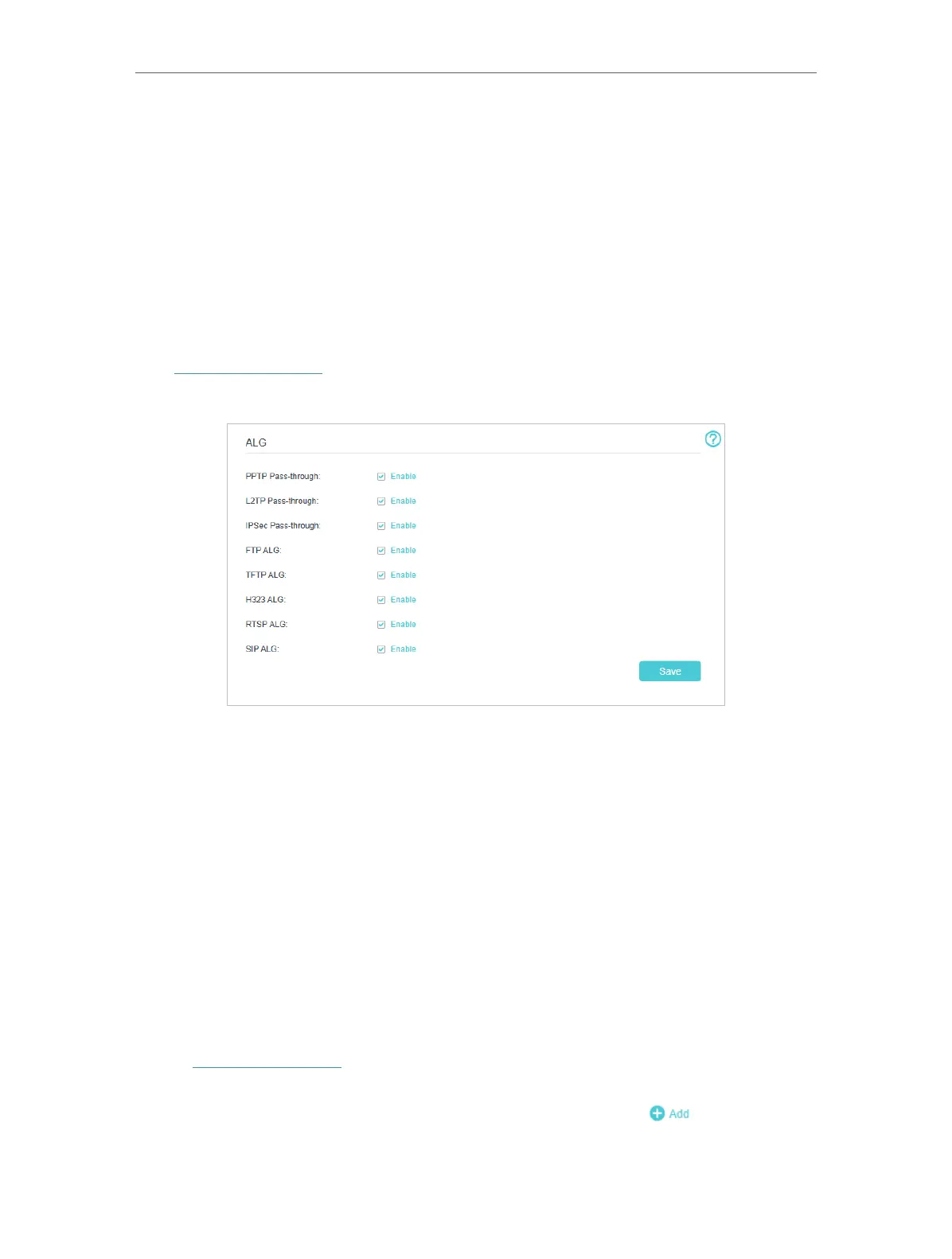
12. 1. ALG
ALG allows customized Network Address Translation (NAT) traversal filters to be plugged
into the gateway to support address and port translation for certain application layer
“control/data” protocols such as FTP, TFTP, H323 etc. It is recommended to keep the
default settings.
You may need to disable SIP ALG when you are using voice and video applications
to create and accept a call through the mesh device, since some voice and video
communication applications do not work well with SIP ALG.
Visit http://tplinkwifi.net and log in with your TP-Link ID or the password you set for the
mesh device. Go to Advanced > NAT Forwarding > ALG.
12. 2. Set Up Public Services on The Local Network by
Virtual Servers
Virtual Servers are used to set up public services on the local network. A virtual server
is defined as an external port, and all requests from the Internet to this external port
will be redirected to a designated computer, which must be configured with a static or
reserved IP address. When you build up a server on the local network and want to share
it on the Internet, Virtual Servers can realize the service and provide it to the Internet
users.
The table displays the relevant parameters of the virtual server.
To set up a Virtual Server rule:
1. Visit http://tplinkwifi.net and log in with your TP-Link ID or the password you set for
the mesh device.
2. Go to Advanced > NAT Forwarding > Virtual Servers and click
.
3. Select an interface name from the drop-down list.














 To Next Page