23
Chapter 4
4. 7. IPv6 Tunnel (Router Mode)
IPv6 Tunnel is a transition mechanism that enables IPv6-only hosts to reach IPv4
services or vice versa and allows isolated IPv6 hosts and networks to reach each other
over IPv4-only infrastructure before IPv6 completely supplants IPv4. It is a temporary
solution for networks that do not support native dual-stack, where both IPv6 and IPv4
run independently.
1. Visit http://tplinkwifi.net and log in with your TP-Link ID or the password you set for
the mesh device.
2. Go to Advanced > Network > Internet.
3. Click Add and enable IPv6 and Click Advanced to view more advanced settings.
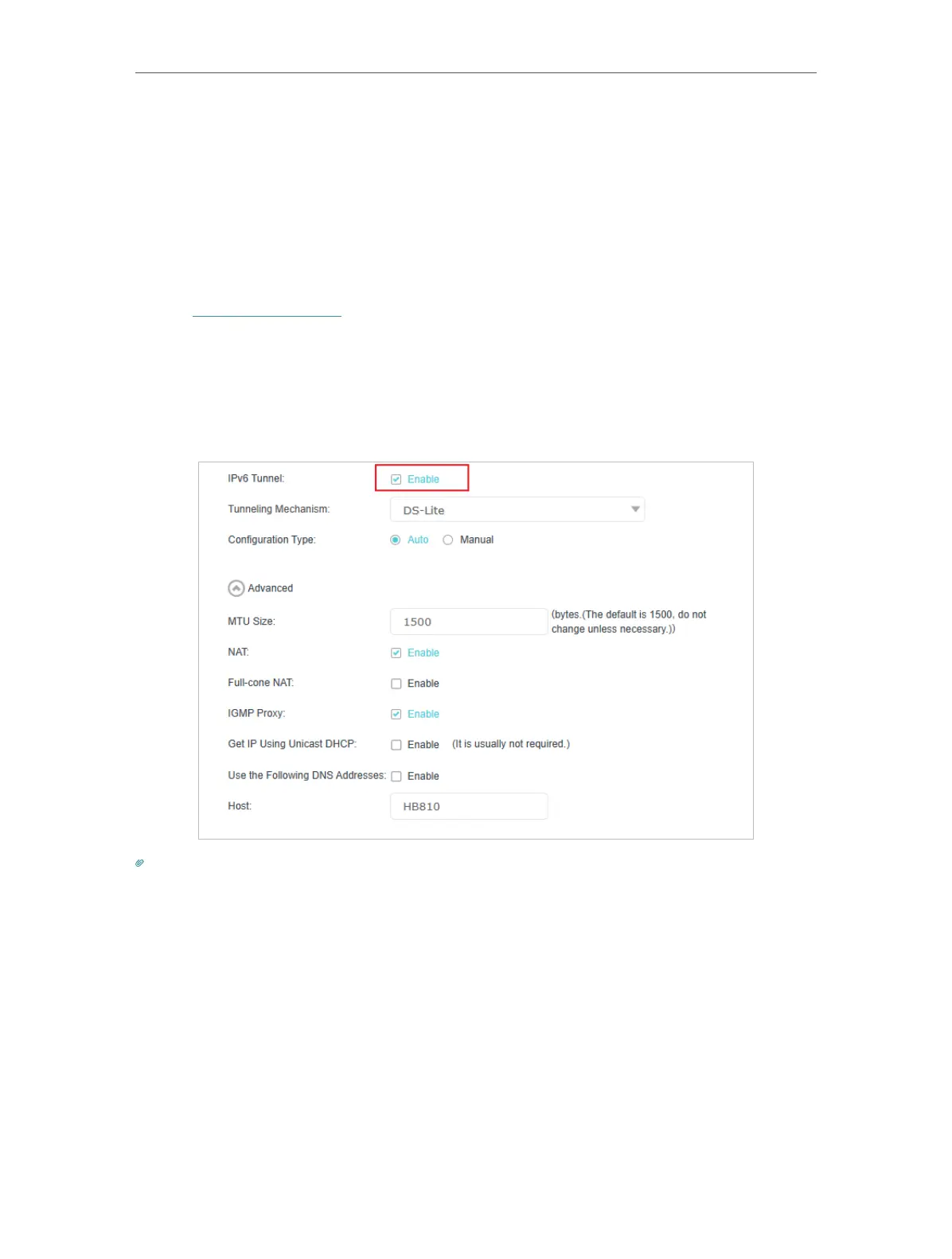
4. Select the checkbox to enable IPv6 Tunnel.
Tips:
Please check the IPv6 tunnel settings each time while reconfiguring WAN connection, as WAN connection configuration
may take effect on tunnel settings.
5. Fill in information as required by different tunneling mechanisms.
1 ) DS-Lite: Fill in blanks and click OK. Select this tunneling mechanism if your ISP
uses DS-Lite deployment for assigning address.














 To Next Page