14
Chapter 4
4. 3. Set up Operation Mode for the Mesh Device
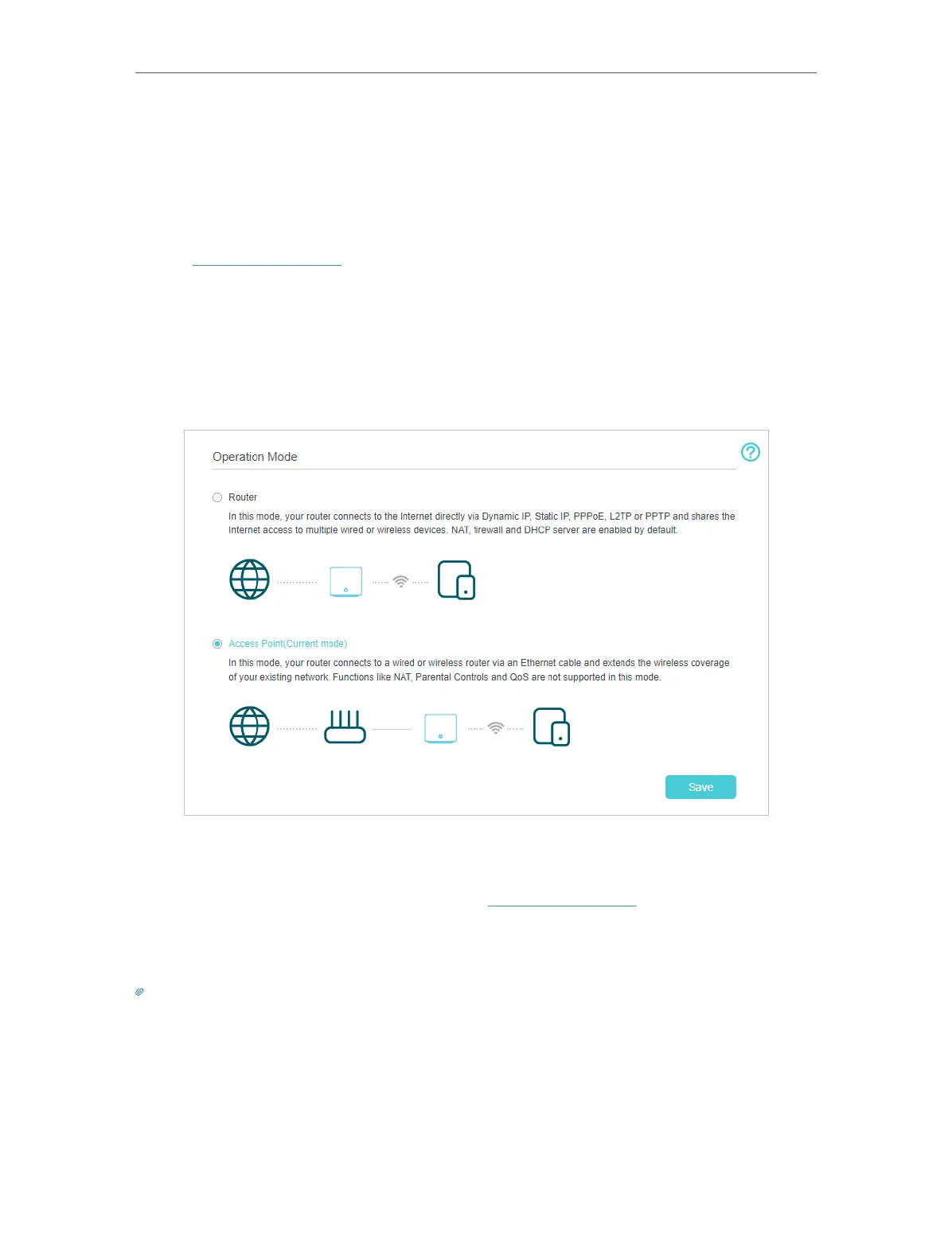
The mesh device can work as a Router or an Access Point, providing wired or wireless
network. The mesh defaults to AP mode, and you can change your operation mode by
the following steps.
1. Visit http://tplinkwifi.net and log in with your TP-Link ID or the password you set for
the mesh device.
2. For AP mode, go to Setting > Operation Mode (AP Mode), select Router and click
Save. The mesh device will reboot and switch to Router mode.
3. For Router mode, to Advanced > Operation Mode, select Access Point and click Save.
The mesh device will reboot and switch to Access Point mode.
4. After rebooting, connect the mesh device to your existing wired router via an Ethernet
cable.
5. Log in again to the web management page http://tplinkwifi.net and go to Quick Setup.
6. Configure your wireless settings and click Next.
7. Confirm the information and click Save. Now, you can enjoy Wi-Fi.
Tips:
• Functions, such as Parental Controls, QoS and NAT Forwarding, are supported in the Router mode.
• Functions, such as Guest Network, are the same as those in the Access Point mode.














 To Next Page