41
Chapter 5
Setup Your Network via TP-Link Aginet App
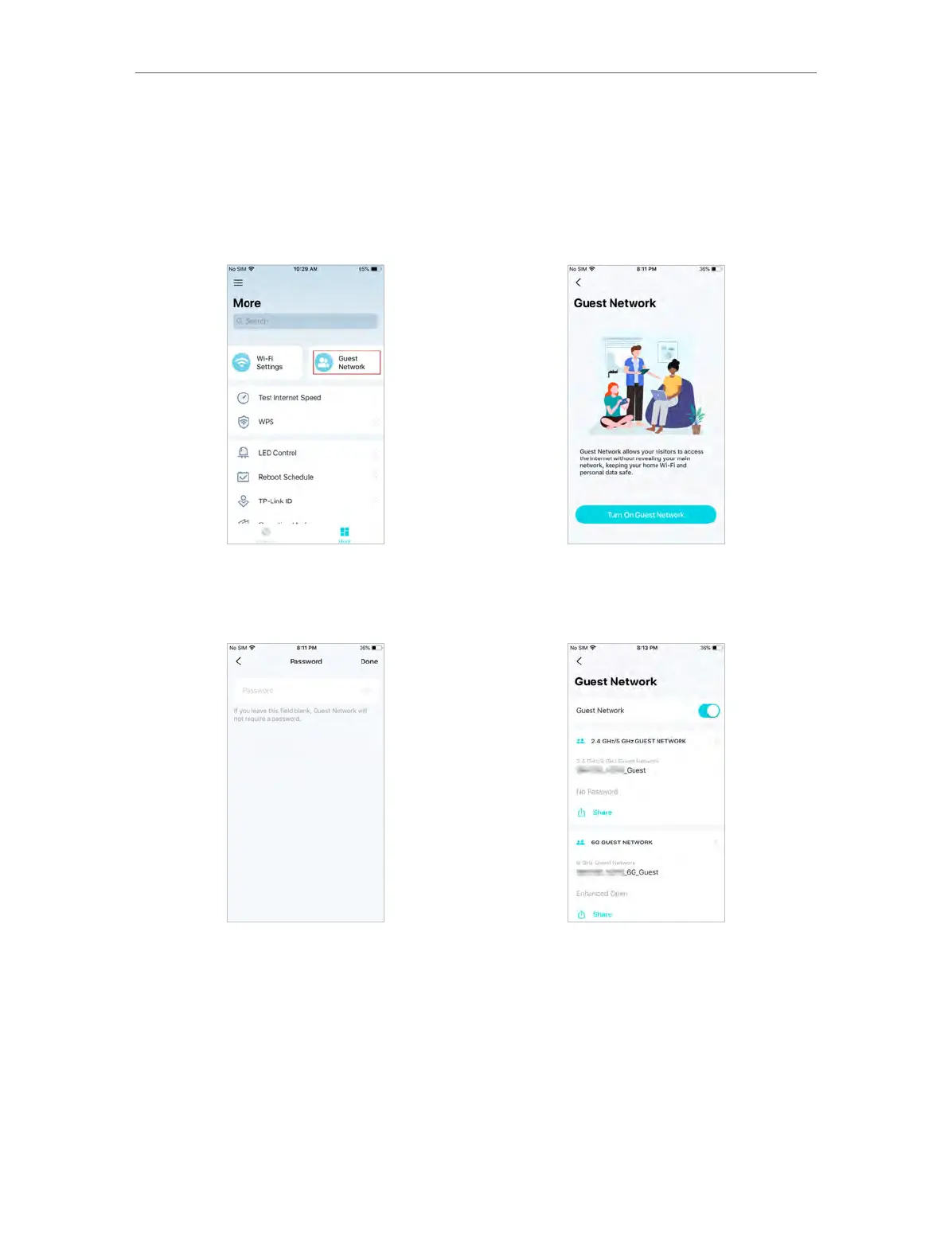
5. 10. Guest Network
You can create and share a separate network for guests to guarantee the security and
privacy of your main network.
1. In More, Tap Guest Network.
2. Set a Wi-Fi name and password for the guest network.
5. 11. Internet Connection (Router Mode)
In Internet Connection, You can modify WAN settings (IPv4 & IPv6), enable MAC Clone
mode.
1. In More, Tap Internet Connection.














 To Next Page