70
Chapter 6
Customize Your Network Settings
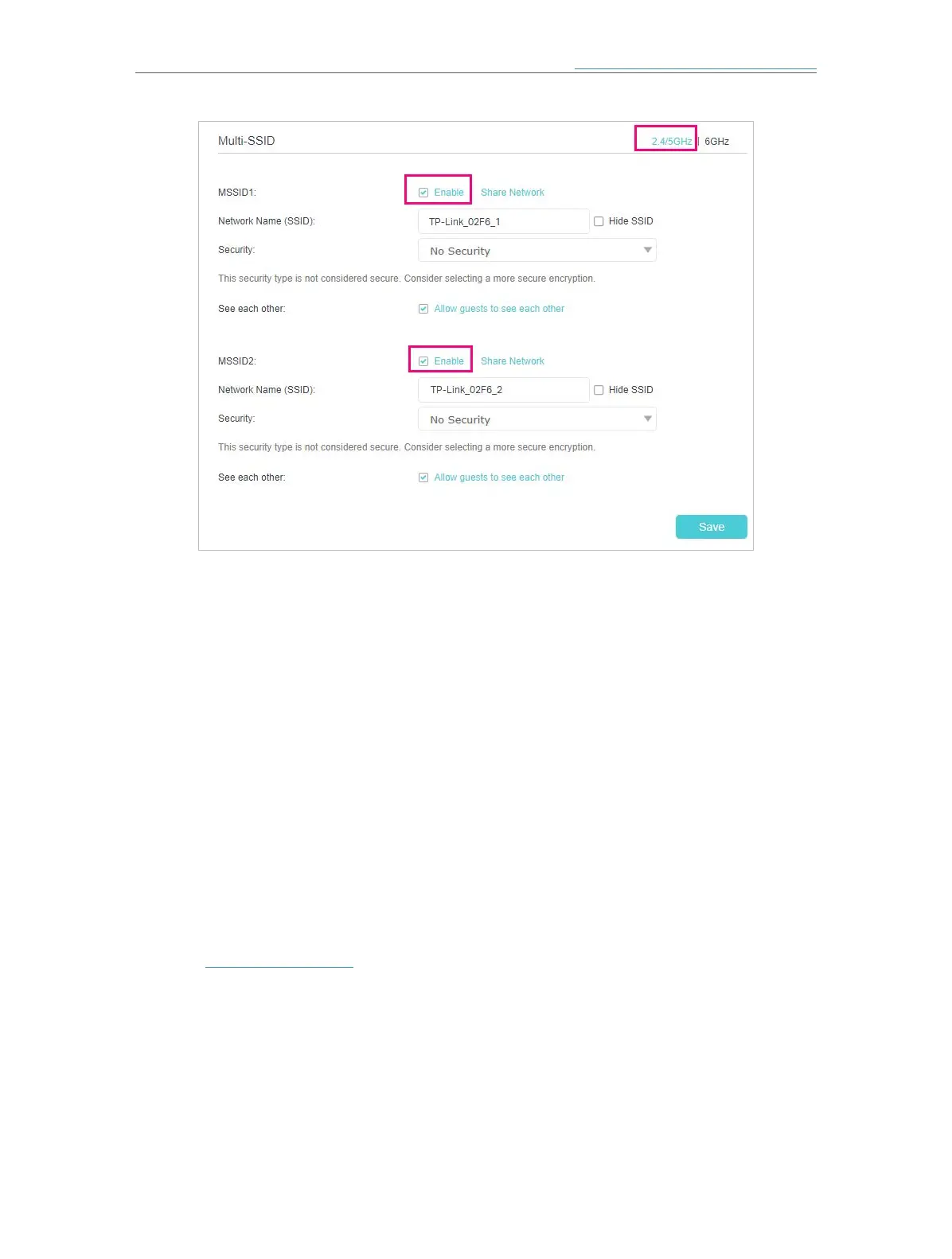
3 ) Enter a new Network Name (SSID) or use the default name, this field is case
sensitive. Don‘t select Hide SSID unless you want your guests to manually input
the SSID for Wi-Fi access.
4 ) Select the Security option for the multi-SSID network, WPA2-PSK[AES] is
recommended, and you can set a password for the network.
If you want to allow the clients in your Multi-SSID network to communicate with
each other via methods such as Network Neighborhood and Ping, select the
Allow Guests to See Each Other check box.
5 ) Repeat step 1) to step 4) to set other wireless networks if needed, and click
Save to make the settings effective.
6. 6. 3. View Wireless Information
¾ To view the detailed wireless network settings:
1. Visit http://tplinkwifi.net and log in with the password you set for the mesh device.
2. Go to Setting > Network Map (AP Mode) or Advanced > Status (Router Mode) page,
and scroll down to the Wireless panel.














 To Next Page