47
Chapter 5
Setup Your Network via TP-Link Aginet App
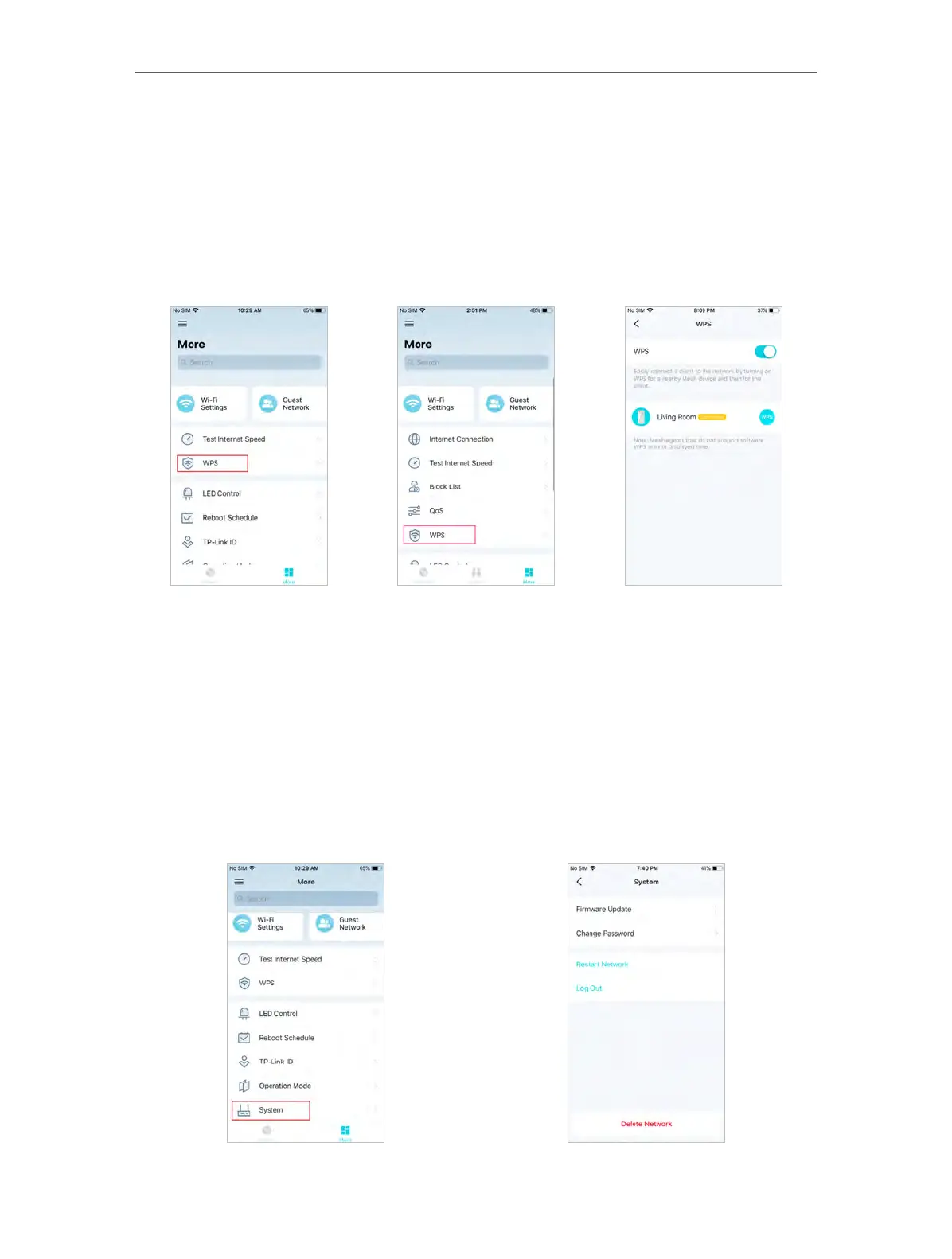
5. 15. WPS
Wi-Fi Protected Setup (WPS) provides an easier approach to set up a security-protected
Wi-Fi connection.
1. In More, Tap WPS.
2. Turning on WPS function and add clients or other devices to the Mesh network.
AP Mode Router Mode
5. 16. Upgrade Your Mesh Device
TP-Link is dedicated to improving product features and providing a better customer
experience. An up-to-date firmware provides better and more stable network
performance. Always update your mesh device to the latest firmware version when
prompted in the Aginet app.
1. In More, Tap System and Firmware Update.














 To Next Page