45
Chapter 5
Setup Your Network via TP-Link Aginet App
5. 13. Block List (Router Mode)
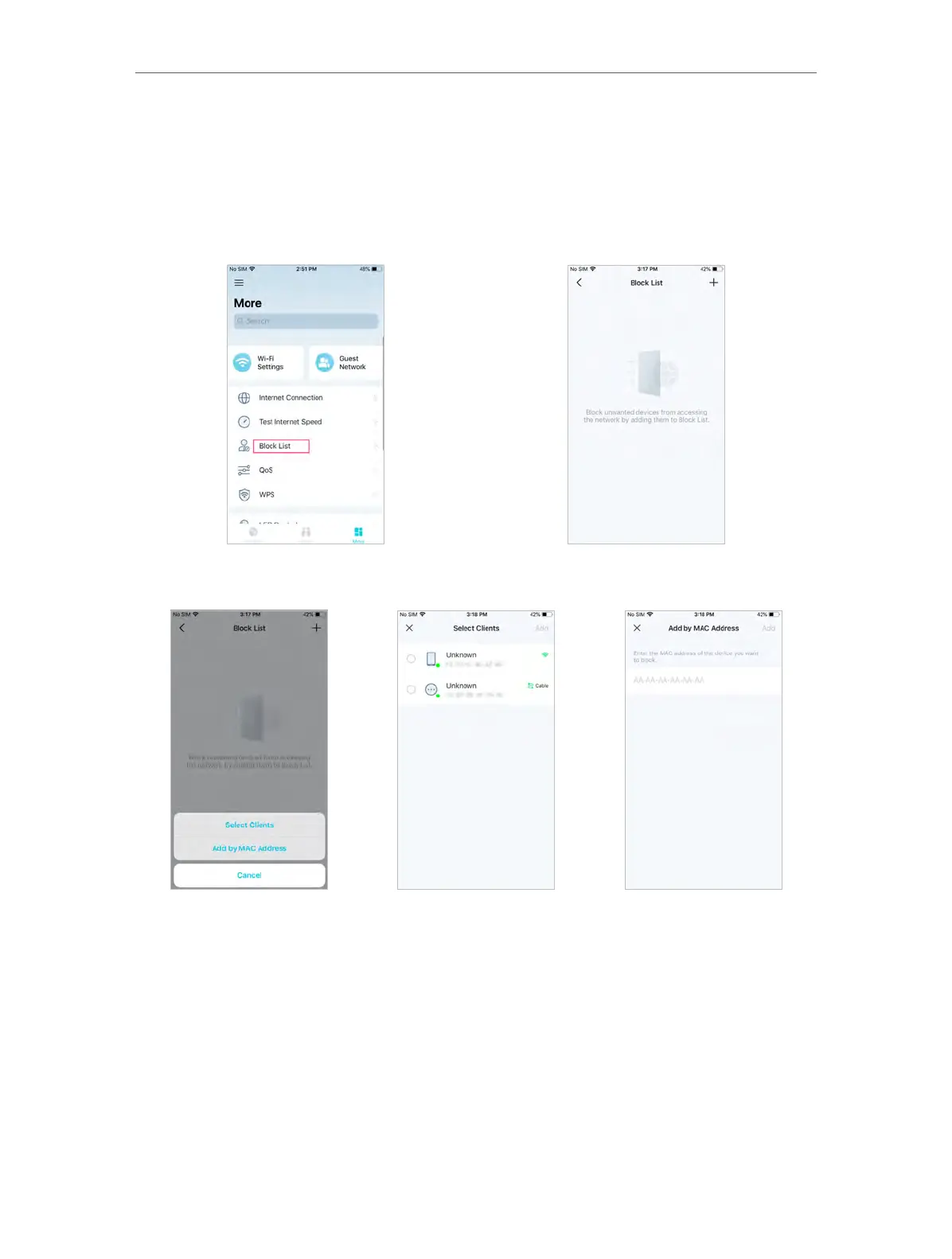
Add devices to the block list to prevent the devices from accessing your network,
ensuring the safety of your personal information shared in the network.
1. In More, Tap Block List.
2. Tap + and add clients or other devices to the block list.
5. 14. QoS (Router Mode)
QoS (Quality of Service) is designed to ensure the efficient operation of the network
when come across network overload or congestion.
1. In More, Tap QoS.
2. Turning on QoS function and input the maximum upload bandwidth provided by
your internet service provider. 1Mbps equals to 1000Kbps.














 To Next Page