146
Chapter 17
Manage Your Mesh Device
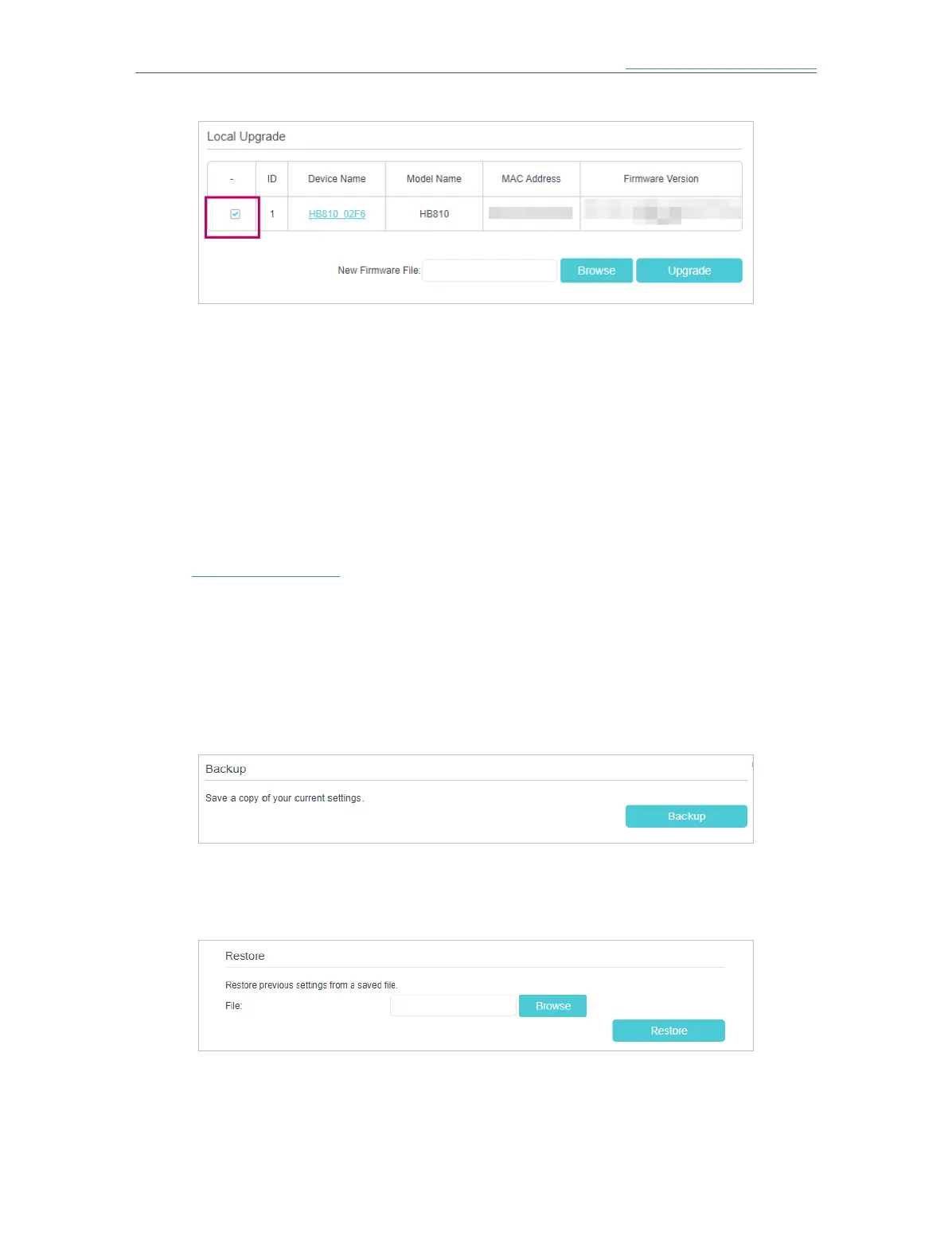
6. Wait a few minutes for the upgrading and rebooting.
17. 5. Back Up and Restore Configuration Settings
The configuration settings are stored as a configuration file in the mesh device. You
can back up the configuration file to your computer for future use and restore the mesh
device to a previous settings from the backup file when needed. Moreover, if needed
you can erase the current settings and reset the mesh device to its default factory
settings.
1. Visit http://tplinkwifi.net and log in with the password you set for the mesh device.
2. Go to Setting > System Tools > Backup & Restore (AP Mode) or Advanced > System
Tools > Backup & Rstore (Router Mode)
¾ To back up configuration settings:
Click Backup to save a copy of the current settings to your local computer. A conf.bin
file will be stored to your computer.
¾ To restore configuration settings:
1 ) Click Browse to locate the previous backup configuration file, and click Restore.
2 ) Wait a few minutes for the restoring and rebooting.
¾ To reset the mesh device to factory default settings:














 To Next Page