15
Chapter 4
4. 4. Manually Set Up Your Internet Connection (AP
Mode)
In this part, you can check your current internet connection settings. You can also
modify the settings according to the service information provided by your ISP.
Follow the steps below to check or modify your internet connection settings.
1. Visit http://tplinkwifi.net and log in with your TP-Link ID or the password you set for
the mesh device.
2. Go to Setting > Network > LAN Settings.
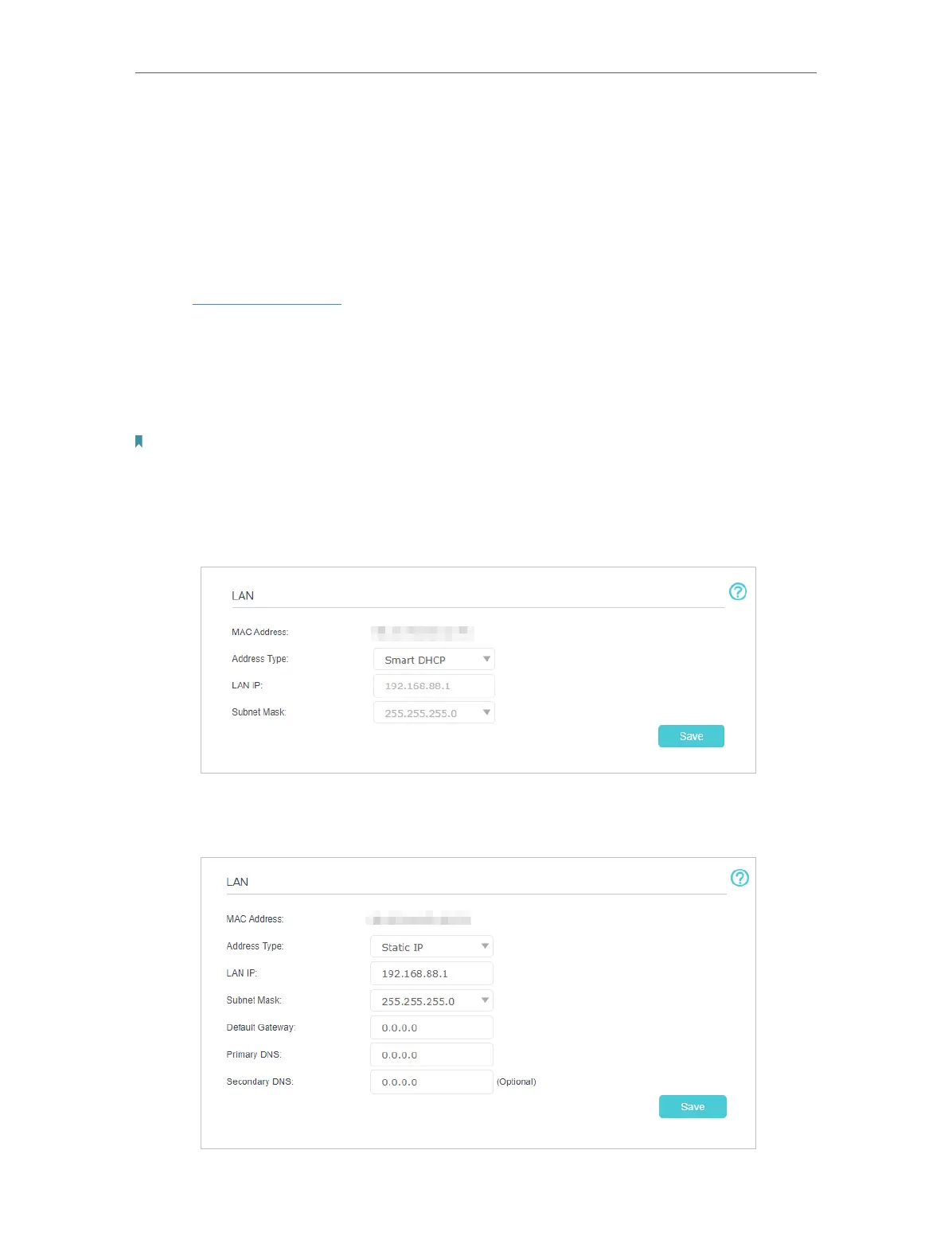
3. Follow the instructions on the page to continue the configuration. Parameters on the
figures are just used for demonstration.
Note:
Since different connection types require different cables and connection information, you can also refer to the
demonstrations to determine your connection type.
1 ) If you choose Smart DHCP, the IP address and Subnet Mask are assigned
automatically by the ISP.
2 ) If you choose Static IP, enter the information provided by your ISP in the
corresponding fields.














 To Next Page