40
Chapter 5
Setup Your Network via TP-Link Aginet App
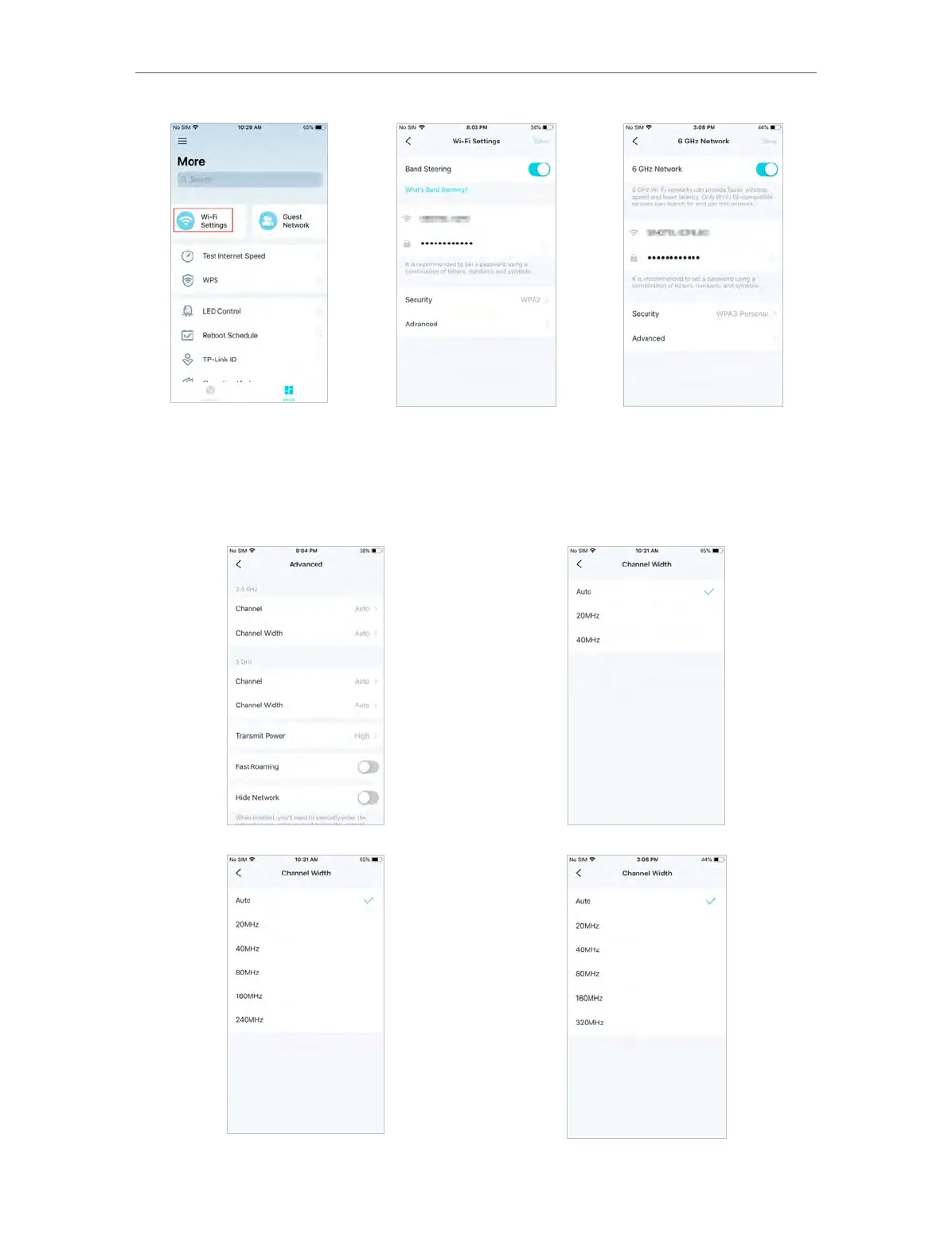
2. Manage main network (e.g. change your main network’s Wi-Fi name and password,
hide the network from Wi-Fi list, etc.).
3. Tap Advanced. For better Wi-Fi performance, set the channel width for 2.4GHz,
5GHz, and 6GHz Wi-Fi as needed. (It is recommended to keep the default settings.)














 To Next Page