121
Chapter 15
Quality of Service (Router Mode)
The mesh device allows you to configure the quality of service (QoS) for optimal
throughput and performance when handling differentiated wireless traffic, such as
Voiceover-IP (VoIP), other types of audio, video, streaming media, and traditional IP data.
To configure QoS on the mesh devices, you should set parameters on the transmission
queues for different types of wireless traffic. In normal use, we recommend that you
keep the default values for the mesh devices.
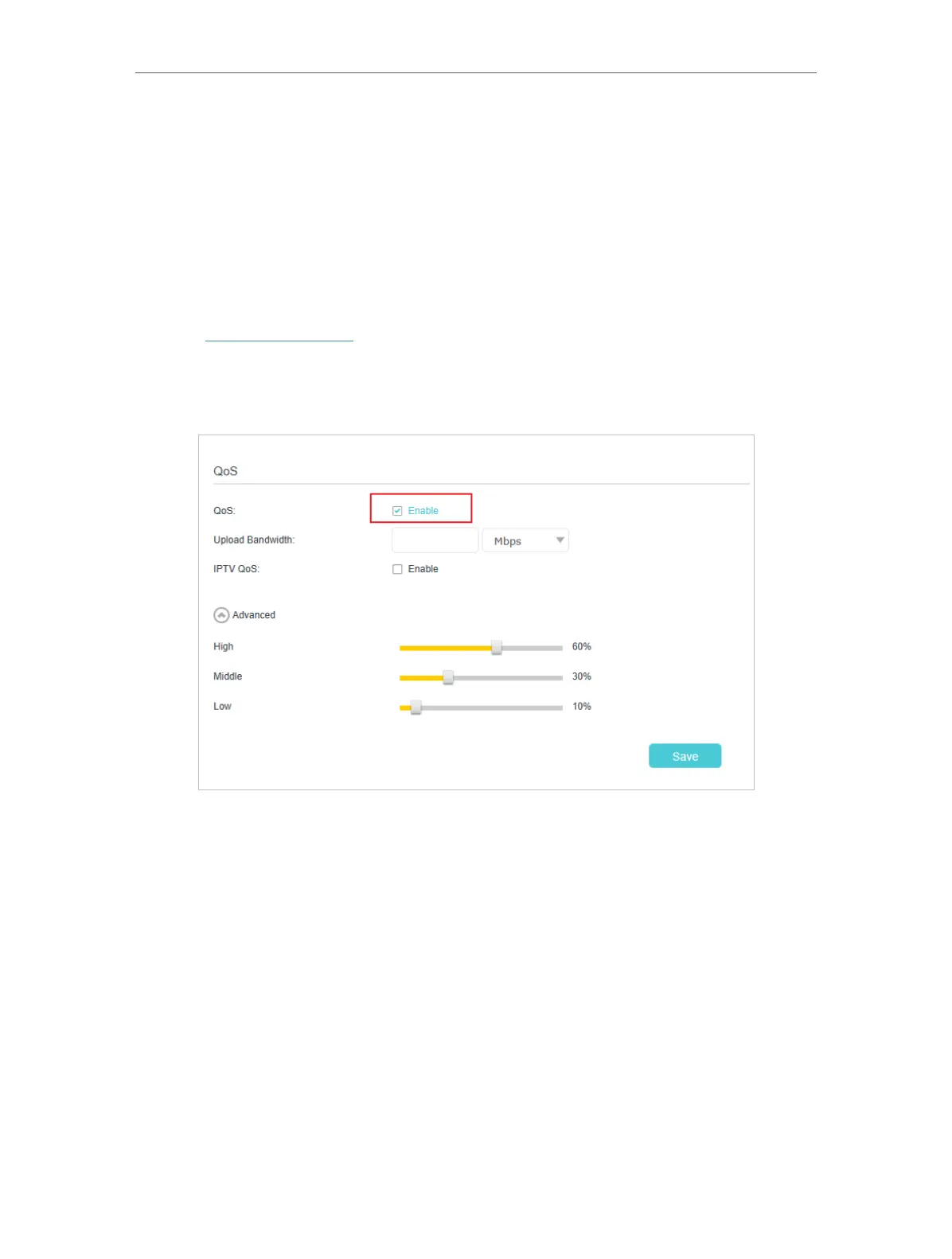
To set up QoS for the network:
1. Visit http://tplinkwifi.net and log in with the password you set for the mesh device.
2. Go to Advanced > QoS.
3. Enable QoS.
4. Enter the upload bandwidths provided by your ISP.














 To Next Page