123
Chapter 15
Quality of Service (Router Mode)
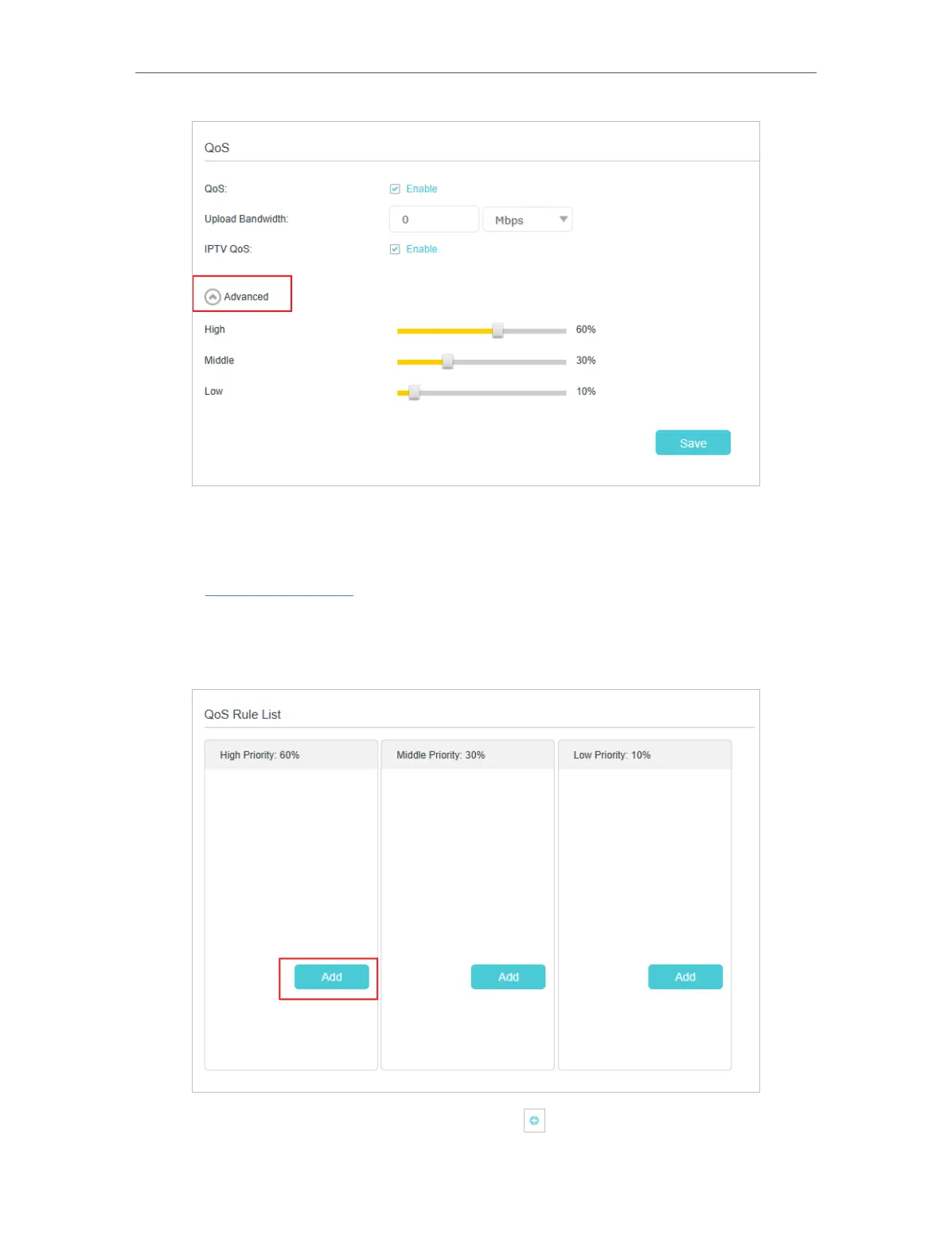
7. Click Save to make the settings effective.
To set up QoS for a specific device:
1. Visit http://tplinkwifi.net and log in with the password you set for the mesh device.
2. Go to Advanced > QoS.
3. In the QoS Rule List table, choose a priority section and click Add.
4. In the QoS Rule window, click scan and click to choose a device, then click OK
to add it to the rule.














 To Next Page