139
Chapter 16
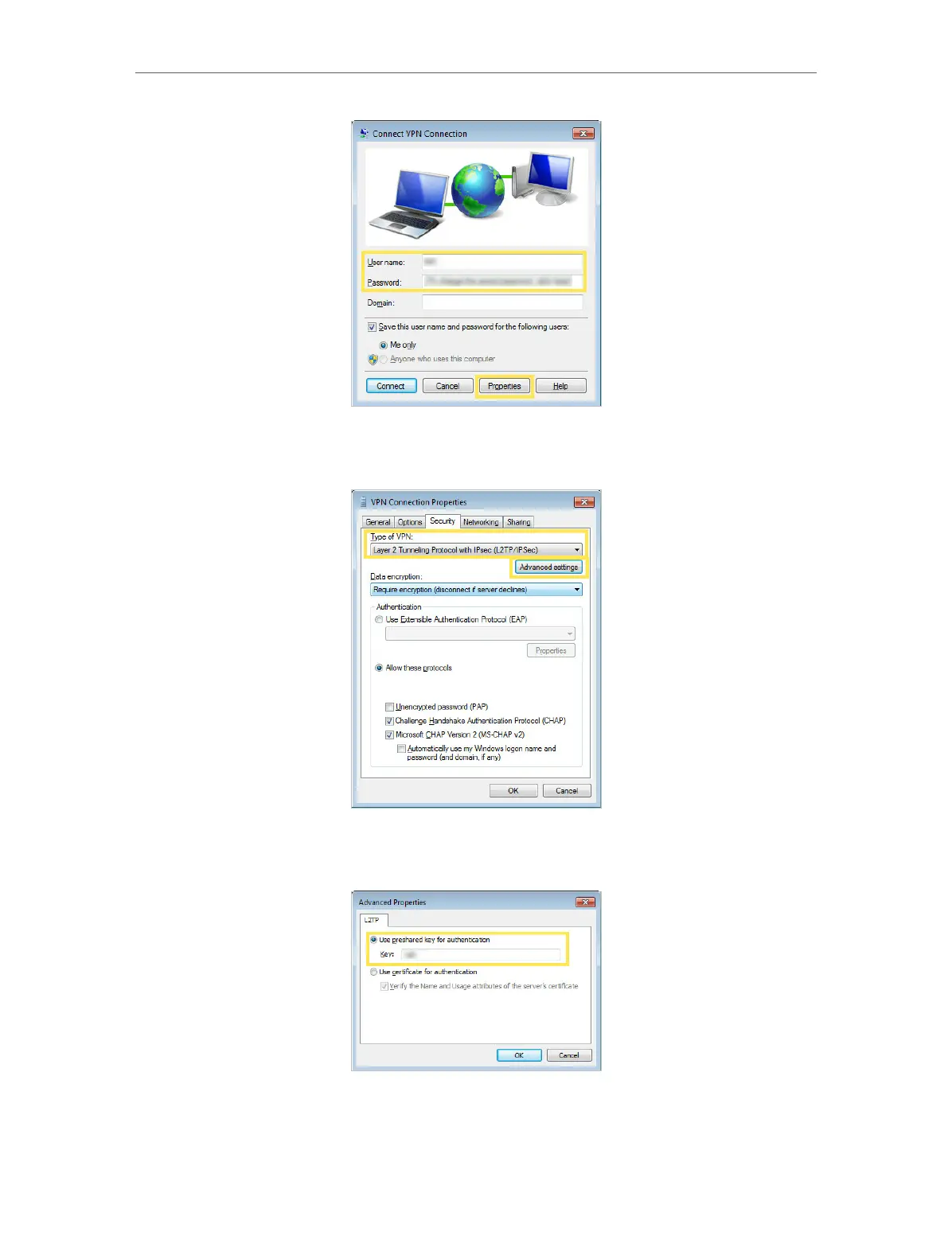
11. Switch to the Security tab, select Layer 2 Tunneling Protocol with IPsec (L2TP/
IPSec) and click Advanced settings.
12. Select Use preshared key for authentication and enter the IPSec Pre-Shared Key
you have set for the IPSec VPN server on your mesh device. Then click OK.
Done! Click Connect to start VPN connection.














 To Next Page