76
Chapter 7
Multi-SSID
¾ To create a multi-SSID network:
1. Visit http://tplinkwifi.net and log in with the password you set for the mesh device.
2. Go to Setting > Wireless > Multi-SSID (AP Mode) or Advanced > Wireless > Multi-
SSID (Router Mode).
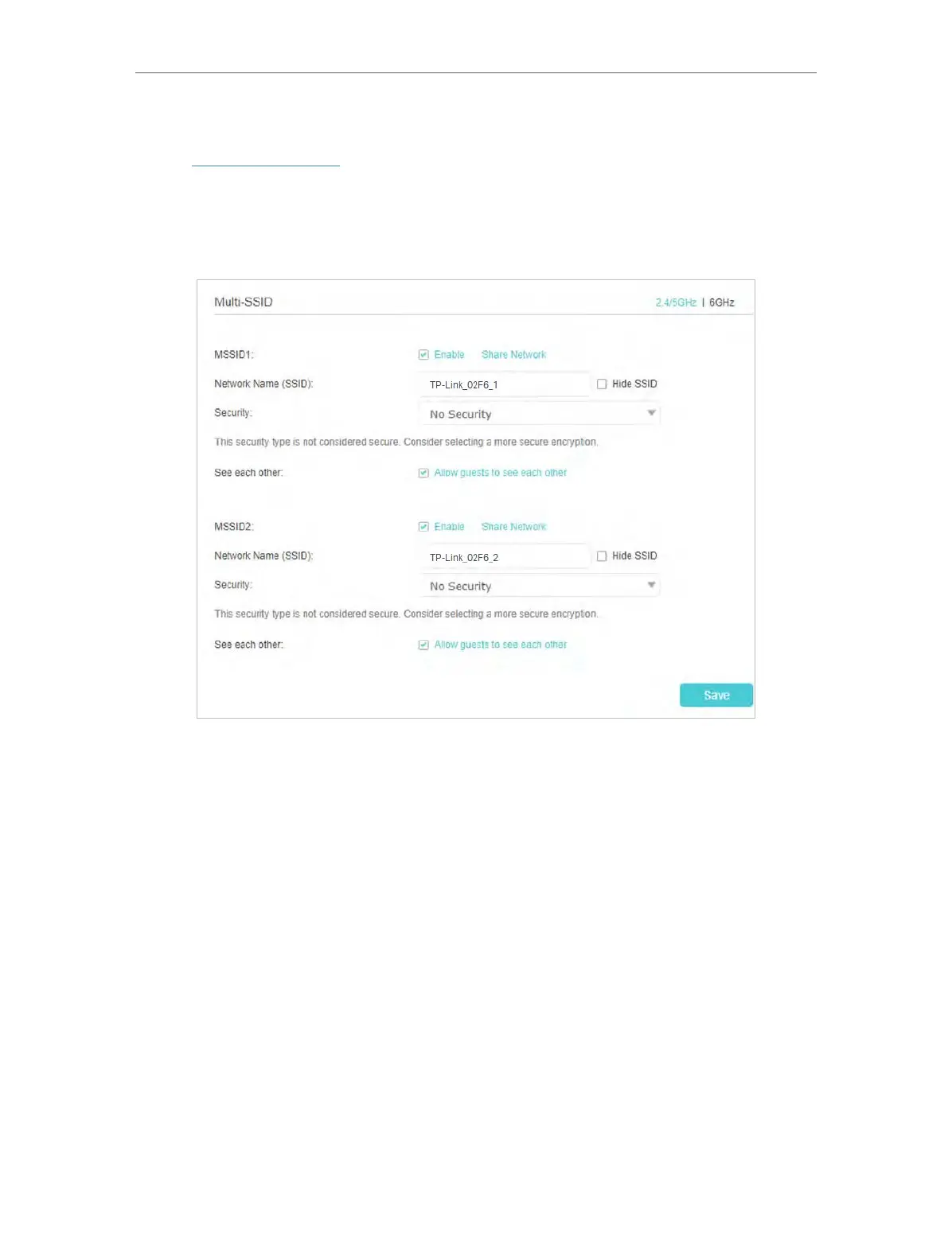
3. Create the multi-SSID network as needed.
1 ) Select the Enable check box to create the corresponding multi-SSID network.
You can create three multi-SSID wireless networks at most.
2 ) Enter a new Network Name (SSID) or use the default name, this field is case-
sensitive. Don‘t select Hide SSID unless you want your guests to manually input
the SSID for Wi-Fi access.
3 ) Select the Security option for the multi-SSID wireless network, WPA/WPA2/
WPA3 Personal (Recommended) is recommended, and you can set a password
for the network.
4. Click Save to make the settings effective. Now your guests can access your multi-
SSID wireless network using the SSID and password specified.














 To Next Page