User's Manual
750 50 0042 03 42
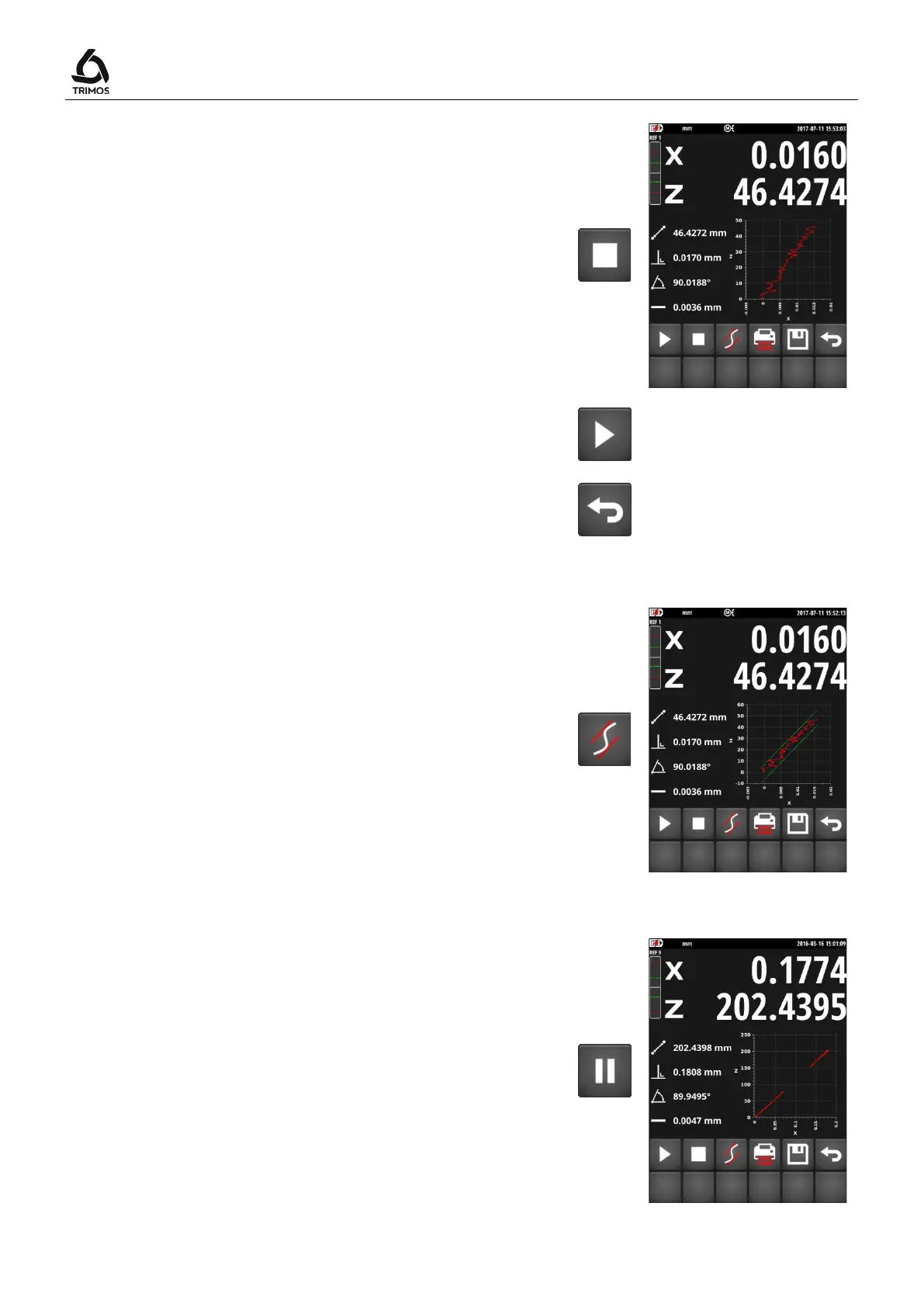
7. When displacement ends, press on the
key. The
display freezes and shows the perpendicularity (X) on
the first line of the display and the distance (Z) on the
second line.
Note:
In motorised mode, the carriage will stop moving as
soon as the
key will be pressed.
To perform another perpendicularity measurement, go
back to point 5.
To exit the perpendicularity measurement, press Exit.
8.2.1 Graphical Display of the Limit Values
The function shown alongside displays the rectitude
(green lines) and inclination (blue line) limits.
8.2.2 Pause Function
If the side to be measured has obstacles or cannot be
measured in a single pass, it is possible to temporarily
interrupt the measurement. To do this press the
button. The probe can then be moved to the point at
which the measurement must be taken again. To restart
the measurement, again press the Pause button.
Note:
While moving the probe in "Pause" mode, ensure that the
instrument and the part are completely immobile.



 To Next Page