INSTALLATION
13
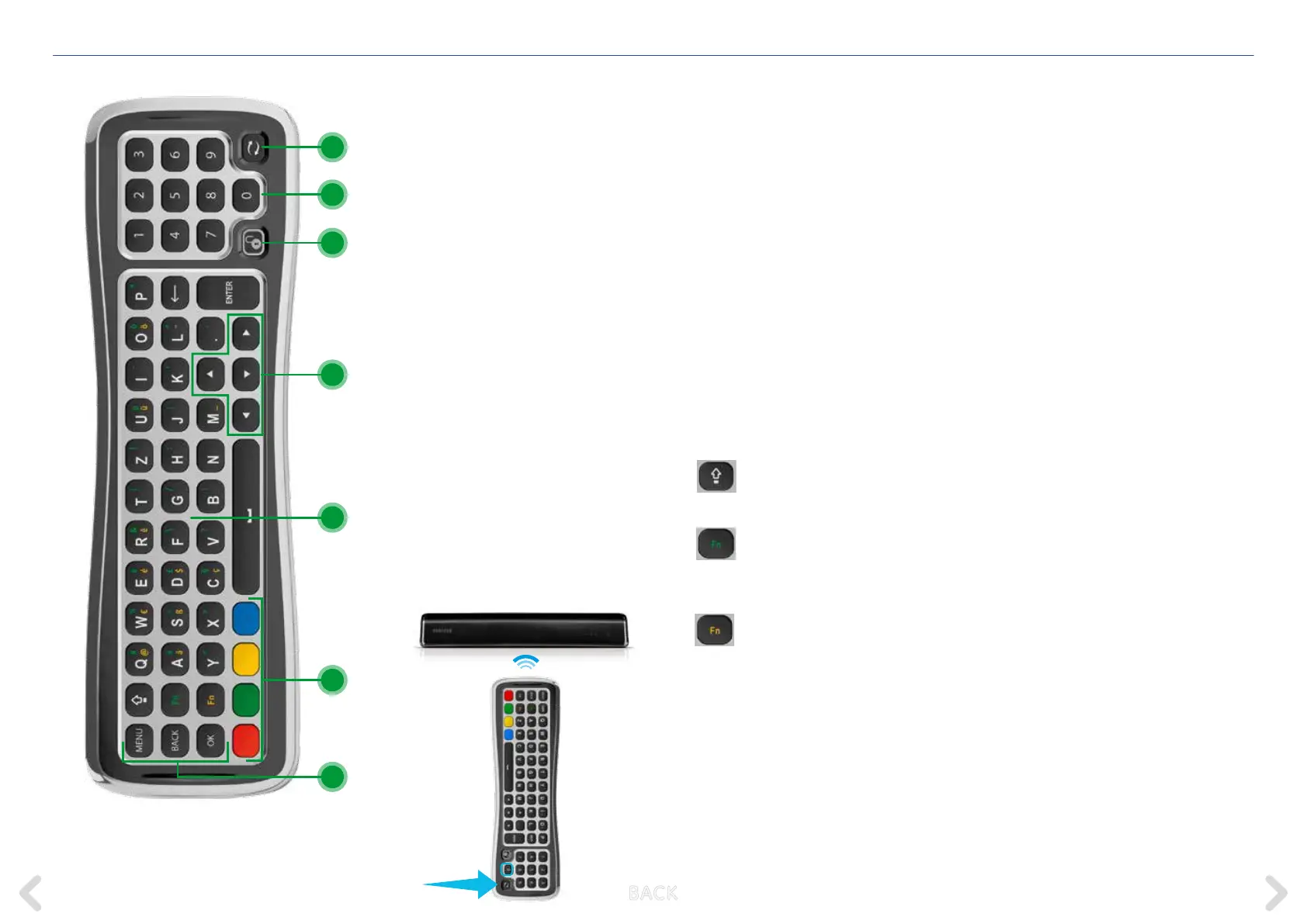
19 Pairing key
Note: the Horizon remote control is
connected to your Horizon box by radio-
frequency. The connection is established
automatically during the initial installation
of the box. If the remote control needs to
be connected to the box again at a later
date (for example if the box has been
returned to its default setting), please
execute the following steps:
1 Make sure that your Horizon box is
switched on and that there is a clear
sight between the Horizon box and
the remote control
2 Turn the remote control so that
the keyboard side is facing up (see
illustration
3 Press and hold the pairing key for
10 seconds aiming at the Horizon box
4 If pairing is successful, a message
to this eect will be displayed
on your TV set
20 Numbers 0-9
For channel selection and PIN entry
21 Keyboard lock key
The remote control has a sensor which
detects which side is facing up and will
activate only the keys on that side.
If you want to use the keyboard side
while this side is facing down you
can press the lock key to activate all
keyboard keys while they are facing
down
22 Navigation
Keys to navigate horizontally and
vertically through menus
23 Keyboard for text entry
CAPS: triggers the letters
to be written as capitals.
Press it a second time to de-activate
Fn (green): press and hold this
key while pressing a key with a
green character to activate the green
character
Fn (yellow): press and hold this
key while pressing a key with a
yellow character to activate the yellow
character
24 Colour keys
25 Action keys
MENU key
BACK key
Return to previous screen when
navigating a menu. / Access channel
information while watching TV.
OK key to conrm menu selection
KEYBOARD (rear of remote control)
25
24
23
22
20
19
21
B ACK



 To Next Page