INSTALLATION
19
Connecting your PC & Mac via WLAN
You can connect your PC and Mac to the Horizon box using WLAN.
Instructions are provided for the following operating systems:
– WINDOWS 8
– WINDOWS 7
– WINDOWS VISTA
– WINDOWS XP
– MAC OS X
3
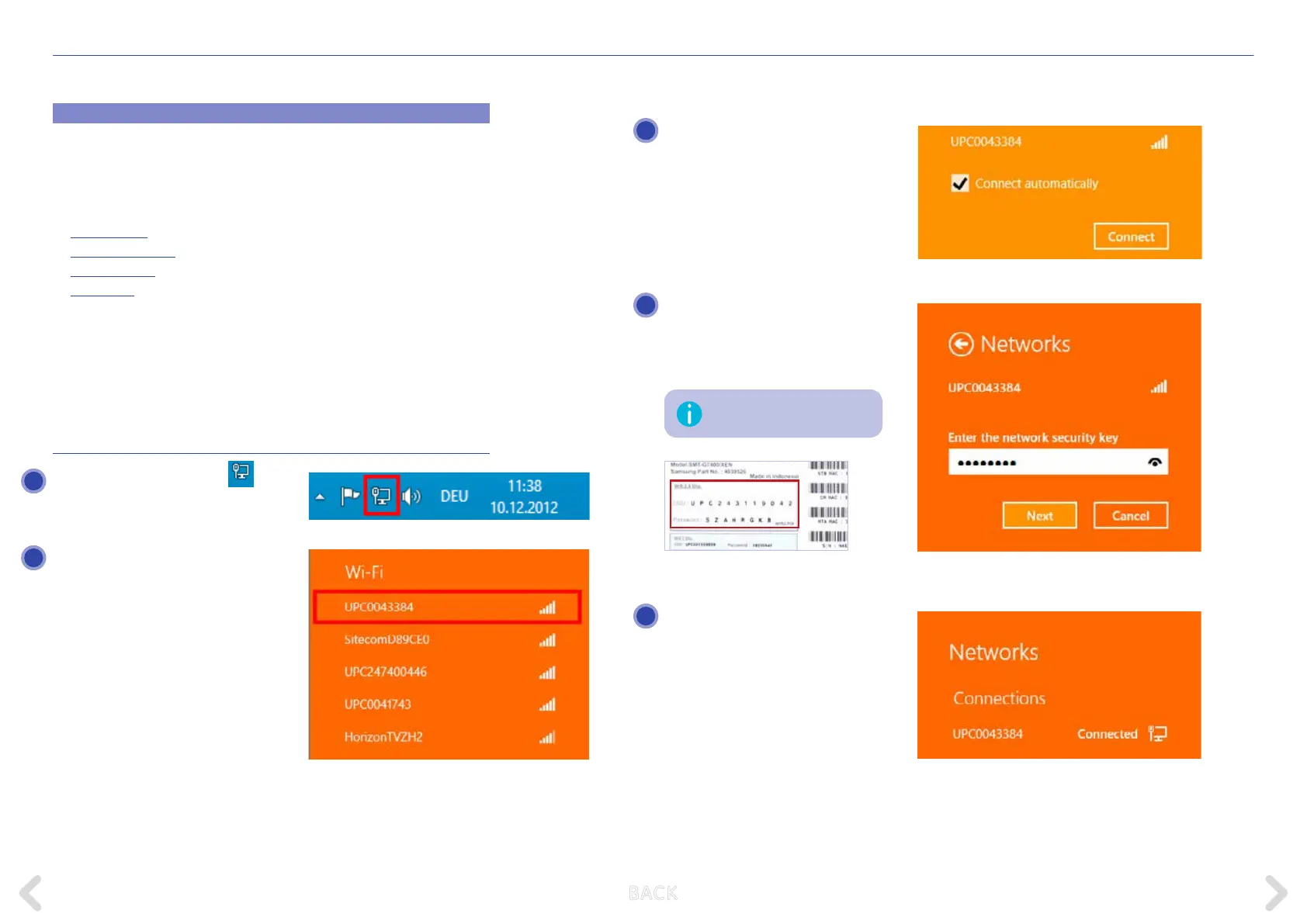
Tick the “Connect automatically” box
and click on “Connect”.
Now enter the relevant password
and click on “Next”. It can also be
found on the underside of your Horizon
HD Recorder below the SSID.
You have now successfully established
your wireless Internet connection.
This key is case-sensitive.
4
5
WINDOWS 8
Click on the network symbol
at the
bottom right-hand corner in the taskbar.
Now select your network. You will nd
your network name on the underside
o your Horizon HD Recorder. It is
called SSID and starts with UPC. Please
ensure that you select 2.4GHz SSID.
1
2
B ACK



 To Next Page