INSTALLATION
12
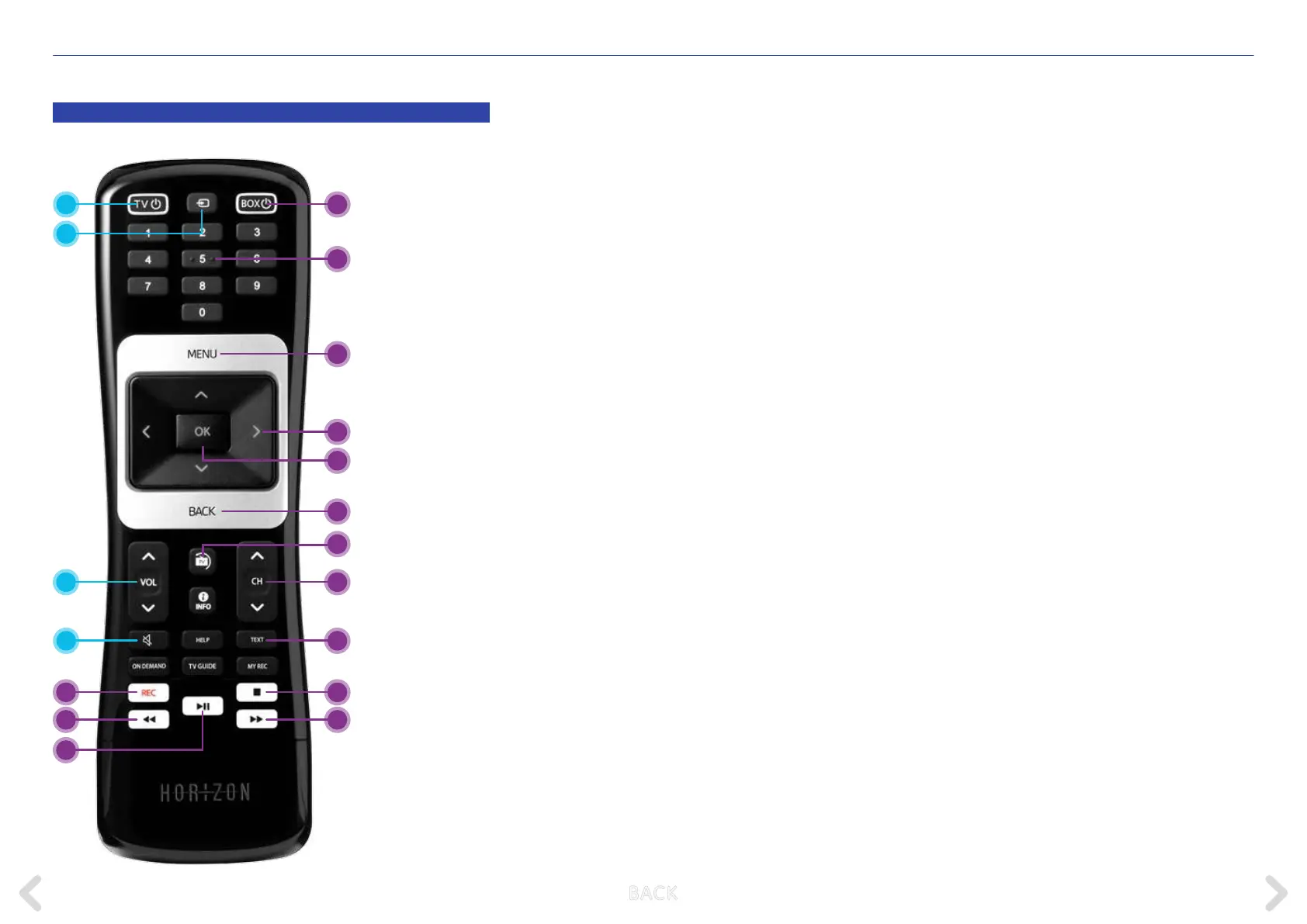
THE HORIZON REMOTE CONTROL
5 BOX on / o
Switches the Horizon box on or o
(Standby)
6 Digits
Direct entry of a channel number
or a digit in a text
7 MENU
Opens the main menu
8 Arrow buttons
Navigates within the menu
9 OK
Conrms a menu selection
or opens the action menu
10 BACK
Displays the channel bar or jumps
a step back in the menu
11 LIVE TV
If you want to leave the menus or any
functions displayed on the screen quickly
and return to the full picture TV view,
press the LIVE TV button. If a programme
is running, you can use this button to
switch to the last channel selected.
12 CH+ / CH-
Selects a channel with a higher or
lower number
13 TEXT
Opens the teletext
Press BACK to cancel the teletext
14 Stop
Stops the current recording
15 Fast Forward
Fast forwards during a lm, recording or
live programme being played back with
a time delay
16 REC
Records the selected programme
17 Rewind
Rewinds during a lm, recording or live
programme
18 Play / Pause
Pauses or resumes the current
programme or video
1 TV on / o
Switches the television on or o
(Standby)
2 TV Source
Switches between the dierent video
ports on your television
3 TV VOL+ / VOL-
Changes the volume on the TV
4 TV Mute
Switches the television volume to mute
TV CONTROL HORIZON BOX CONTROL
4
3
16
17
18
5
7
10
14
15
6
13
12
9
8
1
2
11
B ACK



 To Next Page