THE HORIZON MAIN MENU
34
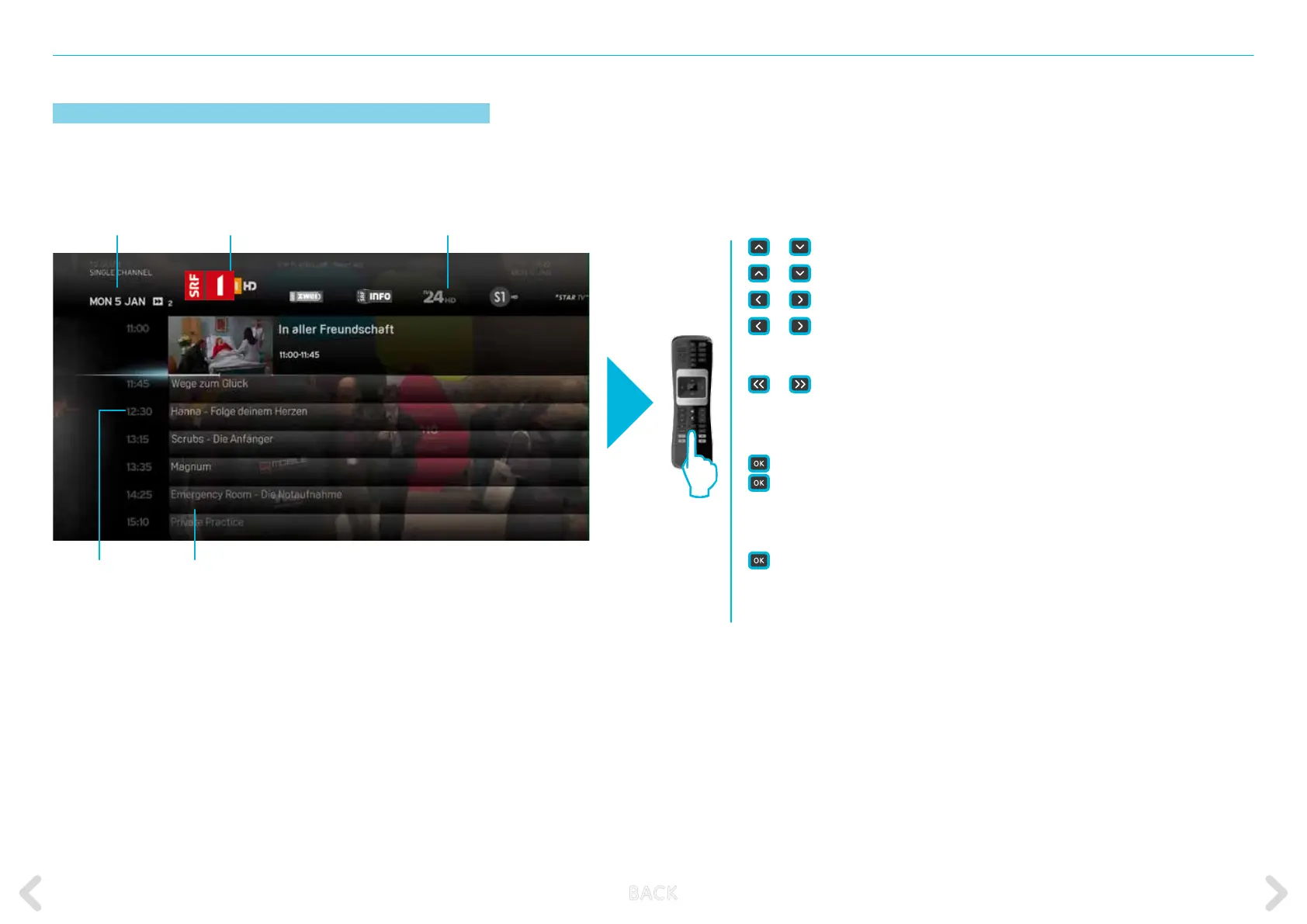
SINGLE CHANNEL
The SINGLE CHANNEL option provides information on the current and
upcoming programmes of the selected channel.
or
short press – highlights the next/previous programme.
or
long press –
moves fast up or down within the programme list
or
short press – highlights the next/previous in the channel list
or
long press – moves fast to the right or to the left within the
channel list
or
– jumps one day backwards or forwards
When current programme is selected:
short press – displays the action menu with VIEW highlighted.
long press – selects the channel and programme and switches
to full screen view of programme.
When any upcoming programme is selected:
short or long press – displays the action menu with RECORD highlighted.
BACK – returns to TV GUIDE home screen.
MENU – retrieves the MAIN MENU.
0 – 9 – directly enter a channel number.
Channel selected
Broadcast time
(vertical navigation)
Programme list
Channel list (horizontal navigation)Date of broadcasting
B ACK



 To Next Page