INSTALLATION
14
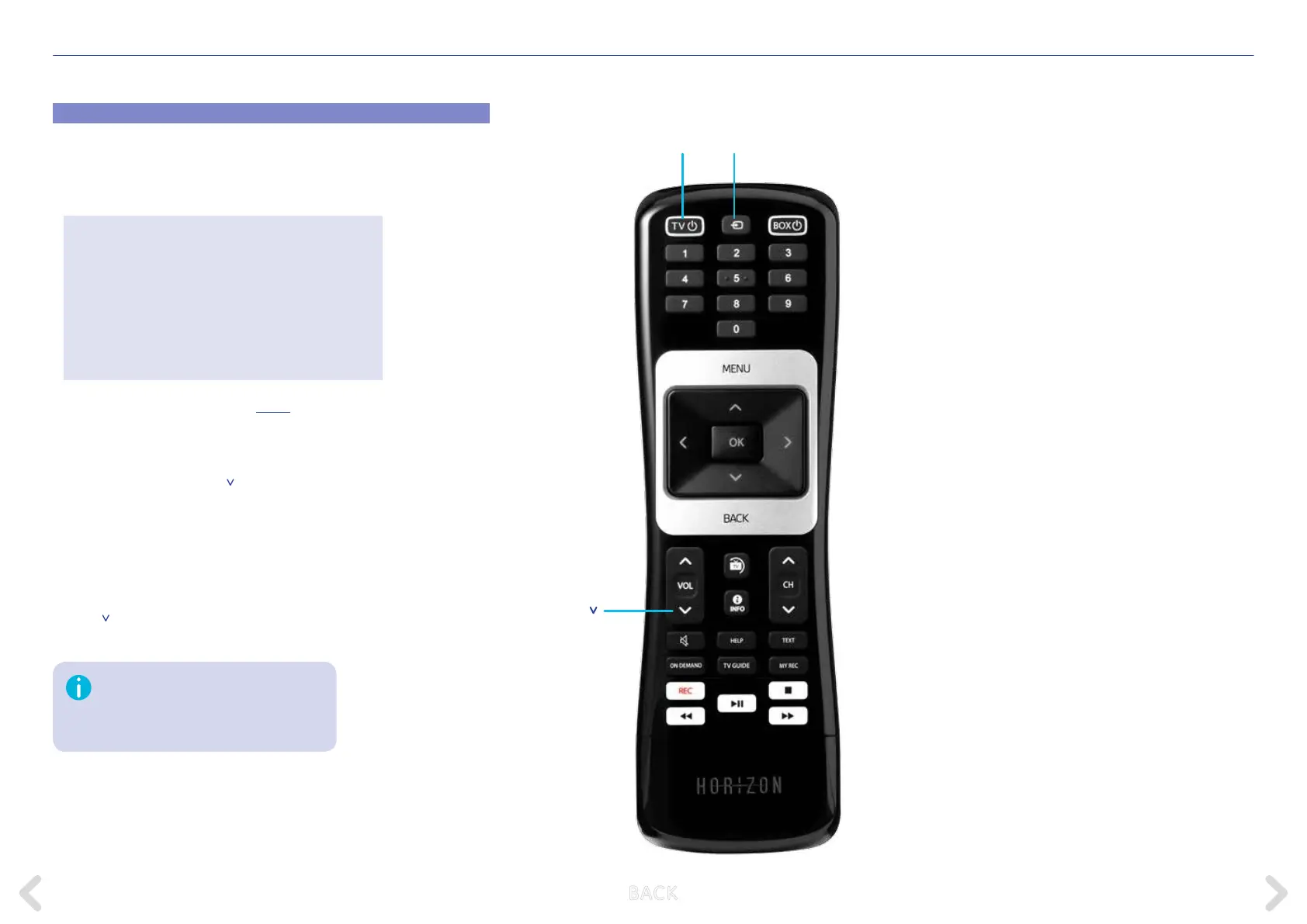
Pairing the Horizon remote control with your TV
Pair the Horizon remote control to your television to switch it on or o
and to adjust the volume.
1. Look up your TV brand code.
You can nd further TV codes HERE.
2. Switch o the Horizon box.
3. Switch on your television.
4. First, press both the VOL
button and the TV Source button for
5 seconds until the TV ON/OFF button ashes 3 times.
5. Enter the TV brand code via the keypad within 10 seconds.
6. Point the Horizon remote control at your TV set and hold down the
TV ON/OFF button for up to 1 min. until the TV turns o. If your TV
does not turn o, repeat steps 2 to 5.
7. As soon as your TV has switched itself o, once again press the
VOL
button and the TV Source button until the TV ON/OFF button
ashes 3 times.
Grundig 1162
Hitachi 1251
JVC 1464
LG 1628
Loewe 1660
Metz 1810
Nec 1950
Panasonic 2153
Philips 2195
Pioneer 2212
Samsung 2448
Sharp 2550
Sony 2679
Telefunken 2914
Thomson 2972
Toshiba 3021
If you wait too long after the TV has
switched itself o, an incorrect code may
be memorised. If this is the case, please
repeat the procedure.
TV ON/OFF
TV VOL
TV Source
B ACK



 To Next Page