THE HORIZON MAIN MENU
27
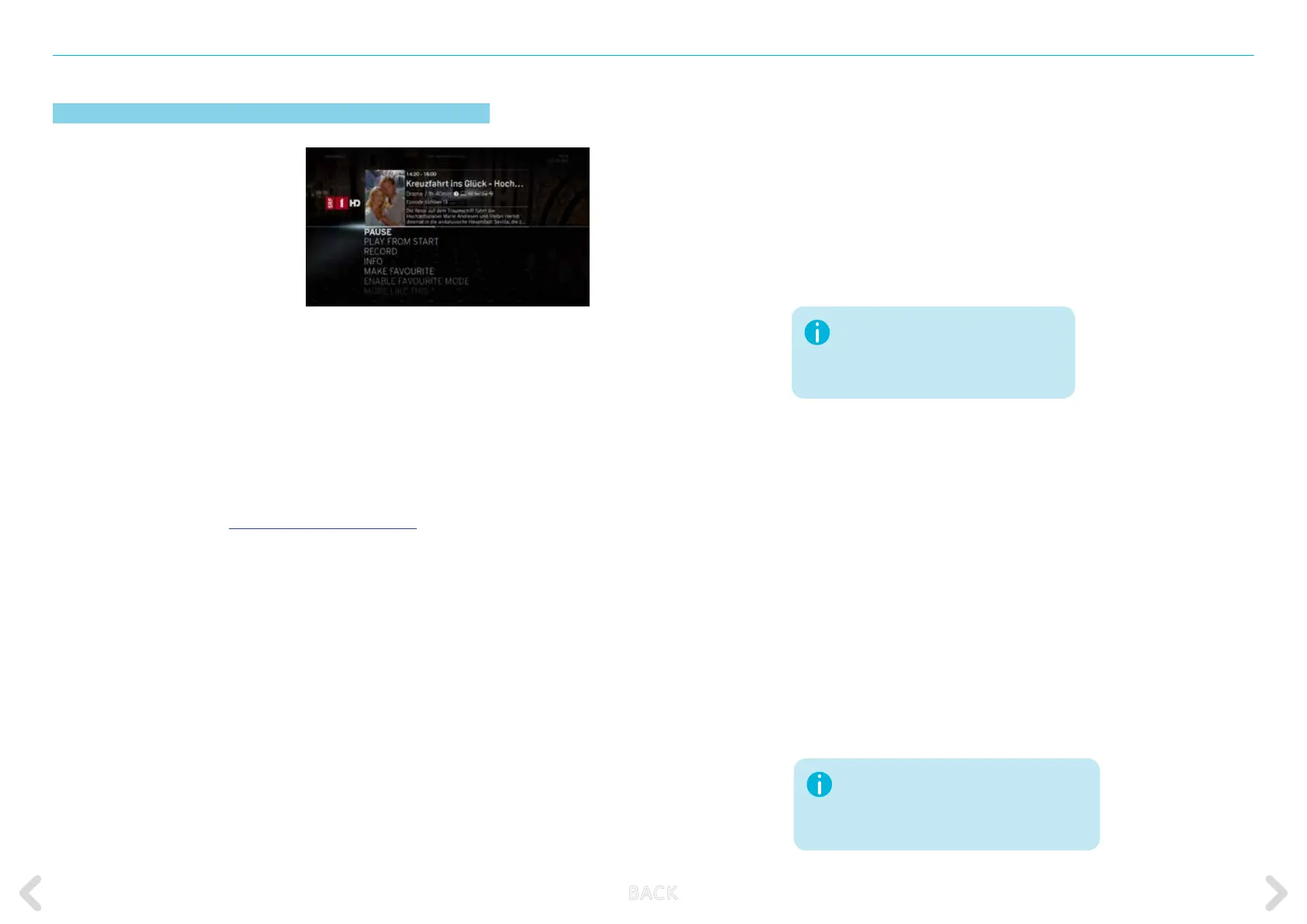
Action menu
The action menu contains options
related to the selected programme
and allows you to perform dierent
actions.
The action menu appears for exam-
ple when pressing the OK key on the
remote control while watching TV.
The action menu is common to every TV programme, Video on De-
mand, DVR recording, and personal media le. The general principle
is always the same, however the options dier from menu to menu
The following action menu options are available under CHANNELS:
PAUSE
This is the default item highlighted when the action
menu is displayed. Pressing the OK key displays the
media playback control bar with total paused time
displayed. For more details on using the controls,
refer to MEDIA PLAYBACK CONTROLS.
MORE LIKE THIS Launches a screen with related videos and pro-
grammes for you to watch.
INFO Shows information about the programme you are
currently watching. The information includes start
and end time, a progress bar, parental rating, di-
rector, actors and description of the programmes
and videos.
RECORD Enables you to start recording the current pro-
gramme. After pressing the OK key, the options
screen appears. The OPTIONS section allows you
to set the frequency of the recordings (how often
the times the recording will occur) and the end
time. If the programme you want to record is part
of a series, the options will include RECORD ALL
EPISODES and RECORD THIS EPISODE.
MAKE FAVOURITE
Enables you to add the current channel to your list
of favourites.
AUDIO & VIDEO Oers setting options for audio, subtitles and
video.
ACTIVATE Enables you to display only the channels included
FAVOURITES as favourites.
MODE
DEACTIVATE Return to full list of channels.
FAVOURITES
MODE
PLAY FROM START Enables you to watch programmes that are already
playing from the start.
If the action menu is selected while
the recording is in progress, the
RECORD option is replaced by the
CANCEL RECORDING option.
This function is not available for all channels.
You can nd more detailed information at:
www.upc.ch.ch/de/fernsehen/replay/ or by
calling 0800 66 88 66
B ACK



 To Next Page