THE HORIZON MAIN MENU
43
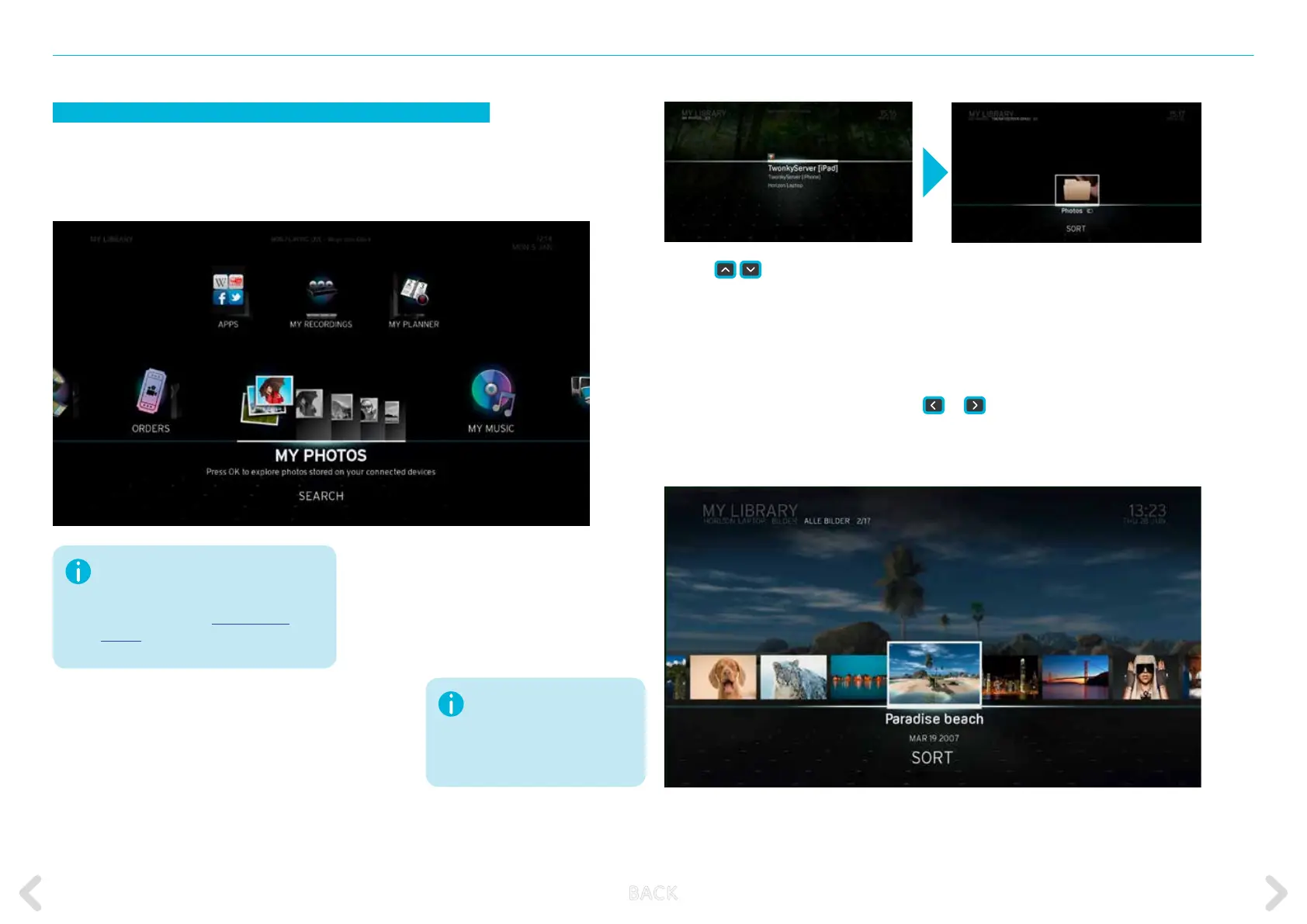
MY PHOTOS
The MY PHOTOS option contains all the photos or pictures from your
home network devices. Press OK on the remote control to access your
photos.
Before continuing, make sure your DLNA-
certied devices are connected to the
Horizon home network using either WLAN
or Ethernet. Refer to SET UP HOME
MEDIA for more information on how to
connect your home media devices.
Please note that the preview
pictures of your photos are
only displayed if the device on
which the photos are stored
supports this function.
Use the
navigation keys to
browse through the available devices.
Once you have highlighted the device
you want, press OK.
Select the “Photos” folder and press OK.
You will then be able to select your pic-
tures by date, album name, etc. Select
the desired folder until your pictures are
displayed.
Select the next or previous photo by using
or
. The photos can
be sorted by DATE or in alphabetical order (A – Z). To do so, highlight
SORT and select one of the options and then press OK to sort the photos.
B ACK



 To Next Page