INSTALLATION
15
Connecting to audio devices
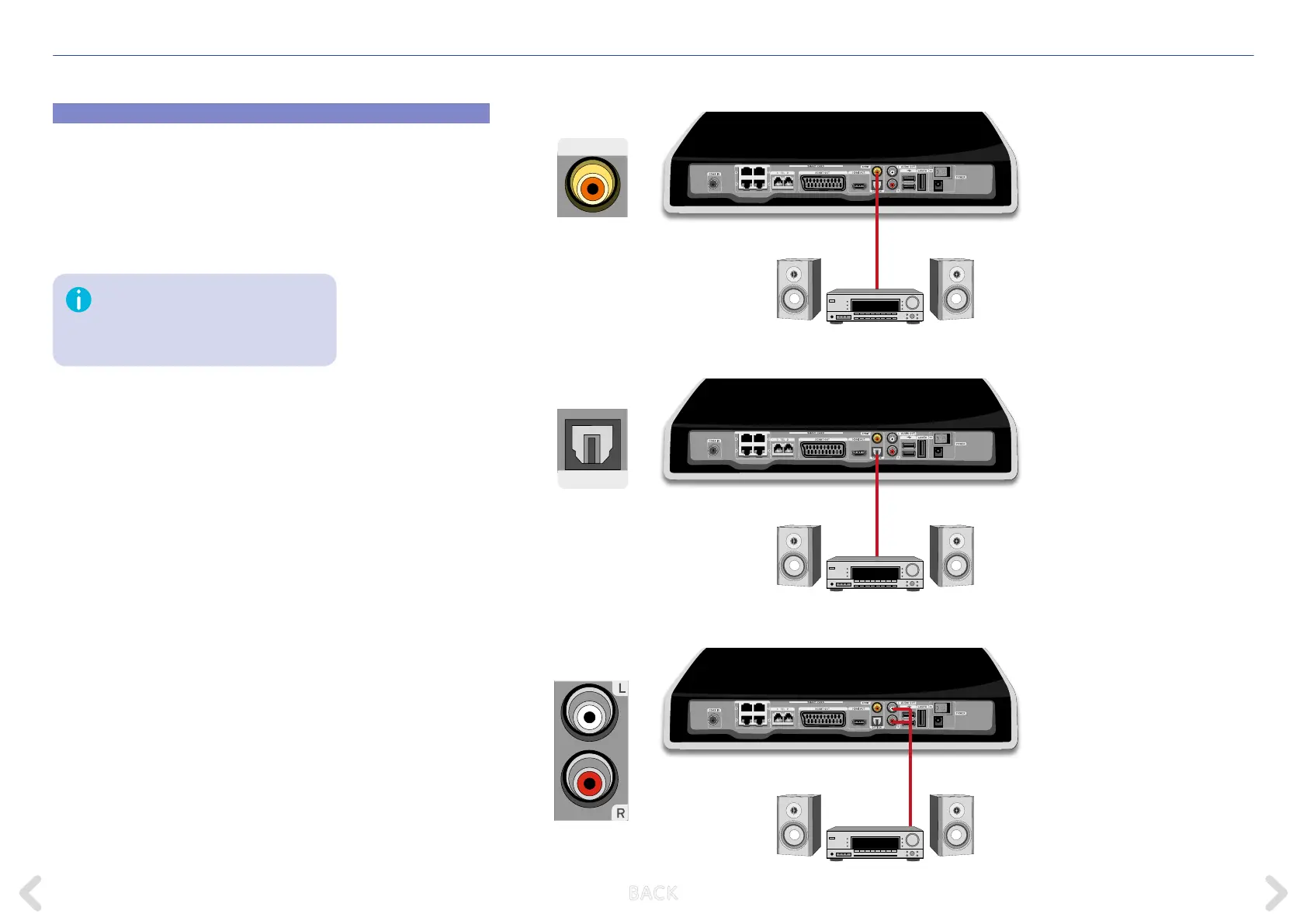
The Horizon box supports audio output to devices such as a Hi-Fi system
or a home cinema system. Depending on the connections available
on the audio device, you can use one of the three following audio-only
connection options. Please note that some home cinema systems also
have HDMI connections; if you connect with HDMI, you may not need
to use a separate audio connection.
The SPDIF and OPTICAL connectors are
used for digital audio output. The L/R
connectors are used for analogue audio
output.
SPDIF coaxial cable
TOSLINK OPTICAL cable
L/R audio cable
SPDIF
OPTICAL
B ACK



 To Next Page