PaX-i (PCH-2500) User Manual
74
6. Acquiring PANO Images
E. Ask the patient to:
■
Stand upright
■
Firmly grip the handle
■
Lean his/her chest lightly against the equipment
■
Position his/her feet slightly forward.
F. For
TMJ Open
imaging, have the
patient:
■
Open his/her mouth as wide as possible
■
Keep his/her tongue positioned towards
the palate
■
Breathe through his/her nose
■
Close his/her eyes.
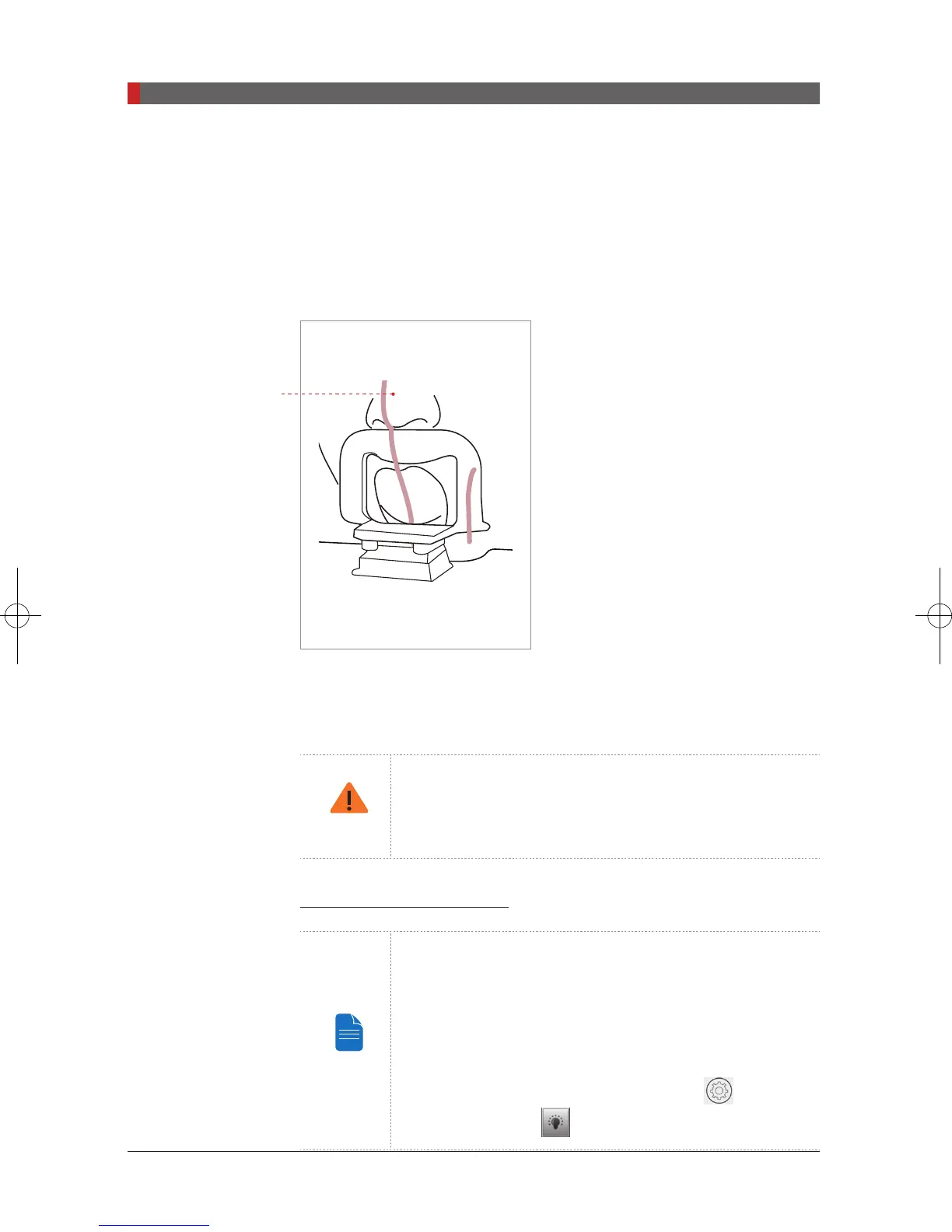
Be careful the chin not to touch any part
of the equipment.
The top of the TMJ support and the
patient’s acanthion point must remain in
contact at all times during exposure.
G. Ensure that the patient’s shoulders remain level and that his/her neck is
relaxed. The cervical spine should be straight and upright. Ask the patient to
remain still until scanning is complete.
To acquire the best image possible, ask the patient not to:
- Breathe or swallow saliva during image acquisition
- Move during image acquisition
Aligning the Laser Beams
NOTE
Clicking on the ‘Confirm’ button after setting the
parameters for imaging will activate the three laser beams
(The mid-sagittal plane, Frankfurt plane and Canine) to
facilitate patient alignment. The beams will disappear after
20 minutes or if the ‘Ready’ button is clicked.
To turn the laser beams on or off, click the
icon on the
handle frame or the
icon on the imaging GUI.
Patient position with
chin support
Pi_u272_en_20180514.indd 74 2018-05-14 오전 11:03:25













 To Next Page